

List all users, list their roles, list their grants, then remove anything they do not need.
If you want to know how to audit database permissions the right way, you are in the right place. I have led audits for banks, SaaS teams, and startups. I will show you how to audit database permissions with simple steps, sample queries, and a repeatable process you can run every quarter. Read on to learn how to audit database permissions without guesswork and with strong, safe outcomes.
Why auditing database permissions matters
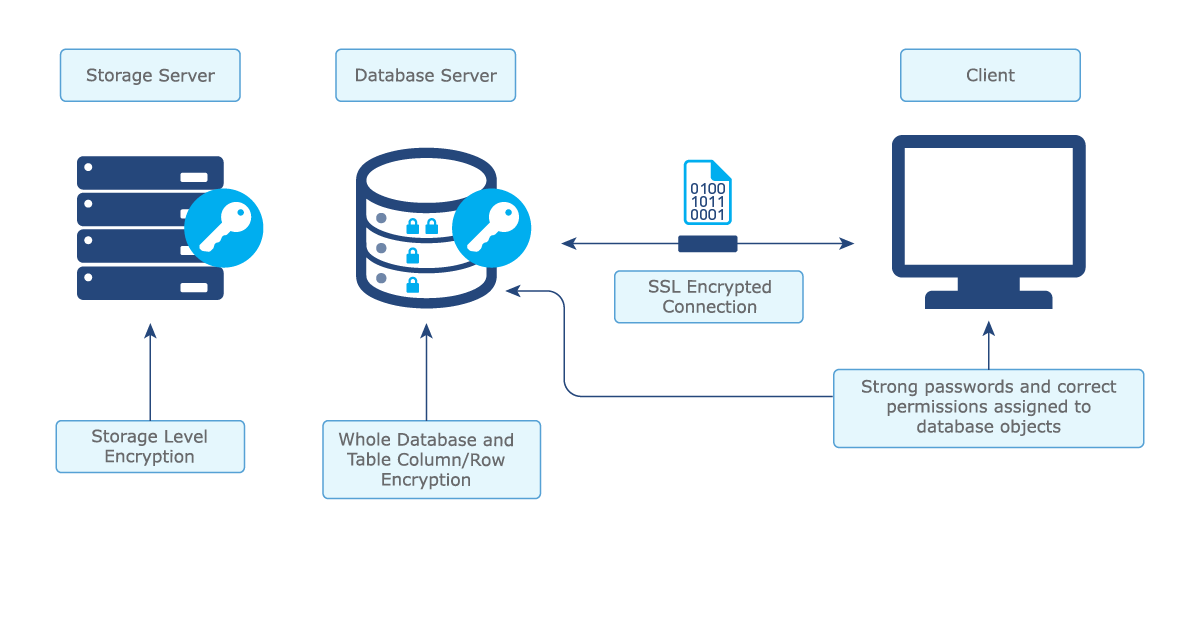
Databases hold your most valuable data. Attackers know this. The fastest path to risk is a quiet, over-privileged account. That is why a clean, tested permission model is mission critical.
A good audit proves least privilege, stops drift, and helps you pass audits. It also prevents production outages caused by surprise access changes. When you know how to audit database permissions well, you reduce risk and cost at the same time.
This work also supports standards like NIST 800-53, ISO 27001, and CIS Benchmarks. It shows your team has control, not hope. That builds trust with security, compliance, and customers.
Key concepts for a clean permission model
Before we get to how to audit database permissions, anchor on a few core ideas:
- Role-based access control. Grant permissions to roles, not to users. Map job duties to roles.
- Least privilege. Give only what is needed for the task. Nothing more.
- Separation of duties. Break risky combos. For example, developers should not own production data.
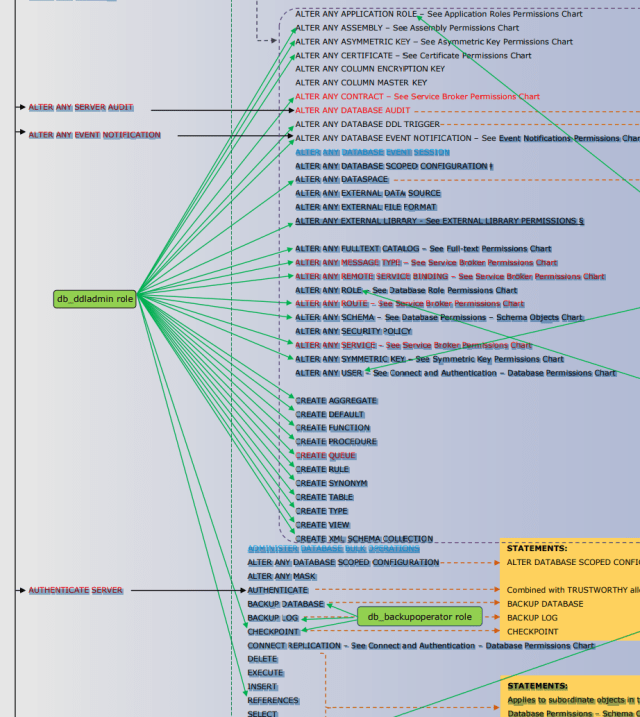
- Inheritance matters. Permissions can come from many places. Roles, schemas, groups, ownership, and defaults.
- Avoid explicit deny traps. Deny can block needed rights in odd ways. Prefer clean role design.
- Lifecycle. Every account and grant must have an owner, a reason, and an end date.
From my experience, the biggest wins come from removing direct user grants and moving to clean, named roles. It makes how to audit database permissions much simpler and faster.
Preparation checklist
A strong audit starts with a clear scope and the right data. Use this quick list.
- Define scope. Which environments, databases, and schemas are in scope.
- Classify data. Tag sensitive data like PII, PCI, PHI, or trade secrets.
- Gather identity sources. Directory groups, SSO, local DB users, service accounts.
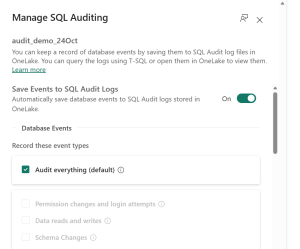
- Enable logging. Turn on database auditing and centralize logs.
- Snapshot current state. Export users, roles, grants, and objects.
- Agree on risk thresholds. For example, no public access to sensitive schemas.
- Set a change window. Fixes can break things. Plan safe times.
This setup will speed up how to audit database permissions and reduce noisy surprises.

How to audit database permissions: step-by-step
Follow these steps end to end. This is how to audit database permissions with confidence.
-
Inventory identities
- List all users, groups, roles, logins, and service accounts.
- Note owners, purpose, and last login time.
-
Enumerate permissions
- Export all grants at server, database, schema, and object levels.
- Capture inherited rights from roles and group membership.
-
Map access to data sensitivity
- Tie each permission to the object’s data tier (public, internal, restricted).
- Flag high-risk powers like CREATE, ALTER, EXECUTE, and DROP on sensitive zones.
-
Detect toxic combinations
- Look for users who can both read sensitive data and change permissions.
- Watch for users with write access and the ability to bypass audit or logs.
-
Find stale and orphaned accounts
- Disable accounts with no login in 90 days.
- Remove users who no longer exist in the identity provider.
-
Identify direct user grants
- Replace with role grants. This makes how to audit database permissions easier next time.
-
Review elevated roles
- Audit db_owner, sysadmin, superuser, DBA roles, and custom “god” roles.
- Justify each case with a ticket and an owner.
-
Validate privilege escalation paths
- Check EXECUTE on procedures that run as owner.
- Review proxy, impersonation, and unsafe functions.
-
Test least privilege
- Run session tests with role-only access.
- Use a sandbox to prove the app still works.
-
Remediate with change control
- Remove direct grants. Assign least privilege roles.
- Set end dates for temporary access.
-
Document and baseline
- Store the final role design and the reason for every exception.
- Create a living permission matrix per database.
Run this flow every quarter. After two cycles you will find less drift and faster reviews. This is the simplest way to master how to audit database permissions at scale.
Platform playbook and sample queries
Every engine exposes grants in its own way. Use these cheats to speed up how to audit database permissions.
MySQL and MariaDB
List users:
SELECT user, host FROM mysql.user;
List role grants:
SELECT * FROM information_schema.applicable_roles;
List object privileges:
SELECT grantee, table_schema, table_name, privilege_type
FROM information_schema.table_privileges
ORDER BY table_schema, table_name, grantee;
Find users with ALL PRIVILEGES:
SHOW GRANTS FOR 'username'@'%';
PostgreSQL
List roles and members:
SELECT r.rolname, r.rolsuper, r.rolcreaterole, r.rolcreatedb, m.member AS member_oid
FROM pg_roles r
LEFT JOIN pg_auth_members m ON r.oid = m.roleid;
Readable membership:
SELECT pg_get_userbyid(member) AS member,
       pg_get_userbyid(roleid) AS role
FROM pg_auth_members;
Object privileges:
SELECT grantee, table_schema, table_name, privilege_type
FROM information_schema.role_table_grants
ORDER BY table_schema, table_name, grantee;
Find superusers:
SELECT rolname FROM pg_roles WHERE rolsuper IS TRUE;
Microsoft SQL Server
Server roles:
SELECT sp.name, sp.type_desc, slr.name AS role_name
FROM sys.server_role_members srm
JOIN sys.server_principals sp ON sp.principal_id = srm.member_principal_id
JOIN sys.server_principals slr ON slr.principal_id = srm.role_principal_id;
Database role members:
SELECT rp.name AS role_name, mp.name AS member_name
FROM sys.database_role_members drm
JOIN sys.database_principals rp ON drm.role_principal_id = rp.principal_id
JOIN sys.database_principals mp ON drm.member_principal_id = mp.principal_id;
Object permissions:
SELECT USER_NAME(p.grantee_principal_id) AS grantee,
       OBJECT_SCHEMA_NAME(p.major_id) AS schema_name,
       OBJECT_NAME(p.major_id) AS object_name,
       p.permission_name, p.state_desc
FROM sys.database_permissions p
WHERE p.class = 1;
Find db_owner members:
SELECT mp.name FROM sys.database_role_members drm
JOIN sys.database_principals mp ON drm.member_principal_id = mp.principal_id
WHERE drm.role_principal_id = USER_ID('db_owner');
Oracle Database
List users and default roles:
SELECT username, account_status, default_tablespace FROM dba_users;
SELECT * FROM dba_role_privs ORDER BY grantee;
System and object privileges:
SELECT * FROM dba_sys_privs ORDER BY grantee;
SELECT owner, table_name, grantee, privilege FROM dba_tab_privs;
Identify powerful roles:
SELECT grantee FROM dba_sys_privs WHERE privilege IN ('SYSDBA', 'SYSOPER');
MongoDB
Roles and privileges:
use admin
db.system.roles.find({}, {role:1, db:1, privileges:1, roles:1})
Users and roles:
use admin
db.getUsers()
Find users with backup or cluster-wide rights:
db.getUsers().filter(u => u.roles.some(r => r.role.match(/backup|root|cluster/i)))
These queries form the core of how to audit database permissions on each platform. Save them as scripts and run them on a schedule.

Automate and scale the audit
Manual reviews do not scale. Automation makes how to audit database permissions repeatable and fast.
- Script exports. Use SQL or shell scripts to dump users, roles, and grants.
- Normalize to one format. Store results as CSV or JSON in a central repo.
- Policy as code. Write rules that flag risky grants. You can do this with SQL checks or a policy engine.
- CI for schema changes. Block pull requests that add unsafe grants.
- Scheduled jobs. Run weekly in nonprod and monthly in prod.
- Alerting. Send high-risk changes to chat or ticketing.
Aim for push-button reports. Your future self will thank you.

Common findings and fast fixes
I see the same patterns in every audit. Here is how to fix them fast.
- Overuse of admin roles. Replace with least privilege roles. Keep a break-glass admin with strong controls.
- Direct grants to users. Move to role grants. It makes how to audit database permissions much easier.
- Public access to sensitive schemas. Remove public. Add a read-only role with need-to-know access.
- Stale accounts and shared logins. Disable and rotate. Create named accounts with MFA.
- Wildcard privileges like ALL. Replace with exact rights needed.
- Orphaned objects owned by ex-employees. Reassign ownership to system roles.
- Dangerous features left on. Turn off xp_cmdshell, unsafe languages, or trust links if not needed.
Each fix reduces blast radius and speeds up how to audit database permissions next time.
Reporting, metrics, and exec-ready output
Great audits end with clear reports. Keep it short, visual, and tied to risk.
- Key metrics. Number of privileged users, stale accounts removed, and percent of role-based grants.
- Risk map. Show high, medium, low items by database and schema.
- Exceptions. List approvals with owners and end dates.
- Trend lines. Show drift reduced over time as you refine how to audit database permissions.
- Action plan. Who fixes what and by when.
Use the same format every cycle. Consistency builds trust.
Governance, compliance, and continuous monitoring
Tie your work to controls and keep it running.
- Map to controls. Link steps to internal policies and external frameworks.
- Ownership. Assign a data owner and a technical owner per database.
- Review cadence. Quarterly for prod. Monthly for high-risk data.
- Continuous monitoring. Feed grants and logins to your SIEM.
- Access review. Re-certify roles with managers. Remove unused rights.
When you standardize how to audit database permissions, you move from hero fixes to steady control. That is what auditors, and your customers, want to see.
Frequently Asked Questions of how to audit database permissions
How often should I run an audit?
Run a full audit every quarter for production. For sensitive data, add monthly spot checks on elevated roles.
What tools can help automate the process?
Start with native system views and scripts. Add a SIEM for alerts and a policy engine to codify checks.
How do I handle service accounts?
Treat them as high risk. Use least privilege roles, rotate secrets, and bind them to only the objects they need.
What is the fastest win if I am short on time?
Remove direct user grants and review admin roles. Those two steps cut most risk with little effort.
How do I avoid breaking apps during remediation?
Test changes in a staging copy of production. Use temporary dual grants, then remove old rights after validation.
How do I prove compliance to auditors?
Keep exports, change tickets, approval records, and a permission matrix. Show before and after states with dates and owners.
Conclusion
You now have a clear, repeatable way to check every user, every role, and every grant. Use this guide to plan, export, analyze, fix, and track. The more you practice how to audit database permissions, the faster and cleaner it gets.
Make your first pass this week. Start with one database and one schema. Then expand. If you found this useful, subscribe for more guides, share it with your team, or leave a comment with your biggest permission pain point.



