

Add camera shake by keyframing position, rotation, and scale with subtle, random motion.
If you want your footage to feel urgent, real, or intense, the right shake sells the moment. In this guide on how to add camera shake effect, I will show you proven steps in top editors, easy presets, and advanced tricks from real projects. You will learn when to shake, how much to shake, and how to keep it clean and professional without distracting your viewer.
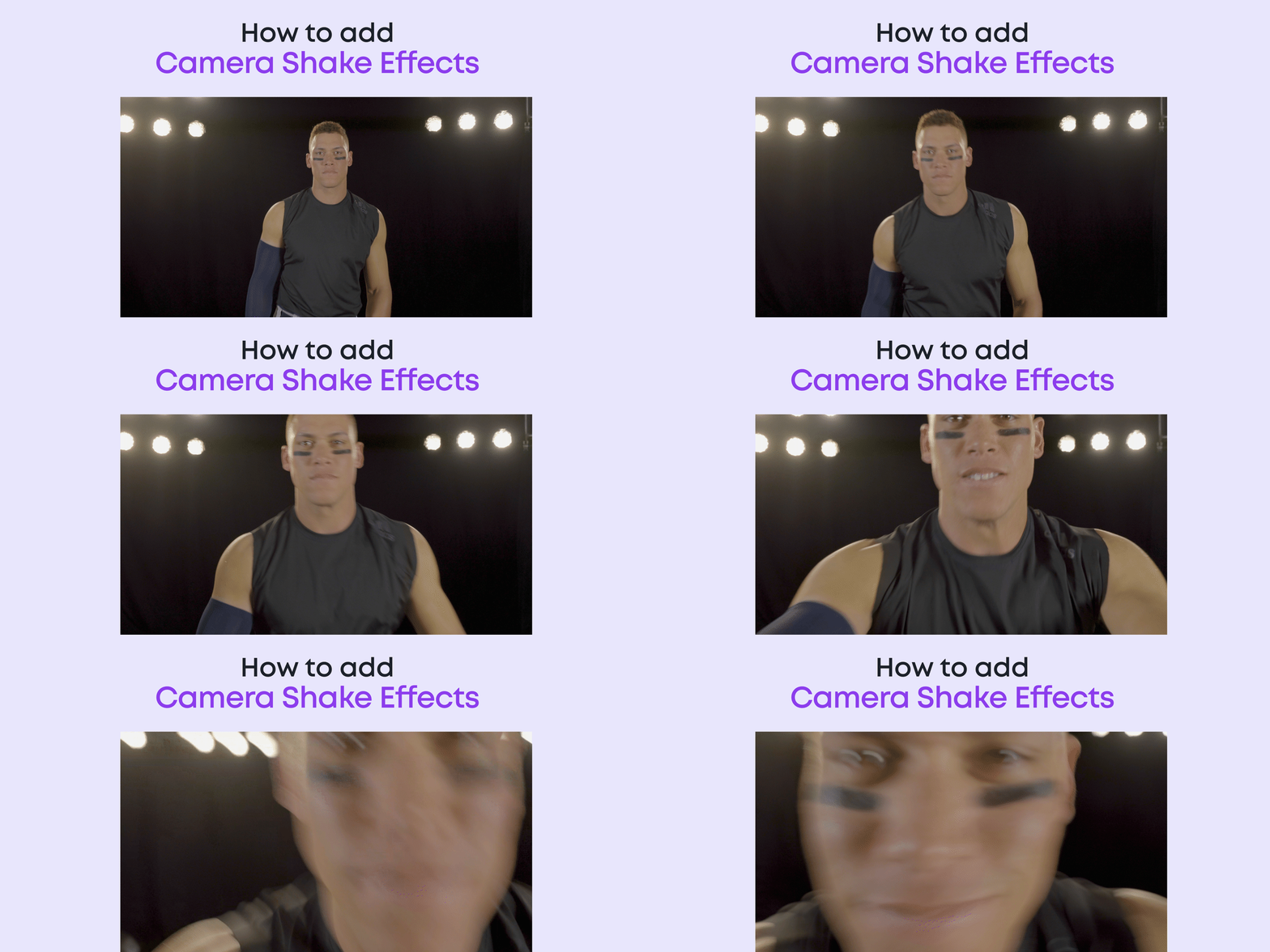
What camera shake does and when to use it
Camera shake adds energy, fear, or realism. It can sell action hits, simulate handheld, or build tension. Done right, it feels invisible. Done wrong, it feels cheap.
Use it when you need to:
- Mimic handheld on a locked shot to add life.
- Heighten impacts, explosions, footsteps, or chaos.
- Match shaky B-roll across cuts so the edit feels seamless.
Avoid it when:
- The story needs calm, focus, or clarity.
- Text and UI must remain sharp and readable.
- Compression is heavy and artifacts will show on edges.
A good rule is to let the scene justify the shake. Keep a clear reason for every move. This is key to how to add camera shake effect with taste and control.

The core principles that make shake work
Treat shake like music. You control tempo and volume. Here are the pieces you tune:
- Amplitude. How big the move is. Start small, like 5–20 pixels, and adjust.
- Frequency. How fast it moves. Fast for panic, slow for a subtle handheld vibe.
- Axes. X for side moves, Y for footsteps, Z for push-pull, and small rotation.
- Duration. Let shakes ramp in and out. A sudden start looks fake.
- Motion blur. No blur looks jittery. Add blur so it feels like a real lens.
- Framing and edges. Scale up 105–115 to hide black borders when it shakes.
- Motivation. Tie shake to action beats, music hits, or dialogue emotion.
In practice, how to add camera shake effect is about shaping these parts so they fit the story. Less is usually more.
How to add camera shake effect in Adobe After Effects
Here is a fast, pro workflow I use on client edits.
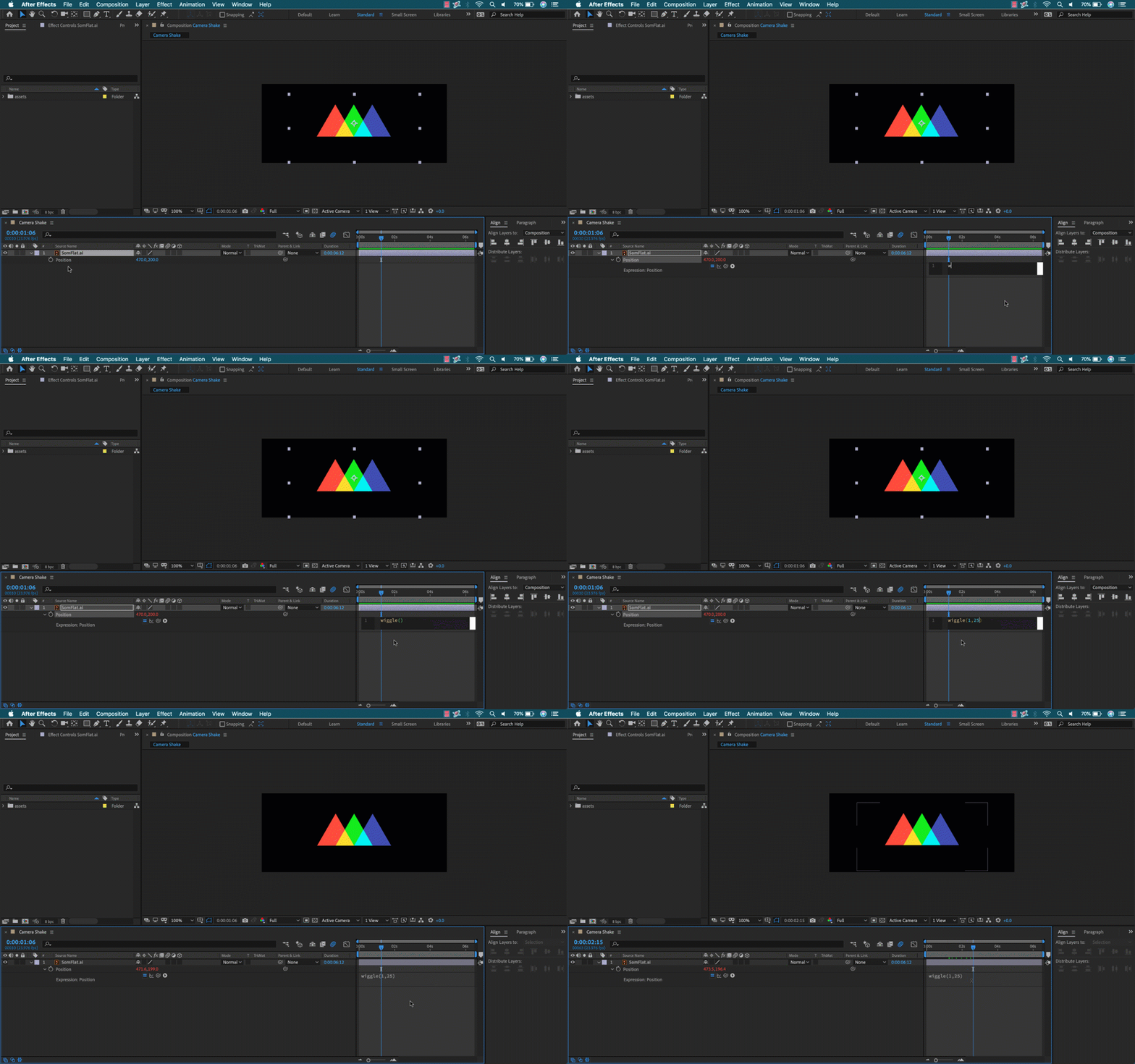
Method 1: Wiggle with control
- Create a Null object and name it Shake_CTRL.
- Parent your clip or comp to Shake_CTRL.
- On Shake_CTRL, press P for Position, R for Rotation.
- Alt-click the stopwatch and add a wiggle expression.
Example expressions:
- Position: wiggle(8, 20)
- Rotation: wiggle(10, 1)
Add control sliders:
- Add two Slider Controls to Shake_CTRL. Name them Freq and Amp.
- Position expression: wiggle(thisComp.layer("Shake_CTRL").effect("Freq")("Slider"), thisComp.layer("Shake_CTRL").effect("Amp")("Slider"))
- Use keyframes on the sliders to ramp shake in and out on cue.
Method 2: Impact burst
- At an impact, set Amp high for 4–8 frames, then keyframe it down to zero.
- Add a tiny Rotation wiggle. Think 0.5–2 degrees.
Pro setup
- Enable Motion Blur on the layer and the comp. Set Shutter Angle to 180–360 for a stronger blur.
- Add Motion Tile with Output Width/Height around 120 and Mirror Edges to avoid black edges.
- Precomp complex graphics so they move as one.
This is the safest way to master how to add camera shake effect in After Effects. It is fast, flexible, and easy to adjust.

How to add camera shake effect in Adobe Premiere Pro
Premiere does not have expressions, but you can still get clean results.
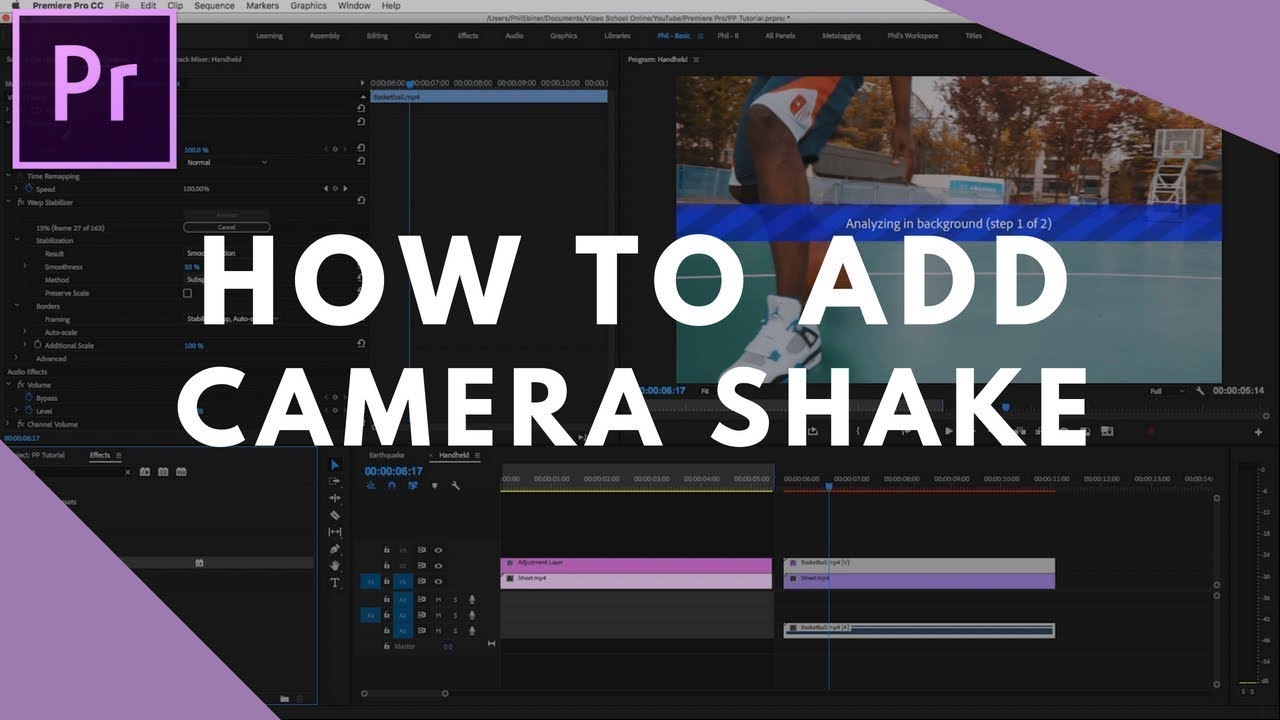
With Transform effect
- Add an Adjustment Layer above your clips.
- Apply the Transform effect to the Adjustment Layer.
- Uncheck Use Composition Shutter Angle and set Shutter Angle to 180–360 for motion blur.
- Keyframe Position and Rotation for short, random moves.
- Scale to 105–110 to avoid black edges.
Quick jitter method
- Every 2–4 frames, set Position off-center by a few pixels and Rotation by 0.3–1 degree.
- Use Ease Out to start, Ease In to stop. Keep moves short and varied.
Impact hits
- Add Directional Blur at 10–20 for 2–3 frames on strong hits.
- Return blur to 0 right after.
These steps work well if you are learning how to add camera shake effect without plugins.
How to add camera shake effect in Final Cut Pro
You can build shake with simple keyframes.
Manual transform method
- Add a connected Adjustment Layer title above your clip. If you do not have one, use a solid title as a holder.
- Open the Video Inspector and keyframe Position and Rotation.
- Nudge Position by small amounts and add tiny Rotation moves on varied frames.
- Set Scale to 105–110 to hide edges.
- Add Gaussian Blur to 3–6 for fast hits to mimic motion blur.
Optional template method
- Some versions include a Handheld effect in the Effects Browser. If you have it, drop it on your clip, then tune Amount, Speed, and Strength.
- If not, save your manual keyframed setup as a preset for reuse.
These tactics cover how to add camera shake effect in FCP with or without built-in effects.
How to add camera shake effect in DaVinci Resolve
You can do it in the Edit page or Fusion.
Edit page
- Add an Adjustment Clip above your shot.
- On the Inspector, keyframe Position and Rotation with small, random changes.
- Scale up slightly to hide edges.
- Add Directional Blur for 2–4 frames at impact points.
Fusion page
- Select your clip and go to Fusion.
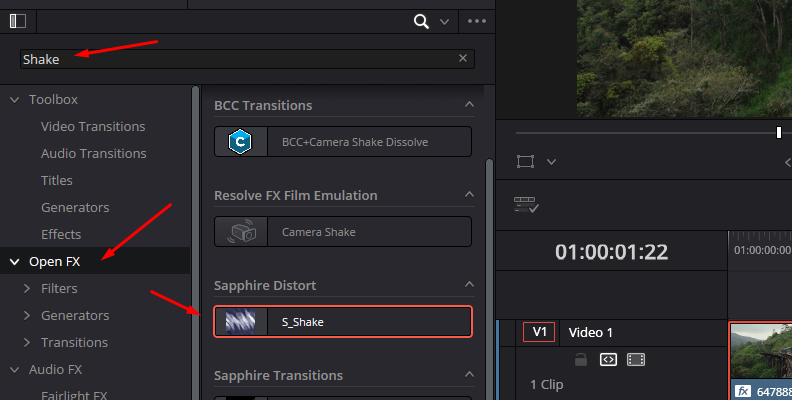
- Add a Shake node between MediaIn and MediaOut.
- Set X and Y Amplitude small at first. Adjust Speed and Random Seed.
- Add a Transform node if needed for extra Scale and Rotation.
- Back in Edit, add a little blur to help the look.
Studio users can try the Camera Shake OFX for fine control. Each approach is valid for how to add camera shake effect in Resolve.
How to add camera shake effect on mobile (CapCut, LumaFusion, VN)
You can get strong results on a phone with care.
CapCut
- Tap Effects, then Video Effects, search for Shake or Handheld.
- Pick the style, reduce intensity, and set it to only where needed.
- Add Motion Blur if your version includes it.
LumaFusion
- Open Frame & Fit, keyframe Position and Rotation with small moves.
- Scale up a bit to hide edges.
- Add a light Gaussian Blur on hits.
VN or KineMaster
- Use preset Shake effects with low intensity.
- Trim the effect to short beats, not the full clip.
This is a quick path for beginners who ask how to add camera shake effect without a desktop editor.
How to add camera shake effect while filming
Sometimes the best shake is real. Here is how to capture it on set.
- Shoot a little wider so you have crop space for post.
- Keep shutter around a 180-degree rule for natural motion blur.
- Add micro body movement. Bend your knees and breathe through moves.
- For big action, take a small step or shoulder bump timed with the hit.
- Use a longer lens for a more dramatic wobble. Use a wider lens for subtle shake.
If you later decide to polish, you will know how to add camera shake effect that matches your in-camera motion.

Advanced techniques that sell the illusion
Make your shake feel like it was shot that way.
- Axis intent. Y-axis for walking. X-axis for running. Rotation for recoil or panic.
- Audio-driven shake. In After Effects, map a Slider to Audio Amplitude for beat-synced shakes.
- Easing. Ramp shake in and out so it does not start from zero in one frame.
- Layered noise. Mix a slow, wide move with a quick micro jitter for realism.
- Parallax. In AE, separate foreground and background. Add slightly different shakes to each layer.
- Edge safety. Use Motion Tile with Mirror Edges or scale to hide borders.
- QC passes. Watch full screen at 100 percent and at 200 percent to catch edge flash.
These are the pro moves that define how to add camera shake effect with true craft.
Common mistakes and how to fix them
- Too much amplitude. Fix by lowering pixel moves and degrees of rotation.
- No motion blur. Fix by enabling blur or adding a short blur on hits.
- Visible borders. Fix with scale or a tiling effect that mirrors edges.
- Uniform shake. Fix by varying timing, speed, and axis.
- No story reason. Fix by tying shake to a beat, emotion, or action cue.
- Bad compression. Fix by exporting at higher bitrate or using less aggressive shake.
Small tweaks make a big change. These tips keep how to add camera shake effect clean and watchable.
A practical workflow checklist you can copy
Use this for any project.
- Plan. Decide the purpose for the shake and where it starts and stops.
- Protect. Scale to 105–110 and set motion blur now.
- Build. Add a slow base drift and a fast micro jitter on top.
- Sync. Align bursts to cuts, hits, or music.
- Polish. Ease in and out. Mask UI or text layers if needed.
- Review. Watch on a phone and a monitor at full screen.
Follow this and you will know how to add camera shake effect that feels pro, fast.
Frequently Asked Questions of how to add camera shake effect
What is the fastest way to add camera shake in editing?
Use an adjustment layer with keyframes on Position and Rotation. Scale up to hide edges and add motion blur for realism.
How do I avoid black edges when adding shake?
Scale the clip to 105–110 or use a tiling effect that mirrors edges. Keep the amplitude small to reduce how far the frame moves.
Do I need motion blur for shake to look real?
Yes, blur helps sell speed and mass. Without it, shakes look like stutter rather than camera movement.
How much shake should I add for handheld look?
Start small: 5–20 pixels and under 2 degrees of rotation. Increase only until you feel life in the shot, then stop.
Can I automate shake to match music or impacts?
Yes. In After Effects, link a Slider to Audio Amplitude or keyframe Amp on beats. In other apps, cut small bursts right on the waveform peaks.
What frame rate and shutter settings help in post?
Shoot at your delivery frame rate and near a 180-degree shutter for natural blur. If you must add blur later, a higher shutter works but needs more post work.
Is there a preset for how to add camera shake effect?
Many editors ship with basic shake presets or effects. Use them as a starting point, then dial in frequency, amplitude, and blur to match your scene.
Conclusion
You now have the tools and the taste to make shake work for your story. Keep it subtle, tie it to action, and shape amplitude, frequency, and blur with intent. That is the core of how to add camera shake effect that looks real and feels pro.
Try one method today on a 10-second clip. Build a preset you can reuse. If this helped, subscribe for more editing guides or drop your questions in the comments so I can cover them next.



