Automate server updates with policy-driven tools, staged rollouts, and monitored reboots.
If you run production systems, you need a reliable way to patch. In this guide, I show how to automate server updates with tools, rules, and simple habits that work at scale. I share field lessons, safe rollout steps, and cloud options. If you want a clear path for how to automate server updates without downtime, read on.
Why automate server updates
Patching by hand does not scale. Threats move fast. Downtime is costly. Automation closes gaps, cuts toil, and keeps a trail for audits.
Key benefits:
- Better security: Patches reduce known risks and shrink attack time.
- Higher uptime: Planned windows beat surprise outages.
- Faster recovery: Rollback steps are ready and tested.
- Clear audits: Logs and reports show proof of patch work.
In short, how to automate server updates is how you ship safer, faster, and with less stress.
Core building blocks you need
Before you decide tools, set the basics. These pieces shape how to automate server updates for any stack.
- Package source: Use trusted repos and signed packages. Mirror if needed.
- Policy: Define cadence, rings, and SLAs. Write it down.
- Schedule: Set windows per app and time zone. Avoid peak hours.
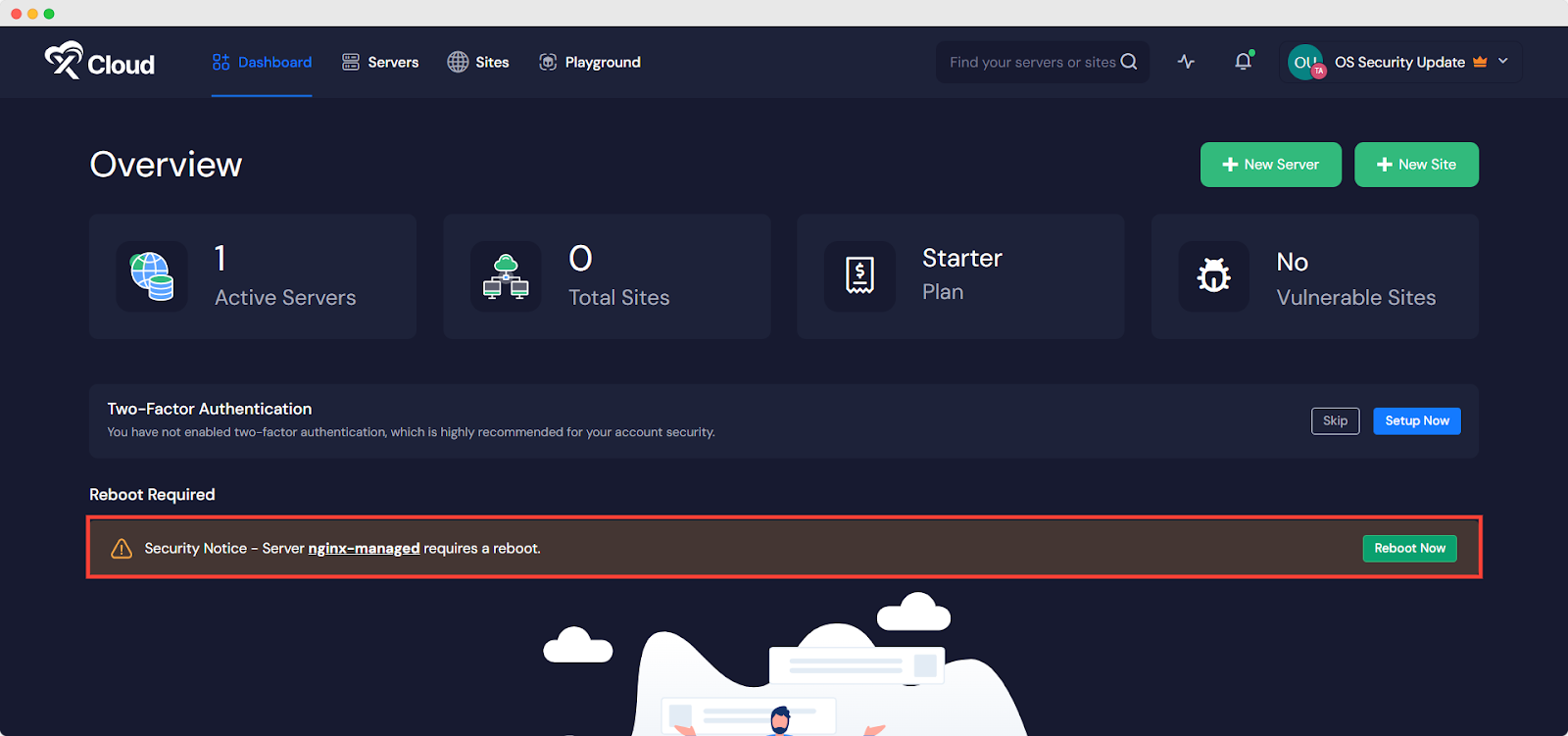
- Reboot plan: Decide when to reboot and how to drain traffic first.
- Notifications: Send alerts before and after patches.
- Logging: Keep patch logs in a central place. Ship to SIEM.
- Rollback: Snapshots, backups, and tested steps. Practice the restore.
- Approval gates: Auto-approve low risk. Require review for high risk.
OS-specific setups that work
This section gives fast, proven paths. Pick what fits your fleet. These are the nuts and bolts of how to automate server updates in a safe way.
Debian and Ubuntu
Use unattended-upgrades for security patches and set reboots.
Sample config:
sudo apt-get update
sudo apt-get install unattended-upgrades apt-listchanges

sudo dpkg-reconfigure --priority=low unattended-upgrades
Key file: /etc/apt/apt.conf.d/50unattended-upgrades
Tips:
- Enable only security updates first.
- Use Automatic-Reboot-WithUsers "true" with care.
- Send reports to mail or webhooks.
RHEL, CentOS, Rocky, Alma
Use dnf-automatic (or yum-cron on older hosts).
sudo dnf install dnf-automatic
sudo systemctl enable --now dnf-automatic.timer
Set apply_updates = yes in /etc/dnf/automatic.conf. Start with security-only updates.
SUSE Linux
Use zypper and timers. For security-only:
zypper patch --category security --with-interactive
Wrap in a systemd timer with a window.
Windows Server
Use one of these:
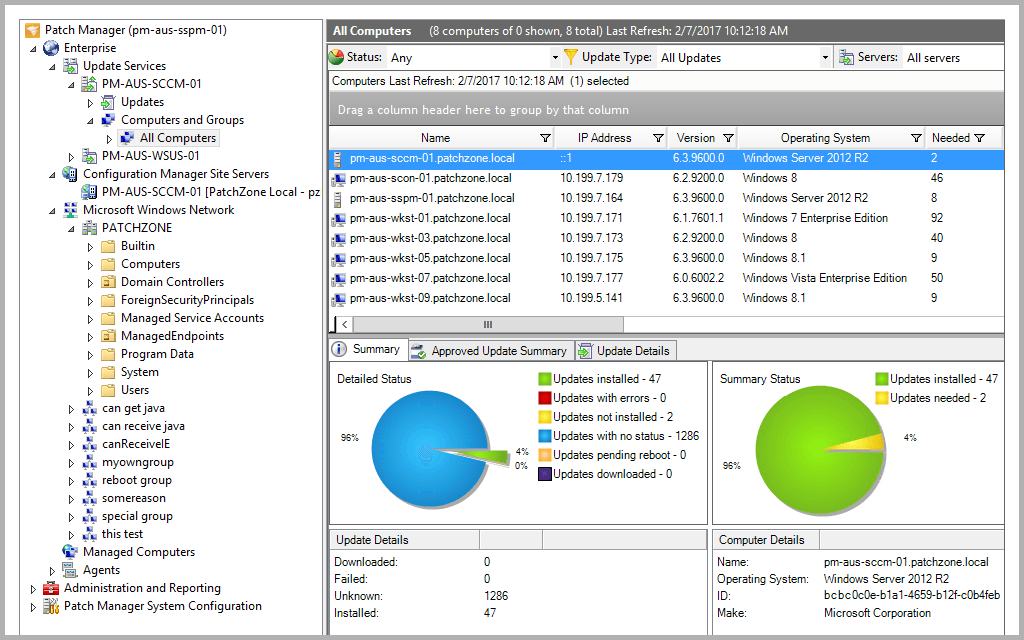
- WSUS for staged approvals and rings
- Microsoft Configuration Manager for deep control
- Windows Update for Business with Intune for policy at scale
Best practices:
- Create rings: IT, pilot, broad.
- Use maintenance windows and deadline settings.
- Pair with reboot coordination and pre-check scripts.
Orchestrate with Ansible, Puppet, Chef, or Salt
Config tools are the backbone of how to automate server updates across fleets. They turn policy into repeatable runs.
Common pattern:
- Inventory hosts and group by app and risk.
- Define rings: canary, pilot, production.
- Apply patches by ring with holdbacks.
- Drain, patch, verify, and return to pool.
Example Ansible snippet:
- hosts: canary
  serial: 10%
  tasks:
    - name: Update packages
      ansible.builtin.package:
        name: '*'
        state: latest
    - name: Reboot if needed
      ansible.builtin.reboot:
        reboot_timeout: 1200
    - name: Health check
      uri:
        url: http://localhost/healthz
        status_code: 200
Why this helps:
- Idempotent runs
- Clear diffs and logs
- Easy to schedule in AWX or Tower

Cloud-native patch services
Cloud tools make how to automate server updates much easier, with less glue code.
- AWS Systems Manager Patch Manager: Define baselines, tags, and windows. Use SSM Agent, State Manager, and Maintenance Windows.
- Azure Update Manager: Group machines by tag, set schedules, create dynamic scopes, and track compliance in reports.
- Google Cloud OS Patch Management: Use OS policies, patch jobs, and zones. Report compliance to Cloud Ops.
Tips:
- Tag hosts by app, tier, and ring.
- Start with security-only baselines.
- Use change calendars to avoid launches or events.

Safe rollout strategy and reboots
This is the heart of how to automate server updates without pain. Think small steps and clear checks.
Rollout rings:
- Ring 0: IT and dev boxes
- Ring 1: Canary production nodes
- Ring 2: Broad production
Guardrails:
- Health checks before and after patches
- Auto hold if errors pass a threshold
- Timed gaps between rings
Reboots:
- Use connection draining on load balancers
- Cordone and drain workloads
- Reboot one node at a time
- Validate service start and latency
Live patching:
- Consider kernel live patch from your vendor for critical fixes
- Still plan regular full reboots

Monitoring, alerts, and rollback
Patching is not done until you can prove it is safe. Your plan for how to automate server updates needs clear eyes on risk.
What to track:
- Patch success and failure rates
- Time to patch and time to reboot
- Service SLOs and error rates post-patch
- Compliance to policy by group
Rollback options:
- VM snapshots and AMI versions
- LVM or ZFS snapshots on data nodes
- Blue/green images for fast swap
- Clear runbooks with owners and SLAs
Alerting:
- Send to chat, email, and PagerDuty
- Include link to logs and rollback steps
- Auto-create tickets for failures

Containers and Kubernetes
Even in containers, patch work does not vanish. You still need to plan how to automate server updates for nodes and images.
Best practices:
- Update base images often and rebuild apps
- Scan images for CVEs in CI
- Pin tags and use SBOMs
- Rotate images with canary deploys
For nodes:
- Use kured to automate safe reboots
- Cordon, drain, patch, and uncordon
- Respect PodDisruptionBudgets
- Patch control planes in small steps
For managed clusters:
- Use vendor upgrade channels
- Align node OS patching with release notes

Security, compliance, and audits
Compliance pushes how to automate server updates into a repeatable program.
Standards to align with:
- CIS Benchmarks
- SOC 2, ISO 27001
- PCI DSS for card data
- Vendor patch guidance and CVE feeds
Key controls:
- Defined patch SLAs by risk class
- Exceptions with time limits and approvals
- Immutable logs and monthly reports
- Separation of duties for approvals
Prove it:
- Keep evidence of baselines, runs, and results
- Store change tickets and risk notes
- Show trends: coverage, time-to-patch, failures
Real-world lessons and pitfalls
From running large fleets, here is what made the biggest difference in how to automate server updates.
What worked well:
- Tags and naming rules kept scopes clean
- Small, fast rings caught 80% of issues early
- Health checks tied to real user paths
- Clear change windows that all teams knew
Mistakes to avoid:
- Turning on auto-reboots without drains
- Mixing security and feature updates at first
- Skipping rollback drills
- No comms plan for failed patches
A quick story:
We rolled out kernel fixes to 400 Linux nodes with Ansible. We used 10% canaries, then 30%, then the rest. One service failed a health check due to a custom module. The run paused, we rolled back that ring in five minutes, and fixed the module before retry. The plan saved the night.
Cost and ROI
Automation costs time at first, then pays back fast. This ties to the business side of how to automate server updates.
Value drivers:
- Less manual work per host per month
- Fewer outages and quicker restores
- Better audit results with less scramble
- Clear view of risk and coverage
Show the numbers:
- Track hours saved per cycle
- Track incidents avoided and MTTR
- Track compliance scores over time
Frequently Asked Questions of how to automate server updates
What is the safest way to start automation?
Begin with security-only updates and a tiny canary ring. Add health checks and a pause between rings before you scale up.
How often should servers patch?
Weekly for security patches is common for internet-facing hosts. Monthly works for lower-risk systems with strong compensating controls.
Do I always need to reboot after patches?
Not always, but kernel and core library updates often need it. Use live patching when supported, but plan regular reboots.
What tools are best for a mixed fleet?
Use Ansible or Puppet for cross-platform flows. Pair them with cloud patch tools like SSM or Azure Update Manager for better inventory and reports.
How do I handle database servers?
Use primary-replica swaps or cluster rolling updates. Drain traffic, patch one node, validate, then move to the next.
Can I automate patches in Kubernetes?
Yes. Patch images in CI, redeploy with canaries, and patch node OS with cordon and drain. Tools like kured can automate safe reboots.
Conclusion
You now have a clear plan for how to automate server updates with less risk and more control. Start small, use rings, add health checks, and keep rollback steps ready. Build trust with good logs and simple reports.
Take the next step today. Pick one app, define a canary ring, and run your first automated window. Subscribe for more deep guides, or leave a comment with your stack and I will share a custom plan.