
Automate system monitoring by defining metrics, instrumenting tools, and alerting on SLOs.
You want a reliable, low-noise setup that spots issues fast and fixes them early. In this guide, I show how to automate system monitoring step by step. I share what works, what breaks, and how to tune it. If you want to master how to automate system monitoring, you are in the right place.
Why automate system monitoring
If you ask how to automate system monitoring, start with the why. Automation cuts toil. It boosts uptime. It lowers stress.
You get faster alerts and fewer false pages. You find root causes with less pain. Your team sleeps better. Your users stay happy.
Based on industry data, automated alerting can cut MTTR by up to half. It also reduces human error in on-call. That is the real win.

Core components of an automated monitoring stack
A good plan for how to automate system monitoring needs strong parts that fit well.
Key parts to include:
- Metrics to track health over time with a time-series store
- Logs for detail and proof with structured fields
- Traces to follow a request across services
- Dashboards for quick views across teams
- Alerts with rules that match SLOs
- Storage with smart retention and rollups
Use labels or tags for hosts, services, regions, and versions. This lets you filter fast. It also supports clean rollups and cost control.
Step-by-step: how to automate system monitoring
Here is how to automate system monitoring with a clear plan. Keep each step small. Test each one.
- Define SLOs and SLIs. Pick uptime or latency targets that match user needs.
- Map your system. List apps, hosts, cloud parts, and key flows.
- Pick tools. Choose a metrics store, log pipeline, and tracing tool that fit your stack.
- Instrument code and hosts. Add metrics, labels, and trace spans. Use structured logs.
- Build core alerts. Tie alerts to SLOs with clear thresholds and time windows.
- Create dashboards. Include service maps, top errors, and SLO burn rates.
- Automate onboarding. When a new service ships, add it to alerts and dashboards by default.
- Add runbooks. Link every alert to a short fix guide and a test.
- Test with drills. Use synthetic checks and fault tests to tune noise.
- Review and improve. Hold a weekly review to trim or add rules.
In my last on-call role, we tied alerts to SLO burn. Pages dropped by a third. Fix time improved too. That is the power of focus.
Setting smart alerts and noise reduction
A big part of how to automate system monitoring is alert control. Alerts should be clear, rare, and real.
Tips that work:
- Use multi-condition rules. For example, high error rate and high traffic.
- Set levels. Page for user harm. Notify for slow trends.
- Add time windows. Avoid flapping on short spikes.
- Use dedupe and silence windows. Mute during known changes.
- Route by service owner. Use tags to send to the right team.
Tie every alert to a runbook. Add a test to confirm the fix. This saves time in the dark of night.
Observability: logs, metrics, and traces
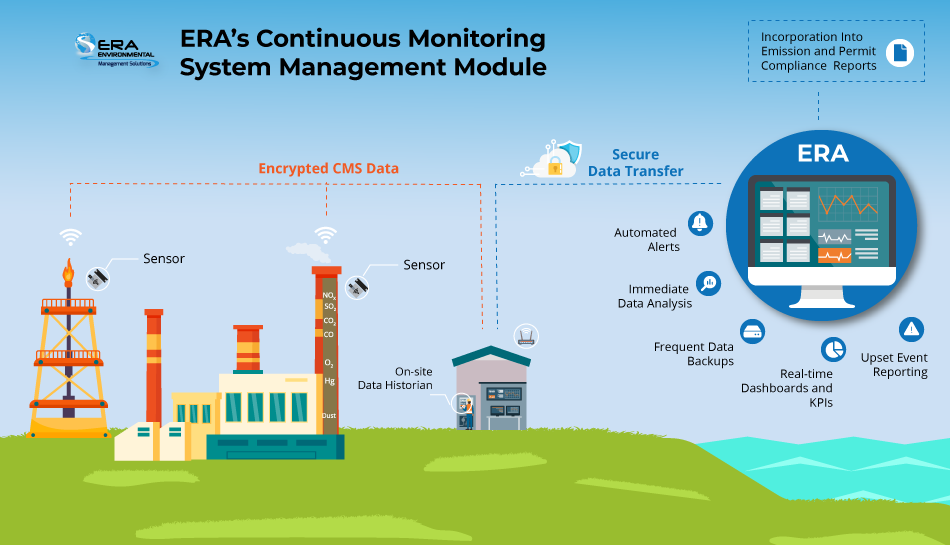
If you ask how to automate system monitoring today, think beyond single charts. You need full observability.
Use metrics for fast insight and trend lines. Use logs for proof and detail. Use traces to find the slow hop in a chain.
Keep logs structured. Add a trace ID to every line. Then you can jump from an alert to the exact request path with one click.
Automation with scripts and infrastructure as code
Another key move in how to automate system monitoring is to codify it. Treat monitoring like code.
Use infrastructure as code to set alerts, dashboards, and routes. Store them in git. Review changes like any code change.
Add scripts or functions for self-heal tasks:
- Restart a stuck service after health checks fail
- Scale out when CPU stays high for ten minutes
- Clear a bad cache key on repeated 5xx errors
Keep guardrails. Log all auto-fixes. Page a human if a fix fails or loops.
Security and compliance monitoring automation
Part of how to automate system monitoring is to fold in security checks. Many teams split tools, but data should link.
Do these basics well:
- Send system logs and auth logs to a central store
- Watch for rare logins, role changes, and new keys
- Scan cloud configs for open ports and risky grants
- Set alerts for data egress spikes and odd API use
Use tags for owner and data type. This helps with audits and fast response to risks.
Dashboards and reporting automation
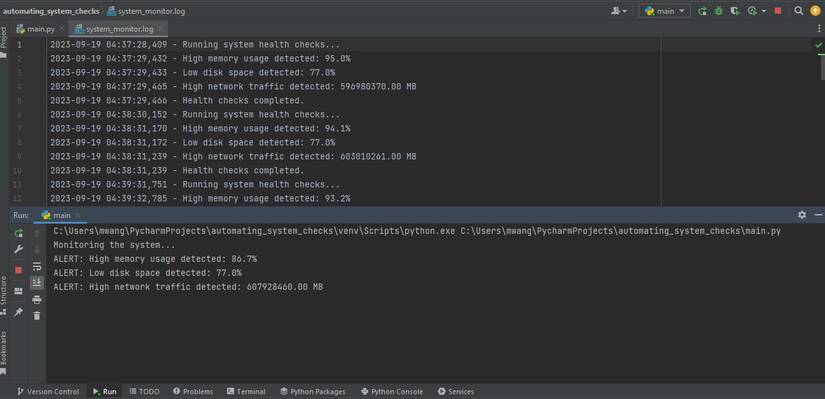
Good dashboards help teams act fast. If you plan how to automate system monitoring, plan how to share results.
Build three layers:
- Exec view with uptime, latency, errors, and cost
- Team view with SLO burn, top errors, and hot paths
- Deep view for on-call with logs, traces, and node stats
Automate weekly and monthly reports. Show trends, top alerts, and planned fixes. Keep it short and clear.
Testing, tuning, and SLOs
How to automate system monitoring also means how to keep it sharp. Testing and tuning never stop.
Add synthetic checks for key user paths. Run them from many regions. Track the same SLIs as live traffic.
Do small fault tests. Kill one pod. Add 200 ms latency. See what breaks and who gets paged. Then tune alerts and runbooks.
Review SLOs each quarter. As load and features change, your goals should adapt too.
Common pitfalls and how to avoid them
When you learn how to automate system monitoring, watch for these traps.
Pitfalls to avoid:
- Too many alerts that lack action
- No owner tag on services or alerts
- Missing runbooks or bad links
- Only system metrics, no user metrics
- Ignoring storage and data costs
Fix them with clean tags, SLO-first rules, and a weekly upkeep block. Small, steady care wins.
Real-world examples and playbooks
Here are short plays that have helped me. They make how to automate system monitoring feel real.
CPU spike play:
- Alert fires for 15 minutes of 85% CPU
- Auto-capture top threads, heap, and key logs
- If pods hit HPA limit, auto-scale one step and page owner
Error burst play:
- Detect 5xx rate above 2% with high traffic
- Auto roll back if change shipped in last 30 minutes
- Page owner with links to trace and diff
SLO burn play:
- SLO burn rate above 2x for 10 minutes
- Page now; open incident record; start timeline
- Share a live dashboard link in chat
These plays cut time to act. They also give calm in a storm.
ROI and metrics that matter
How to automate system monitoring must show value. Pick simple KPIs and track them.
Good KPIs:
- MTTR and time to detect
- Alert volume and page rate per on-call
- Change failure rate and time to restore
- SLO compliance and user error rate
- Cost per GB of data and per host
Many teams see less toil and faster fixes within a month. Keep costs in check with smart retention and labels.
Frequently Asked Questions of how to automate system monitoring
What is the fastest way to start automation?
Begin with SLOs and one service. Add metrics, a few key alerts, and a small dashboard. Expand once noise is under control.
Which tools should I choose?
Pick tools that fit your stack and skills. Focus on ease of use, strong APIs, and clear costs rather than brand names.
How do I reduce alert fatigue?
Tie alerts to user impact and SLO burn. Use time windows and dedupe, and delete alerts that never lead to action.
Do I need traces if I already have logs?
Yes, traces show where time is spent across services. They speed root cause work and reduce guesswork.
How often should I review monitoring rules?
Do a short weekly review and a deeper quarterly one. Tune thresholds, retire dead alerts, and update runbooks after every incident.
Conclusion
You now know how to automate system monitoring with a clear, calm plan. Start with SLOs, wire up metrics, logs, and traces, and ship smart alerts. Add code, playbooks, and steady reviews to keep it sharp.
Take one service this week and put this into practice. Build the first dashboard, write one runbook, and remove one noisy alert. Subscribe for more guides, or share your progress and questions in the comments.



