

Download only from trusted sources, verify file authenticity, keep software updated, and scan everything.
I’ve spent years helping people clean up infected devices, and the pattern is the same: one careless click leads to days of stress. This guide shows how to avoid malicious downloads with clear steps you can use right now. You’ll learn simple checks, smart habits, and advanced tricks that block threats before they start. If you’ve ever wondered how to avoid malicious downloads without becoming a tech expert, you’re in the right place.
How malicious downloads actually work
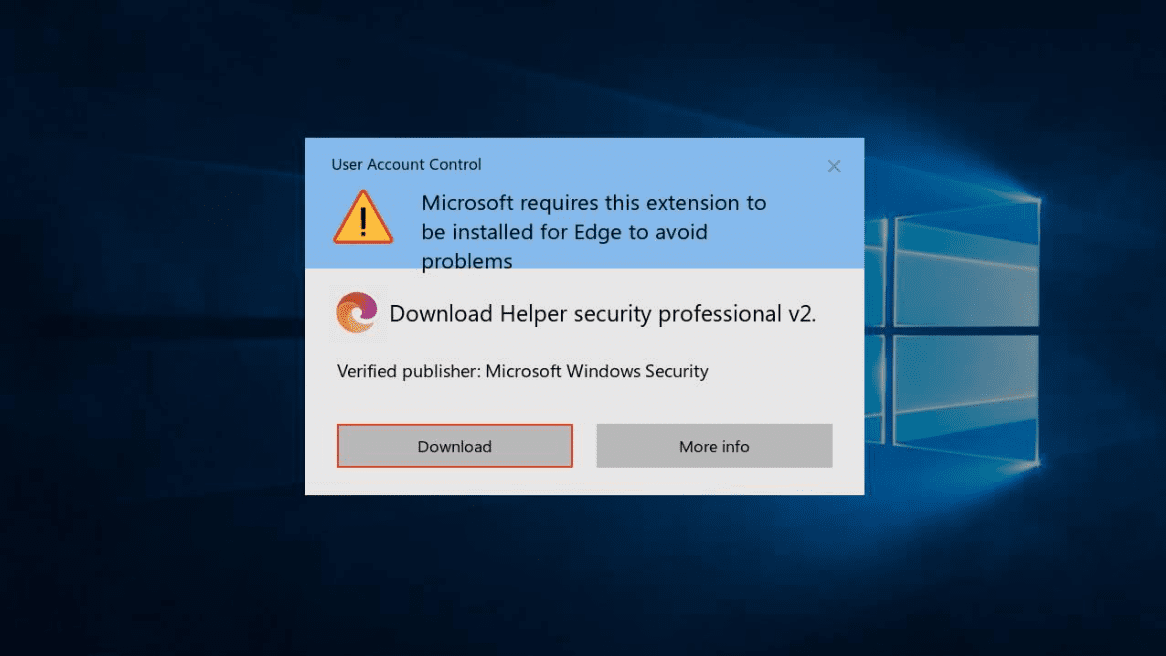
Malicious files are sneaky. They hide in fake buttons, free tools, pirated content, or “urgent updates.” Attackers use social pressure, like fear or excitement, to make you rush. The file looks normal. The damage comes after you open it.
From my audits, most infections came from bundled installers and fake updates. These files can install adware, steal passwords, or drop ransomware. Knowing the risk helps you pause before you click. Stay calm and check the source first.

Core principles: how to avoid malicious downloads
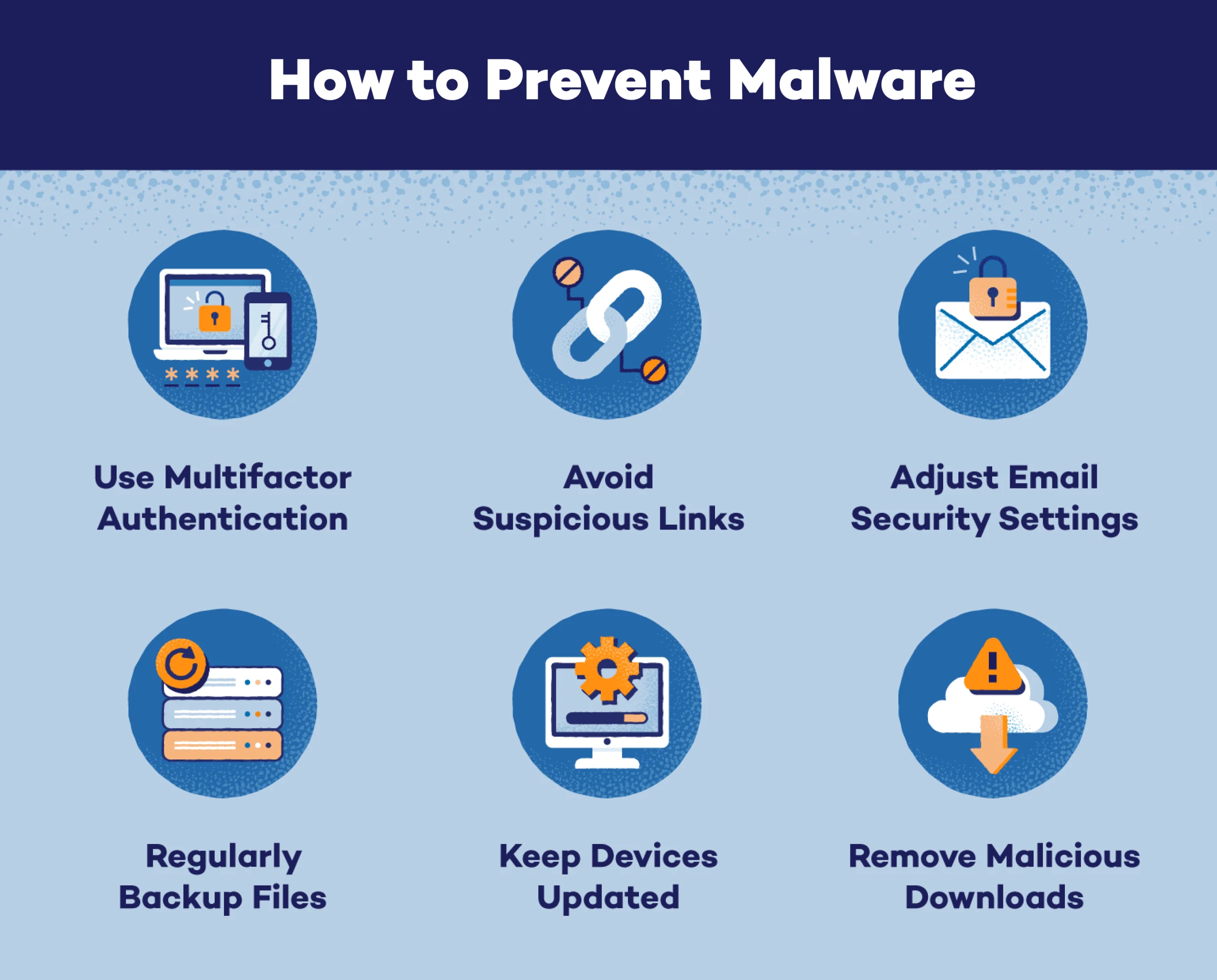
Think of security as layers. No single step is perfect. Combine habits, tools, and checks, and most threats bounce off. Here is how to avoid malicious downloads in daily life.
- Only download from official sites or trusted stores.
- Keep your browser, OS, and apps up to date.
- Use a reputable antivirus and enable real-time scanning.
- Scan every file before opening, even if it looks safe.
- Pause and verify when a download link feels rushed or “too good.”
I teach teams to slow down and follow these steps like a recipe. It is the easiest path for how to avoid malicious downloads without extra stress.

Safe sources and verifying authenticity
The safest download is from the official source. Third-party mirrors are a gamble. Attackers tamper with installers and add unwanted extras. If you must use a mirror, verify it with checks like hashes or signatures.
- Prefer official websites, app stores, and known vendors.
- Look for HTTPS with the correct domain spelling.
- Avoid links from comments, ads, or random forums.
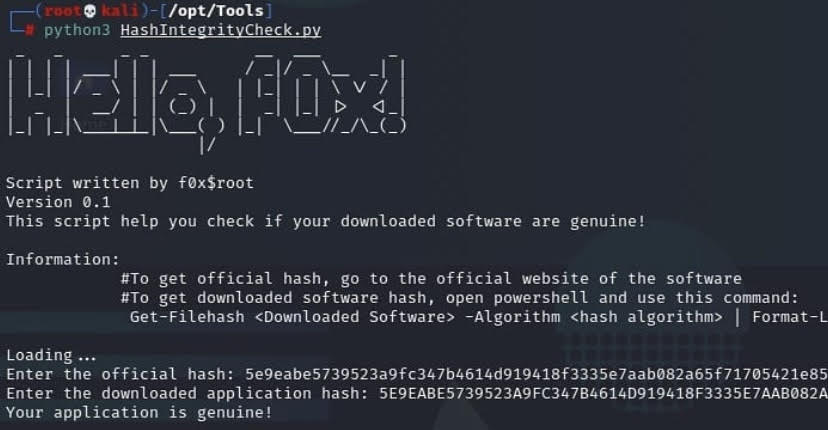
- Compare file checksums (like SHA-256) with the value on the vendor page.
- Check for code signing. Signed installers are harder to fake.
When in doubt, do not download. This one choice is the core of how to avoid malicious downloads.

Browser, OS, and app settings that block bad files
Built-in settings can stop trouble fast. Turn them on and let them work in the background. These tools catch many known threats before you see them.
- Enable your browser’s safe browsing or download protection.
- Block pop-ups and disable automatic downloads.
- Turn on OS-level protections like SmartScreen or Gatekeeper.
- Use standard user accounts, not admin, for daily work.
- Keep the firewall on and allow apps only when needed.
I have seen these basic controls save people again and again. Use them as part of how to avoid malicious downloads for safer browsing.

Spot the red flags before you click
Bad links and files often leave clues. If you pause for ten seconds, you can catch most of them. Train your eyes to look for what feels off.
- Urgent language like “update now or lose access.”
- Misspelled domains or strange subdomains.
- File types that do not match the promise, like .exe for a PDF.
- Large download buttons that are ads, not the real link.
- Installer sizes that are too big or too small for the app.
One client almost ran a “Chrome Update” from a random site. We checked the domain and it was not Google. That quick check is how to avoid malicious downloads in real time.

Advanced checks: hashes, signatures, and sandboxing
If you download tools often, add deeper checks. They are simple once you try them a few times. They turn guesswork into proof.
- Hashes: Generate a SHA-256 hash of the file and compare it with the vendor’s hash. If it matches, the file is unchanged.
- Code signing: Check that the installer is signed by the expected publisher. Unknown publisher means stop and verify.
- Sandboxing: Open untrusted files in a virtual machine or sandbox tool. If it misbehaves, your real system stays safe.
- Virus scans: Upload the file to a multi-engine scanner. More engines increase confidence.
These steps make how to avoid malicious downloads more reliable, even for power users.

Mobile tips: Android and iOS
Phones are safer by design, but not bulletproof. Malicious apps still slip in through fake stores and shady ads. Treat mobile downloads with the same care.
- Stick to the official app store.
- Check recent reviews and the developer name.
- Avoid sideloading unless you know what you’re doing.
- Watch app permissions. A flashlight app should not need your contacts.
- Keep the OS and apps updated.
For families, I set content and download controls. It is one more layer in how to avoid malicious downloads on the go.
What to do if you downloaded something risky
Do not open the file. Disconnect from the internet if you did open it. Speed matters. You can limit damage with a few quick moves.
- Run a full antivirus scan.
- Quarantine or delete the file if flagged.
- Change passwords, starting with email and banking.
- Check your browser extensions and remove unknown items.
- Review startup apps and remove anything strange.
If signs of malware remain, back up your data and consider a clean reinstall. Fast action is part of how to avoid malicious downloads turning into bigger problems.
A simple daily checklist
Use this short list to stay safe every day. It helps you move fast without risky clicks.
- Is the site official and using HTTPS?
- Does the file type and size make sense?
- Did I verify a hash or signature for key tools?
- Is my system and antivirus up to date?
- Did I scan the file before opening?
Follow this checklist and you will master how to avoid malicious downloads with little effort.
Frequently Asked Questions of how to avoid malicious downloads
What is a malicious download?
A malicious download is a file that harms your device or steals data. It may look normal but runs harmful code when opened.
How can I tell if a download is safe?
Check the source, domain, and HTTPS. Verify the file hash or signature and scan it before opening.
Do Macs and iPhones need this advice too?
Yes. They have strong defenses, but bad apps and profiles still slip through. Good habits block most risks.
Are free software sites safe?
Some are fine, many are not. Prefer official sites or stores and verify hashes for popular tools.
What file types are most risky?
Executable files like .exe, .msi, .apk, and .pkg are the riskiest. Macros in documents can also be dangerous.
Is antivirus enough on its own?
No. It is one layer. Combine it with updates, safe sources, and verification for better protection.
What if the file scans clean but I still feel unsure?
Do not run it. Re-download from the official site, verify the hash, or open it in a sandbox first.
Conclusion
Staying safe online is about steady habits, not fear. Use trusted sources, keep systems updated, scan files, and verify what matters. Practice these steps and you will avoid most threats with ease.
Start today. Pick one habit to improve and build from there. If this guide helped, subscribe for more step-by-step safety tips and share it with someone who needs a simple path to safer downloads.



