AIX antivirus means malware hygiene on AIX using limited, specialized tools.
If you run IBM AIX in production, you still need smart malware controls. I’ve spent years hardening Power Systems for banks, healthcare, and telecom. In this guide, I’ll break down aix antivirus options that actually work today, when to use them, and how to deploy them without hurting uptime.
Why aix antivirus still matters on IBM AIX
People often think AIX is safe by design, and they are half right. AIX is stable, hardened, and not a typical malware target. But risk still flows through files, users, NFS shares, SFTP jumps, CI/CD pipelines, and database imports. If a Windows macro trojan lands on an AIX file server, you still need to catch it before it spreads to endpoints.
aix antivirus is less about classic infections and more about hygiene. You scan files that move through your AIX hosts. You protect downstream users and systems. You also meet audit and compliance needs without slowing your workloads. That is the balance we aim for in this article.
What threats actually hit AIX systems
AIX rarely gets hit by native AIX malware. The real issues look like this:
- Cross-platform payloads that live on file shares. Examples include Office macro malware and archives with Windows trojans.
- Supply chain files brought in by vendors or project teams. Think SFTP drops, ETL imports, or app deployment bundles.
- Web and middleware uploads. App servers can store files that later reach users.
- Insider mistakes. Scripts that fetch unvetted content or leave risky tools behind.
This is why aix antivirus is a hygiene layer. You scan what comes in, what goes out, and what rests on shared paths.

The current aix antivirus toolset: what still works
The AIX antivirus market is small today. Many commercial agents for UNIX have been reduced or ended. That said, you still have practical paths:
- ClamAV for AIX. Open-source, flexible, and good for on-demand and scheduled scans. It can run on AIX when built or installed from trusted AIX package sources.
- ICAP offload. Use a network scanning engine (for example, a dedicated scanning appliance or a protection engine on Linux) and send files from AIX to that service over ICAP or a similar API.
- Gateway scanning. Put antivirus on email gateways, web proxies, and SFTP jump hosts so risky files get blocked before they ever land on AIX.
- Storage scanning via NFS. Mount AIX file systems on a scanning server that runs a supported AV, then scan there during maintenance windows.
Important reality check: many legacy UNIX agents you may remember are now end-of-life. Always confirm vendor support for AIX before planning an agent-based rollout. For most teams, ClamAV or ICAP are the go-to aix antivirus options that still work at scale.
Deployment patterns that work in production
You do not need a one-size-fits-all stack. Start with your data flows and pick a pattern:
- On-demand local scans. Use ClamAV to scan upload directories, SFTP drop zones, and app temp folders.
- Scheduled scans. Nightly or weekly scans of shared paths and staging areas. Avoid peak hours.
- ICAP offload from apps. App servers send files to a scanning engine before storing them.
- Gateway-first model. Stop malware at the email, web, and SFTP edges so AIX receives clean content.
Mix two or more for defense in depth. This is how I structure aix antivirus for regulated sectors without hurting SLAs.

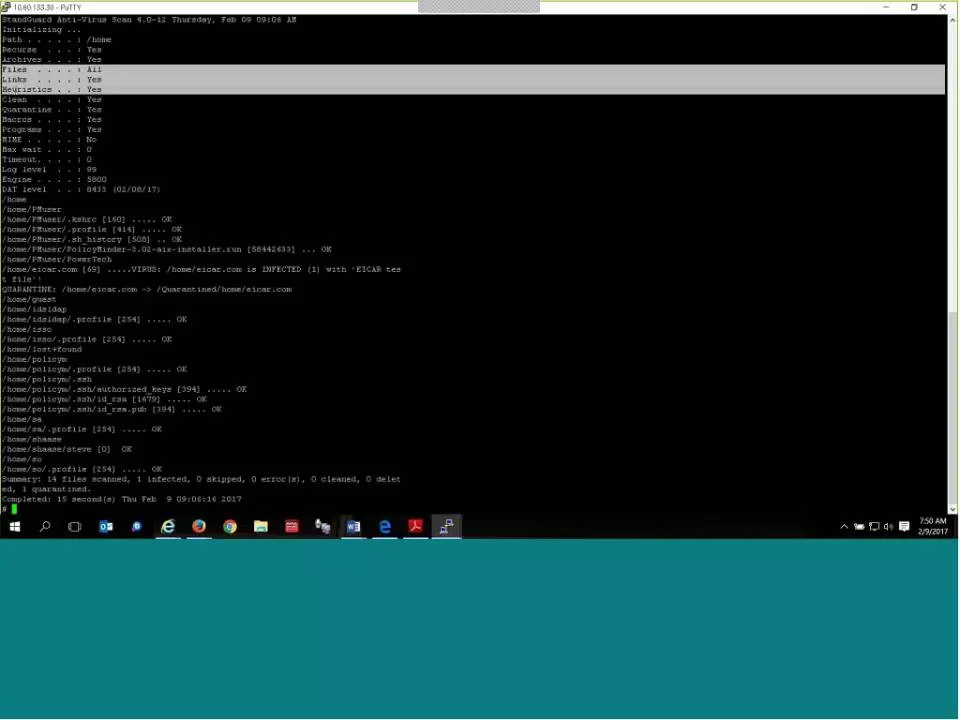
Step-by-step: install and run ClamAV as your aix antivirus
Here is a simple, proven path. Exact steps may vary by AIX version and package source.
- Prepare packages
- Use a trusted AIX package repo (for example, AIX Toolbox for Open Source).
- Install ClamAV components.
Example commands:
- dnf install clamav clamav-update
- If you use rpm or installp, follow your local standards and verify signatures.
- Update definitions
- Run freshclam once to pull signatures.
- Keep it running as a service or schedule frequent updates.
Commands:
- freshclam
- crontab entry example: */30 * * * * /usr/local/bin/freshclam --quiet
- Run an on-demand scan
- Test against a non-critical directory first.
Command:
- clamscan -r /path/to/test --infected --log=/var/log/clamav/scan.log
- Enable the clamd daemon (optional, for faster scans)
- Configure clamd.conf.
- Start clamd and point client scans to it.
Commands:
- clamd
- clamdscan /path/to/scan
- Exclusions and performance
- Exclude system paths that make no sense to scan.
- Exclude large DB files and logs that rotate frequently.
- Use max file size and max scan time settings.
Example options in clamd.conf:
- MaxFileSize 100M
- MaxScanTime 120000
- ExcludePath ^/dev/
- ExcludePath ^/var/log/
- Logging and alerts
- Send logs to syslog and your SIEM.
- Alert via email or an ops webhook when infections are found.
- Schedule routine scans
- Nightly or weekly jobs on key data paths.
Example cron:
- 0 2 * * * clamscan -r /data/shares --infected --log=/var/log/clamav/nightly.log
With this setup, ClamAV becomes your core aix antivirus layer, backed by clean logging and stable updates.
Tuning and performance best practices
You want clean files without CPU storms. Use these tips:
- Target where files change. Scan upload dirs, share roots, temp storages, and staging areas.
- Keep scans small and frequent. Short windows are safer than giant weekend runs.
- Use smart exclusions. Skip /dev, backup images, DB datafiles, VM images, and ephemeral build artifacts.
- Set resource limits. Cap file size, recursion, and scan time.
- Stagger jobs. If you have many LPARs, stagger cron entries by a few minutes.
These habits keep aix antivirus lean and predictable on production hosts.

Hardening AIX beyond antivirus
Antivirus is one layer. AIX gives you strong built-in controls:
- Keep current TLs/SPs and apply security fixes quickly.
- Use AIX Security Expert (aixpert) to baseline settings.
- Enable RBAC and least privilege for admins and service accounts.
- Use Trusted Execution to verify binaries and block tampering.
- Restrict inbound access and segment networks.
- Centralize logs to a SIEM and monitor for anomalies.
- Lock down NIM, HMC, and backup workflows.
Combine these with your aix antivirus design to reduce real-world risk.

Compliance, audits, and documenting compensating controls
Auditors often ask, Do you run antivirus on AIX? Be ready with a clear, evidence-backed answer:
- Document your aix antivirus approach. ClamAV local scans, ICAP offload, and gateway scanning.
- Show scan logs, detection tests, update records, and coverage reports.
- Map controls to frameworks. For example, PCI DSS requires malware controls or compensating controls where traditional AV is not feasible.
- Include hardening artifacts. AIX baseline configs, patch cadence, and access restrictions.
- Prove monitoring. SIEM dashboards, alert flows, and incident runbooks.
A strong paper trail turns a hard question into a quick sign-off.
Monitoring, logging, and response on AIX
Catching malware is step one. Handling it well is step two:
- Send ClamAV logs to syslog and your SIEM.
- Create alerts for infected files and update failures.
- Quarantine or remove on a case-by-case basis. Start in alert-only mode, then tighten policy.
- Keep an IR checklist. Note owners, SLAs, and rollback steps.
- Run periodic tabletop tests.
These steps complete your aix antivirus lifecycle and keep teams ready.
Lessons learned from the field
Here are things I learned the hard way:
- Do not scan everything. Focus on file flows and shared paths. Your CPU and users will thank you.
- Test signatures and updates early. An update failure can leave you exposed for days.
- Start with alert-only. See what would be deleted before turning on auto-removal.
- Treat ICAP as a force multiplier. It scales better than heavy agents on AIX.
- Keep a clean exception list. Revisit it each quarter so it does not grow stale.
Follow these and your aix antivirus rollout will be calm, clean, and audit-ready.
Frequently Asked Questions of aix antivirus
Does AIX really need antivirus?
Yes, but often as hygiene rather than classic endpoint defense. Use aix antivirus to scan file flows, not to fight active AIX infections.
What aix antivirus options are available today?
ClamAV is the most practical local option for many teams. ICAP offload and gateway scanning fill the gaps left by EOL agent products.
Can I do on-access scanning on AIX?
True on-access support is limited. Most teams use on-demand, scheduled scans, or ICAP-based scanning from applications.
How do I avoid performance issues with scans?
Scan targeted paths, use exclusions, and set file size and time limits. Schedule scans during low-traffic windows and stagger across LPARs.
Will antivirus break my applications?
It can if it locks files at the wrong time. Start with alert-only mode, test on non-production, and exclude sensitive directories when needed.
Conclusion
AIX stays strong when you mix smart hygiene with solid hardening. Build your aix antivirus plan around file flows, use ClamAV or ICAP where they fit, and push scanning to the edges with gateways. Add good logging, clear runbooks, and strong AIX security features, and you will be both resilient and audit-ready.
Take one action this week: pick one high-risk path and add a clean, scheduled scan. Want more help? Subscribe for future walkthroughs and templates, or drop a comment with your AIX setup and goals.