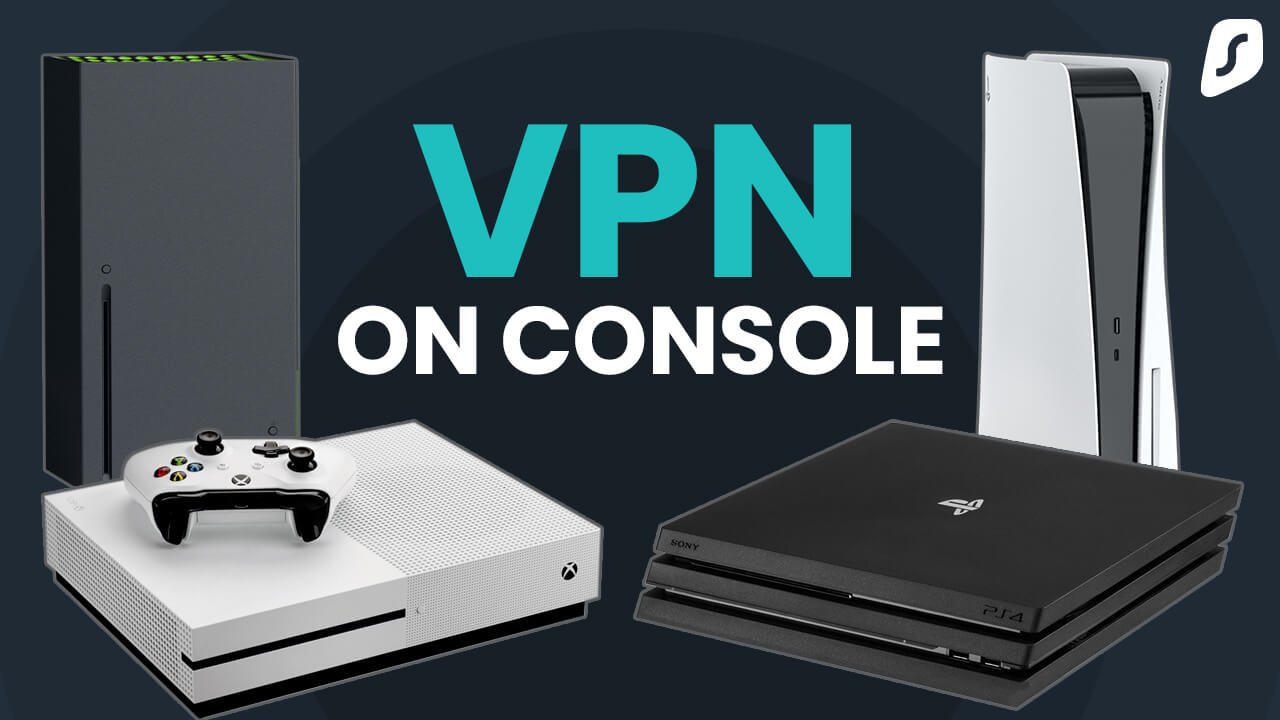
Ever wondered if you can use a VPN on your gaming console? If you're keen on unlocking a new world of gaming possibilities, you've landed in the right spot.
Imagine being able to access games and content from different regions, all while keeping your online activities secure. Sounds intriguing, right? You’ll discover how to enhance your gaming experience with a VPN, addressing questions you might not even know you had.
Get ready to transform the way you game and protect your data, all from your console. Dive in to explore how you can make this game-changing move!
Can you VPN on console? Many gamers ask this when looking for more privacy, access to region-locked games, or smoother online play. While consoles don’t natively support VPN apps, there are effective methods such as using a VPN-enabled router, sharing a connection from your PC, or setting up Smart DNS. This guide explains the options to help you game securely and without limits.
Vpn Basics For Consoles
Understanding VPN basics for consoles can elevate your gaming experience. VPNs, or Virtual Private Networks, provide a secure connection by encrypting your internet traffic. They allow you to access servers worldwide. On consoles, using a VPN can enhance privacy and security. This is crucial in protecting personal data during online gaming sessions. VPNs can also bypass geo-restrictions, granting access to game content unavailable in certain regions. But, setting up a VPN on a console can be tricky. It requires specific steps and configurations.
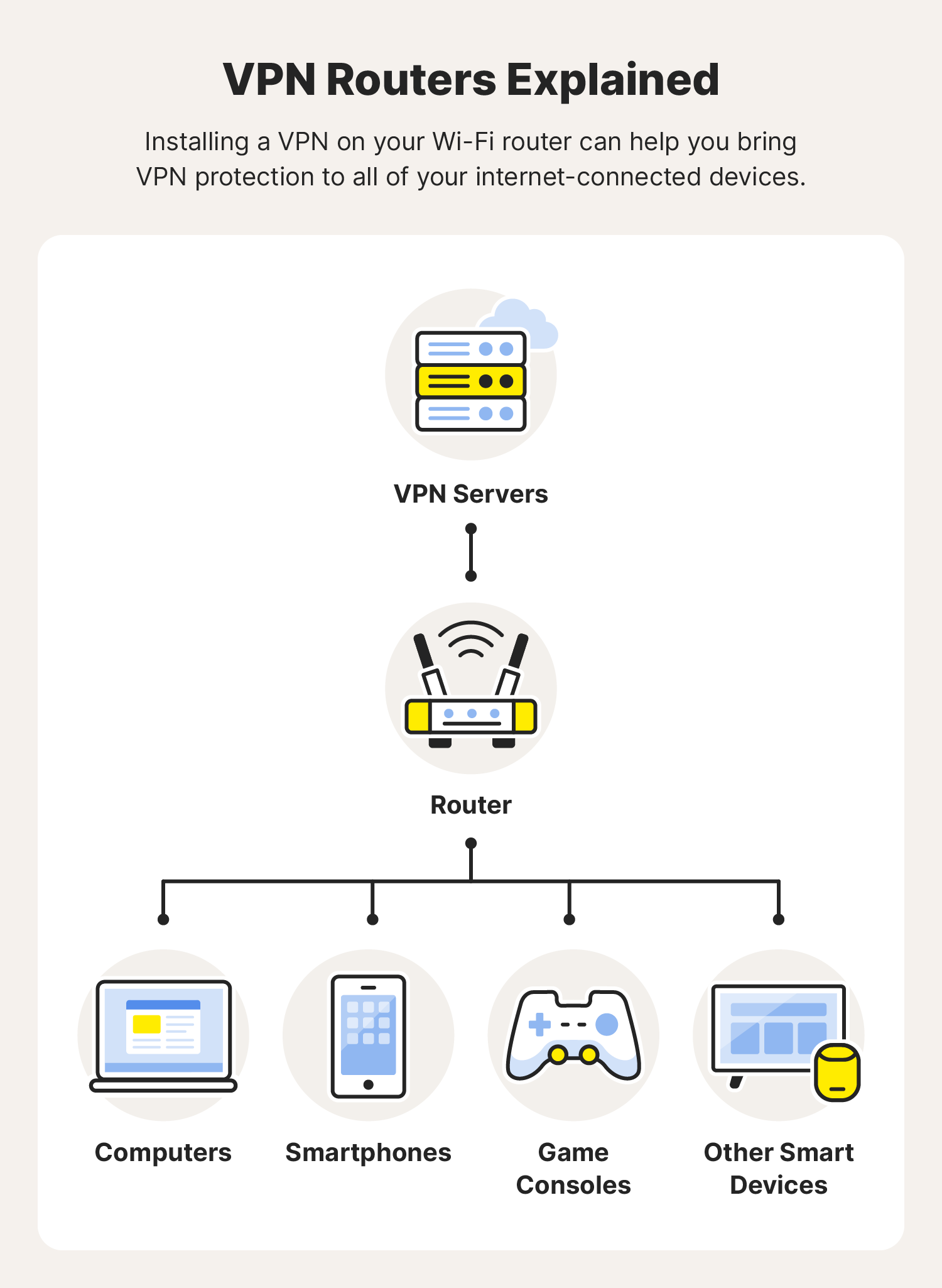
Consoles don't support VPN apps directly. A workaround involves using a router. You can configure your VPN on a router. Connect your console to this router for VPN benefits. This method secures all devices connected to the router. It provides a comprehensive privacy shield. Another option is using a computer. Share the computer's VPN connection with your console. This can be done through Ethernet or Wi-Fi. Ensure your computer is set up correctly. This ensures a seamless VPN connection.
Benefits Of Using Vpn On Consoles
VPNs protect against DDoS attacks during online gaming. These attacks can disrupt gameplay and cause lag. With a VPN, your IP address remains hidden. This makes it harder for attackers to target you. VPNs also bypass regional restrictions. Access games and content blocked in your country. Play with friends from different regions. Experience diverse gaming environments.
Challenges In Setting Up Vpn On Consoles
Setting up VPNs on consoles can be complex. Consoles lack native VPN support. Configuration needs technical knowledge. It can be time-consuming. You may need additional hardware like a compatible router. Ensure your VPN service allows router configuration. Not all VPNs offer this feature. Check for compatibility before purchasing.
Benefits Of Using Vpn
Using a VPN on a console can offer multiple benefits. Gamers can enhance their experience by accessing restricted content, improving security, and reducing lag. Let’s delve into how these advantages can improve your gaming.
Access Restricted Content
VPNs allow you to bypass geographical restrictions. You can access games and content not available in your region. This expands your gaming library and lets you enjoy a wider variety of games.
Improve Security And Privacy
VPNs secure your internet connection. They protect your data from hackers and eavesdroppers. Your personal information stays safe while gaming online.
Reduce Latency And Lag
VPNs can help improve connection speed. They provide a more stable connection. Reduced lag means smoother gameplay and enhanced gaming experience.
Setting Up Vpn On Consoles
Setting up a VPN on consoles offers a secure gaming experience. It enhances privacy and can unlock region-specific content. Although consoles don't support VPNs directly, there are ways to set it up. Let's explore how to get started with VPN on your gaming console.
Compatible Consoles
Not all gaming consoles can easily connect to a VPN. PlayStation and Xbox are the most common choices. They have options that allow VPN setup through routers. Nintendo Switch users may face more limitations. Always check if your console supports VPN configuration.
Choosing The Right Vpn Service
Not every VPN service works well with consoles. Select a service offering fast speed and strong encryption. Look for services with multiple server locations. Ensure they have excellent customer support. A user-friendly interface is a bonus. Consider the cost and reliability before subscribing.
Configuration Steps
First, set up a VPN on your router. This allows all connected devices to use the VPN. Access your router settings through its IP address. Enter login credentials to modify settings. Find the VPN option in the menu. Enter the VPN details provided by your service. Save and reboot your router. Connect your console to the router network. Your console now uses the VPN connection. Always test the VPN to ensure it functions correctly.
Credit: surfshark.com
Troubleshooting Common Issues
Setting up a VPN on gaming consoles often leads to connectivity issues. Troubleshooting involves checking internet settings and ensuring proper network configuration. Consult console-specific forums for tailored solutions and tips.
Experiencing issues while trying to set up a VPN on your gaming console can be frustrating. But don’t worry, you’re not alone, and there are practical solutions. Whether it's connectivity hiccups or performance slowdowns, getting to the bottom of these problems can make your gaming experience smoother and more enjoyable. Let's dive into some common issues you might face and how to tackle them effectively.
Connection Problems
One of the most common issues is getting the console to connect to the VPN. It can be perplexing when everything seems set up correctly, but you’re still not connecting. First, ensure your router is VPN-compatible and properly configured. Many routers require a firmware update to support VPN connections. Check your VPN settings on the router. Incorrect login details or server locations can also cause connection failures. If you're using a shared internet connection, ensure the device sharing the VPN connection is working correctly.
Performance Impact
You might notice your gaming performance isn't what it used to be after setting up a VPN. This can be a major concern, especially during competitive play. VPNs can introduce latency due to the additional distance your data travels through the VPN server. To mitigate this, choose a VPN server that is geographically closer to you. Ensure your internet plan supports the added load. Some VPNs reduce speed due to encryption, so consider adjusting your VPN settings for a balance between security and speed. Have you ever wondered if it’s worth sacrificing a bit of speed for enhanced privacy? Sometimes, finding the right VPN settings is about compromise. Share your thoughts and experiences with the community, as you may discover unexpected solutions from fellow gamers.
Legal And Ethical Considerations
Using a VPN on a console may seem appealing. It offers privacy and access to different regions. Yet, it brings legal and ethical questions. Understanding these can help avoid potential issues.
Terms Of Service
Every console has a terms of service agreement. Users must follow these rules. Violating them can lead to account suspension. Some terms might restrict VPN usage. It's important to read and understand these terms. Ignoring them can have consequences.
Fair Play Concerns
VPNs can affect online gaming. They may give some players an unfair advantage. This can disrupt fair play. Players might change their location for faster servers. It can lead to unequal competition. Fairness is key in gaming. VPNs can challenge this fairness.

Credit: www.reddit.com
Future Trends In Console Gaming Vpn
Console gamers explore VPNs to enhance security and access global content. VPNs help bypass geo-restrictions, offering new gaming possibilities. As technology advances, VPN compatibility with consoles could become more seamless, enriching gaming experiences.
In the ever-evolving world of console gaming, VPNs are becoming a hot topic. As more gamers seek privacy, security, and access to geo-restricted content, VPNs are emerging as a must-have tool. But what does the future hold? Let's dive into the future trends in console gaming VPN and how they might shape your gaming experience.
Emerging Technologies
Imagine playing your favorite console game with seamless connectivity and enhanced security. Emerging technologies in VPNs promise just that. With advancements in AI and machine learning, VPN services are becoming smarter. They can now predict and adapt to network conditions, ensuring you have the best gaming experience without lag or interruption. Moreover, next-gen encryption protocols are on the horizon. These will ensure your data remains private, even in the most complex gaming environments. It's a game-changer for those who prioritize security over everything else.
Market Growth
The VPN market for console gaming is booming. More gamers are realizing the benefits of VPNs, from accessing international game releases to protecting against DDoS attacks. Recent data shows a significant increase in VPN subscriptions among console gamers. This trend is expected to grow as more consoles become compatible with VPN services. It's a clear indication that the demand for secure and unrestricted gaming is rising. With this growth, new players are entering the market, offering competitive pricing and innovative features. This means you have more choices than ever to find a VPN that fits your gaming needs perfectly. As you explore these options, ask yourself: Are you ready to embrace the future of gaming with a VPN? The possibilities are endless, and the choice is yours.
Credit: us.norton.com
Frequently Asked Questions
Can You Use A Vpn On Console?
Yes, you can use a VPN on consoles. Connect via a VPN-enabled router or share a VPN connection from a PC. This enhances security and bypasses geo-restrictions for gaming. Ensure the VPN service supports your console for optimal performance.
How To Vpn On Console Xbox?
Connect your Xbox to a VPN via your router. Set up the VPN on the router first. Then, connect your Xbox to the router using a wired or wireless connection. Ensure the VPN is active to access geo-restricted content and enhance privacy on your console.
Is It Possible To Use Vpn On Playstation?
Yes, you can use a VPN on PlayStation. Set up a VPN on a router or use a PC connection. This enhances privacy, bypasses geo-restrictions, and improves online gaming security. Make sure to choose a reliable VPN service for optimal performance and safety.
What Vpn Works On Console?
NordVPN, ExpressVPN, and Surfshark work well on consoles. Use a VPN-compatible router to connect your console. These VPNs offer fast speeds and strong security features. Ensure your router supports VPN configurations for smooth gaming experiences.
Conclusion
Exploring VPN options on consoles can enhance your gaming experience. It offers privacy and access to different content. Setting up a VPN might seem complex, but it's manageable. Many gamers find it worth the effort. With clear guides, you can navigate this easily.
Remember, a stable internet connection is key. Some consoles support VPNs directly, while others need a router setup. Always check compatibility before proceeding. Enjoy gaming with added security and freedom. A VPN can make a difference in how you connect and play.