

Track usage with dashboards, CLI tools, alerts, and regular cleanup to prevent outages.
If you run websites or apps, you must know how to monitor hosting disk usage. It keeps sites fast, backups safe, and bills under control. I’ve spent years tuning servers for agencies and SaaS teams. In this guide, I’ll show you how to monitor hosting disk usage with simple steps, clear tools, and tips I learned from real incidents.

Why monitoring hosting disk usage matters
Running out of space is not a small problem. It can crash your site, break email, and stop backups. It can also hide security risks when logs fail to write.
Monitoring helps you spot growth trends. You can plan upgrades before you hit limits. You also catch runaway logs, cache bloat, or backup loops early.
I once saw a client’s store stop taking orders on a big sale day. The cause was a full partition due to debug logs. After that, we set alerts and never missed a spike again. Knowing how to monitor hosting disk usage is not optional. It is part of uptime.

Key metrics to track when monitoring disk usage
To learn how to monitor hosting disk usage the right way, focus on these metrics.
- Total used vs free space Look at disk usage by volume and by partition.
- Inodes used File count limits can fill up even when space seems free.
- Usage by directory Track top folders like public_html, logs, backups, and tmp.
- Database size Watch MySQL, PostgreSQL, and their per-database usage.
- Email storage Mailboxes, spam folders, and archives can grow fast.
- Log growth Rate of change matters more than a one-time number.
- Cache folders CMS cache, image thumbnails, and sessions can balloon.
- Backup footprint Keep only what you need and store offsite when possible.
- Disk I/O and latency When disks thrash, apps slow down.
- Quotas and limits Many hosts enforce per-user or per-site caps.
Track these daily or weekly. Use alerts for sharp jumps. If you aim to master how to monitor hosting disk usage, you need both snapshots and trends.

How to monitor hosting disk usage in common control panels
Most shared or managed hosts give you a dashboard. Use it first for a quick view and for alerts.
cPanel
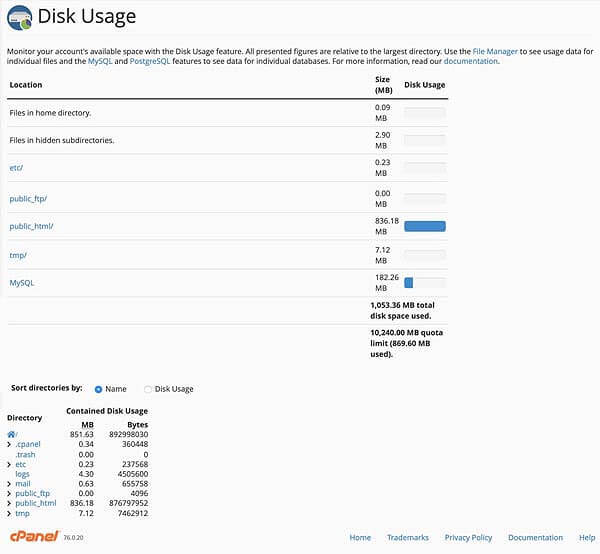
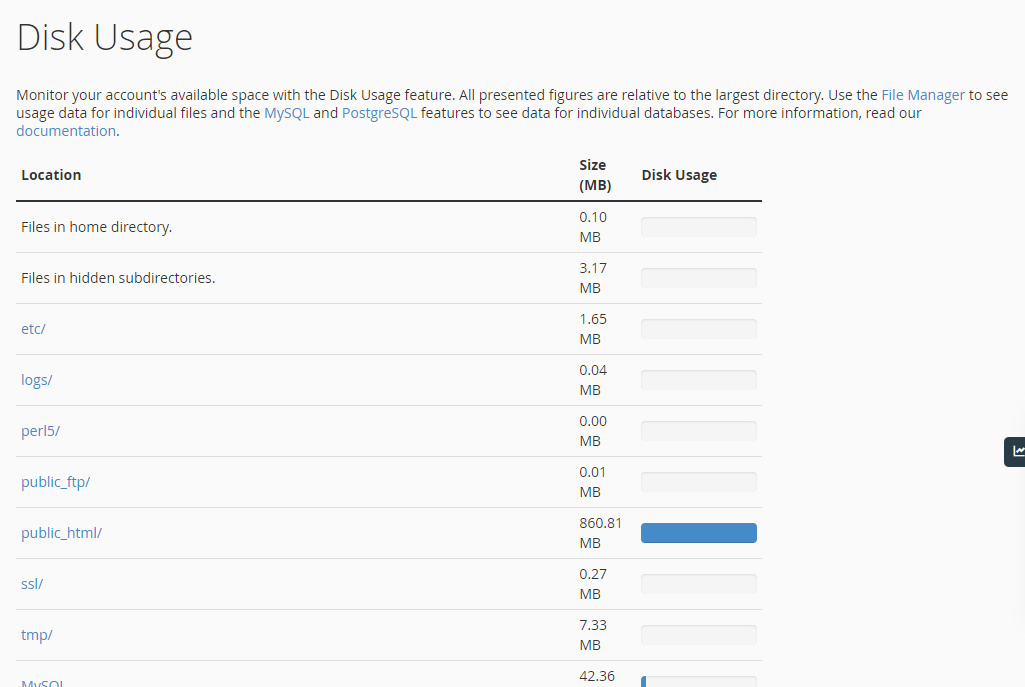
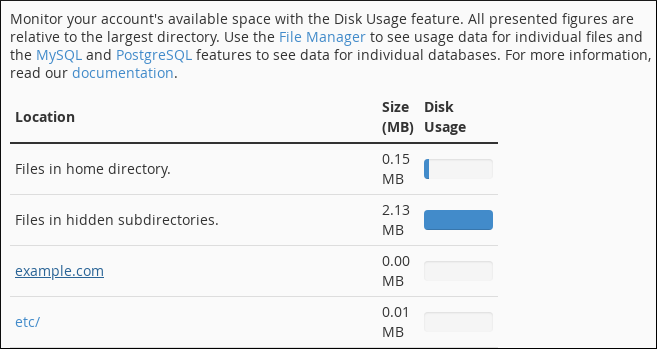
- Check Disk Usage in Files section. Sort by folder size.
- Review Email Accounts storage. Clean spam and sent folders.
- Check MySQL Databases sizes in phpMyAdmin or cPanel’s database tools.
- Set contact alerts for quota warnings.
Plesk
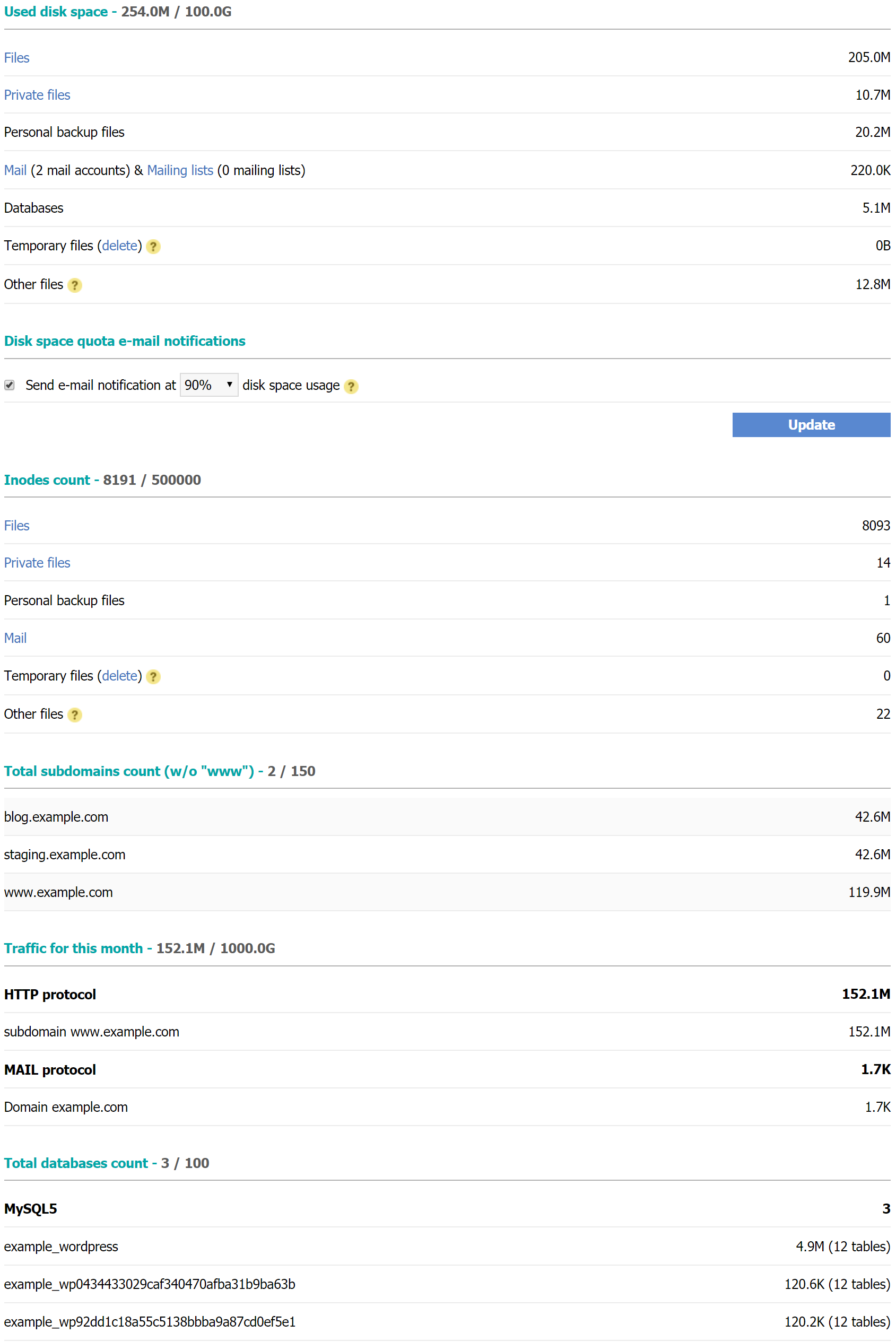
- Go to Tools and Settings, then Resource Usage or Statistics.
- Open Websites and Domains to see per-site usage.
- Check Logs and Backups for large archives.
DirectAdmin
- Use the Disk Usage page for per-directory stats.
- Review E-mail accounts and user quotas.
- Check Site Summary/Statistics/Logs for trends.
Managed WordPress dashboards
- Look for storage usage per site.
- Use plugin managers to find heavy media and backups.
- Offload media to a CDN or object storage when possible.
When I train new admins on how to monitor hosting disk usage, I teach them to trust the panel for a quick scan. Then confirm with the CLI when needed.

How to monitor hosting disk usage on Linux servers (SSH)
If you have SSH access, the CLI gives deep control. This is the best way to learn how to monitor hosting disk usage on VPS or dedicated servers.
Basic checks:
- Show partitions
df -hT
- Show top folders in current directory
du -sh * | sort -h | tail -n 20
- Scan whole file system with ncdu (interactive)
sudo ncdu /
Inodes and open files:
- Inode summary
df -i
- Largest file types
sudo find / -xdev -type f -size +500M -print
- Who is writing right now
sudo lsof | awk '{print $9}' | sort | uniq -c | sort -nr | head
Logs and journal:
- Huge systemd journal
journalctl --disk-usage
sudo journalctl --vacuum-size=500M
Databases:
- MySQL top tables
SELECT table_schema, SUM(data_length+index_length)/1024/1024 AS MB
FROM information_schema.tables
GROUP BY table_schema
ORDER BY MB DESC;
- PostgreSQL per database
\l+ -- in psql
Web stacks and caches:
- PHP session and cache folders often swell. Check /var/lib/php/sessions and app cache folders.
Containers: - Prune unused images and volumes
docker system prune -af --volumes
Automate alerts:
- Quick bash script
#!/bin/bash
THRESH=85
USE=$(df -h / | awk 'NR==2 {gsub("%",""); print $5}')
if [ "$USE" -ge "$THRESH" ]; then
  echo "Disk usage is ${USE}% on $(hostname)" | mail -s "Disk Alert" you@example.com
fi
- Add to cron
*/10 * * * * /usr/local/bin/disk-alert.sh
This is how to monitor hosting disk usage at scale. Keep it simple and repeatable.
How to monitor hosting disk usage on Windows servers (RDP)
Windows has great tools for visuals and scripts. Here is how to monitor hosting disk usage on Windows.
Quick checks:
- File Explorer Sort by size. Check Downloads, IIS logs, and Temp.
- Disk Cleanup Remove temp files and old updates.
PowerShell:
Get-Volume | Select DriveLetter, FileSystemLabel, SizeRemaining, Size
Get-ChildItem C:\ -Recurse -ErrorAction SilentlyContinue | Sort Length -Descending | Select -First 20 FullName, Length
IIS and logs:
- IIS logs live in C:\inetpub\logs by default. Compress or rotate them.
Monitoring and alerts: - Use Performance Monitor with alerts on LogicalDisk Free Megabytes.
- Windows Admin Center or Azure Monitor can push email or webhook alerts.
When teams ask me how to monitor hosting disk usage on Windows, I start with PowerShell. It is fast and scriptable.
Automate alerts and dashboards
Alerts save you when you sleep. A good plan beats a late-night scramble.
What to alert on:
- Partition usage above 80%, 90%, and 95%.
- Inode usage above 80%.
- Sudden growth over 2 GB in 10 minutes.
- Log directory growth rate above normal.
Tools that work well:
- Cloud dashboards Use AWS CloudWatch, Azure Monitor, or GCP Monitoring.
- Server agents Use Netdata, Zabbix, or Prometheus with node_exporter.
- Simple monitors Monit, UptimeRobot (webhook), or a custom cron script.
Dashboards: - Grafana with Prometheus shows trends and spikes.
- Daily emails with top folders keep teams aware.
If you want a steady system, you need to learn how to monitor hosting disk usage with automation. Humans miss things. Bots do not.
Clean up and reclaim space safely
Monitoring is half the job. The other half is cleanup without breaking things.
Safe cleanup checklist:
- Remove old backups Keep only recent sets. Move the rest offsite.
- Rotate logs Use logrotate on Linux and scheduled tasks on Windows.
- Clear caches Purge CMS caches, session files, and image thumbnails.
- Prune containers and packages Remove unused Docker images and old kernels.
- Manage email archives Auto-delete spam and trash. Compress large mbox files.
- Database housekeeping Optimize tables, delete old revisions, and trim logs.
Helpful commands:
sudo journalctl --vacuum-time=7d
sudo apt autoremove --purge
wp media regenerate  # when cleaning WordPress thumbnails
When I learned how to monitor hosting disk usage well, I also learned a rule. If you cannot explain a large folder, do not delete it yet. Move it, back it up, then remove.
Capacity planning and prevention
Great monitoring reduces surprises. Great planning removes them.
Do this each month:
- Check growth by site, database, and logs.
- Forecast 3 to 6 months ahead.
- Set alerts 10% below your real limit.
Prevention ideas: - Offload media to object storage like S3 with a CDN.
- Store logs in a centralized service with retention rules.
- Use quotas for users and sites to cap risk.
- Keep backups on separate storage and verify restores.
Teams that master how to monitor hosting disk usage also budget space like money. Small habits stop big problems.

Common mistakes and how to avoid them
These mistakes cause most space outages. Avoid them and you will sleep better.
- Ignoring inode usage Filesystems can be full even with free space.
- Storing backups on the same disk A single failure wipes both.
- Letting logs run wild Set retention and size limits.
- Keeping every media version Offload or compress images and videos.
- No alerting Waiting for a crash is not a strategy.
- One big partition Use separate partitions for OS, data, and logs when possible.
If you teach your team how to monitor hosting disk usage, review this list often.
Troubleshooting sudden disk spikes
Spikes happen. Here is a quick path to calm things down.
Step-by-step:
- Confirm which partition is full Run df -h.
- Find top folders Run du -xhd1 /, then drill down.
- Check logs and active writes Use lsof and tail to see culprits.
- Stop the leak Rotate logs, fix a loop, or turn off debug mode.
- Free space safely Move or compress files before deletion.
- Add a short-term buffer Attach extra storage or expand the volume.
- Create a long-term fix Add alerts, rotate better, or change storage design.
This is the heart of how to monitor hosting disk usage during an incident. Stay calm. Move with intent.
Frequently Asked Questions of how to monitor hosting disk usage
How often should I check disk usage?
Daily for active sites, weekly for low-traffic sites. Always set alerts so you do not rely on memory.
What is a safe disk usage threshold?
Start warnings at 80%, escalate at 90%. Act fast above 95% to avoid crashes.
How do I find large files quickly on Linux?
Use ncdu for a visual map. Or run du -sh * | sort -h to sort by size.
How do I track inode usage?
Run df -i and watch the Use% column. If it is near 100%, remove tiny, many files like cache or temp files.
What fills disks most often on web servers?
Logs, backups, media uploads, and cache folders. Debug modes and staging copies are common silent culprits.
Can I automate cleanups safely?
Yes, with logrotate, cron jobs, and backup retention rules. Test scripts in a staging server before production.
Should I store backups on the same server?
No. Keep backups offsite or on a separate volume. This protects you from a single-point failure.
Conclusion
You now know how to monitor hosting disk usage with clarity and control. Check the right metrics, automate alerts, and clean up with care. Plan capacity so you do not fight fires later.
Start today. Run a quick audit, set one alert, and fix one noisy folder. Small steps keep your sites fast and safe. If this helped, subscribe for more guides or drop a question in the comments.


