

An antivirus gateway is a network checkpoint that scans and blocks malware.
If you run a business, this control can save your day. In my work, I have seen malware slip past endpoints but get stopped at the edge. This guide breaks down the antivirus gateway from end to end. You will learn how it works, what to buy, how to deploy, and how to avoid common traps. Read on if you plan to build a clean, safe path for your traffic.
What is an antivirus gateway?
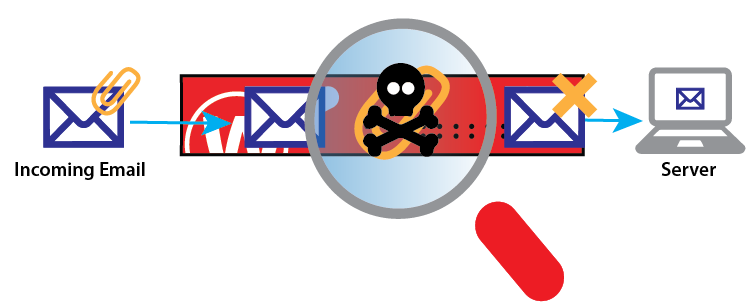
An antivirus gateway sits between your users and the internet. It scans traffic for viruses, worms, and other threats. It checks files, web pages, and email before they reach devices.
The antivirus gateway acts like a toll booth. Nothing passes without a quick health check. This cuts risk and keeps your network clean.
Modern tools do more than signatures. They use behavior checks, sandbox tests, and link defense. When tuned well, an antivirus gateway adds a strong layer to your stack.
How an antivirus gateway works
An antivirus gateway analyzes traffic in real time. It inspects HTTP, HTTPS, SMTP, and file streams. It blocks or cleans bad content before delivery.
Key flows include:
- Stream scanning inspects files while they download to reduce delay.
- Sandbox detonation opens files in a safe space to watch behavior.
- URL and IP reputation stops known bad sites fast.
- Content disarm and reconstruction removes risky parts from documents.
Many products offload scanning via ICAP to a separate engine. This makes scaling easier. It also lets you mix vendors if you need it.

Core features and capabilities
Look for these features in any antivirus gateway:
- Multi-engine scanning to raise catch rates and lower blind spots.
- SSL inspection to see inside encrypted traffic with careful policy.
- Advanced detection with heuristic, behavior, and machine learning.
- Sandboxing for zero-day and macro threats.
- CDR to strip active content from docs like PDF or Office files.
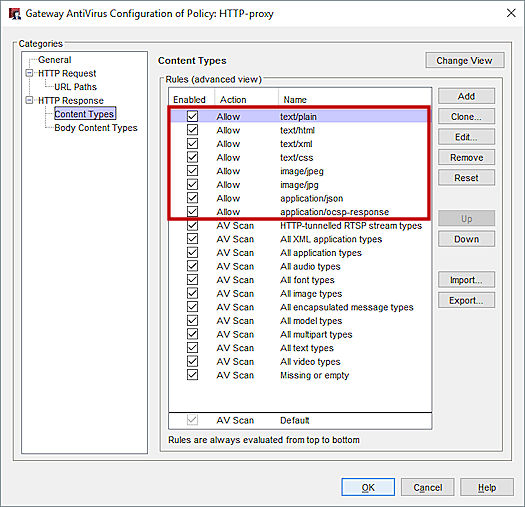
- File type control by MIME and magic number, not just extension.
- URL filtering with categories and safe search enforce.
- Quarantine and hold for email and web uploads.
- API or ICAP integration with proxies and CASB.
- Detailed logs and dashboards with export to SIEM.
These tools help you see, stop, and prove control. A strong antivirus gateway does all three.
Benefits and business value
An antivirus gateway gives clear wins:
- Less risk of ransomware and data loss.
- Fewer support tickets from infected hosts.
- Safer web and email use with less user training load.
- Proof of due care for audits and clients.
I have seen a single blocked invoice email save six figures. That block came from the antivirus gateway, not the endpoint. Layered defense pays off.

Real-world lessons from the field
In one rollout, we enabled SSL inspection on day one. Help desk calls spiked. Banking sites and developer tools broke. The fix was simple. We built a careful exception list and staged the rollout.
Here are lessons learned:
- Start in monitor mode. Watch logs before you block.
- Roll out to a pilot group first.
- Exempt sensitive sites like banks and health portals.
- Share clear prompts with users when traffic is blocked.
- Track false positives and tune rules weekly.
These steps turned chaos into calm. The antivirus gateway then added value without noise.
Deployment models and architecture
You can place an antivirus gateway in many ways:
- On-prem proxy in the data center for full control.
- Cloud secure web gateway for remote users.
- Hybrid with branch connectors for scale.
- Inline firewall module with built-in AV and sandbox.
Match the model to your network shape:
- Many remote users benefit from cloud.
- Heavy on-prem apps may fit an on-site proxy.
- High throughput sites need hardware offload.
Plan for fail-open or fail-close. For web, most pick fail-open to avoid outages. For email, fail-close can be safer.

Implementation steps and best practices
Follow a clean path to deploy an antivirus gateway:
- Define scope and traffic: web, email, file shares.
- Baseline current traffic volume and peak times.
- Enable logging and send to your SIEM before blocking.
- Start with reputation and signature checks only.
- Add sandbox and CDR after performance tests.
- Tune SSL inspection with a small allow list first.
- Set alert rules for high-risk verdicts and detonations.
Ongoing care matters:
- Review top blocks and user reports weekly.
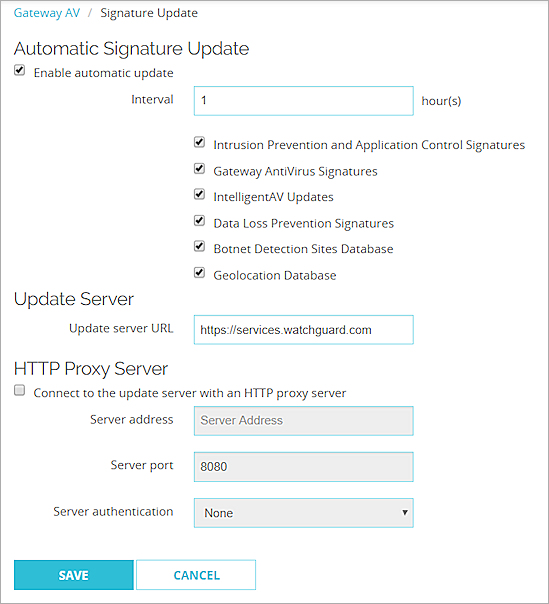
- Patch engines and signatures daily.
- Test restores from quarantine to ensure safe release.
- Track CPU, memory, and queue depth during peak hours.
Managing performance, false positives, and encrypted traffic
Performance matters. An antivirus gateway must be fast and stable. Stream scanning, caching, and smart file bypass help.
Reduce false positives:
- Allow-list trusted sources like vendor update sites.
- Use verdict scores. Only block on high confidence.
- Provide a simple appeal process for users.
Handle SSL with care:
- Inspect only what you must. Think risk-based rules.
- Do not intercept health, banking, or personal sites.
- Pin your internal root CA on managed devices only.
- Use SNI and certificate info to guide decisions.
These steps keep trust high and user pain low.
Compliance, logging, and reporting
Auditors want proof. An antivirus gateway helps with clear logs and reports. You can show what was blocked, why, and by which rule.
Best practices:
- Send all events to a SIEM with timestamps and verdicts.
- Keep logs for your policy term, often 90 to 365 days.
- Build weekly reports on top malware, users, and sites.
- Map controls to standards like ISO 27001 and SOC 2.
Clean records speed audits. They also help with incident reviews.
How to choose the right antivirus gateway
Pick with a simple checklist:
- Detection: multi-engine, sandbox, and CDR present.
- Performance: proven throughput with SSL on.
- Coverage: web, email, and file protocols supported.
- Manageability: easy policy, clear logs, rich APIs.
- Ecosystem: SIEM, EDR, CASB, and proxy support.
- Price and scale: licensing that fits growth.
Run a proof of concept:
- Use your own malware samples in a safe lab.
- Test with real user traffic and peak loads.
- Measure false positives, latency, and CPU use.
Make the vendor prove claims in your world.
Future trends to watch
The antivirus gateway is evolving fast:
- More inline machine learning for live verdicts.
- Better sandbox evasion detection with memory forensics.
- Deeper identity-aware policy with SSO claims.
- Tighter link with EDR for response automation.
- Expanded cloud coverage for SaaS and API traffic.
Expect more context and less noise. The antivirus gateway will act as a smart traffic cop for all flows.
Frequently Asked Questions of antivirus gateway
What is an antivirus gateway?
It is a security layer that scans network traffic for malware. It blocks or cleans threats before they reach users or servers.
How is an antivirus gateway different from endpoint antivirus?
A gateway protects traffic at the network edge. Endpoint antivirus runs on devices and stops threats that reach the host.
Do I need SSL inspection for an antivirus gateway?
It helps catch hidden threats in encrypted traffic. Use it with care and clear exceptions for privacy and trust.
Will an antivirus gateway slow down my network?
Some delay is normal but should be small. Right sizing, stream scanning, and caching keep it fast.
Can an antivirus gateway stop ransomware?
It can block delivery via web or email and catch known tools. It works best with EDR, backups, and strong user training.
Is cloud or on-prem better for an antivirus gateway?
It depends on your users and apps. Cloud fits remote teams, while on-prem may fit heavy internal traffic.
How do I reduce false positives?
Use allow lists, score-based rules, and staged policies. Review logs weekly and tune rules based on real cases.
Conclusion
An antivirus gateway adds a strong safety net at the edge. It scans web and email streams, blocks bad files, and gives you proof for audits. With careful rollout and tuning, you get fewer incidents and smoother work days.
Start small. Pilot the antivirus gateway with clear goals and metrics. Then expand with SSL inspection, sandbox, and CDR as your team gets ready. If you found this helpful, subscribe for more practical security guides, or leave a question and I will help you plan your next step.



