

Archiving old unused files cuts costs, speeds systems, reduces risk, and aids compliance.
If you manage data at any scale, you feel the pain of clutter, cost, and risk. This guide explains the benefits of archiving old unused files with clear steps and real results. I have helped teams move gigabytes to petabytes into archives. You will learn how to save money, boost speed, and protect your data with simple moves.
What Does Archiving Old Unused Files Mean?
Archiving moves inactive data to cheaper, safer storage. It is not deleting. It is not a normal backup. It is a long-term, low-touch home for data you still need.
Think of it like a deep freezer. You keep the goods, but you do not open it every day. The benefits of archiving old unused files show up fast when you set rules and stick to them.
Key terms made simple:
- Archive: Long-term, low-cost storage for inactive files.
- Backup: Short-term copy for fast restore after loss.
- Retention: How long you must keep data by law or policy.
- Legal hold: Do not delete during a case or audit.

The Core Benefits for Performance and Cost
Storage bills drop. Cold tiers cost far less than hot tiers. You pay for space, not speed. That is perfect for stale content. The benefits of archiving old unused files include cheaper storage with the same integrity.
Systems run faster. Search gets quicker when the index holds only active files. Backups shrink. Windows for backup and antivirus scans get shorter. This frees nights and weekends.
You also cut egress and sync noise. Fewer files live on laptops and shares. Cloud sync is faster. In one project, backup time fell by half. That came only from archiving, not new tools.

Risk Reduction and Compliance Advantages
Less data means less risk. Attackers cannot steal what you do not keep hot. Archives live behind stricter controls. They use strong encryption and object lock.
The benefits of archiving old unused files include simpler audits. It is easier to prove retention, deletion, and access rules. That helps with GDPR, HIPAA, SOC 2, and other standards. You show what you keep, why you keep it, and how long.
Legal work gets lighter. You can place legal holds at the archive layer. You can show chain of custody. You can search only what matters, not every share and laptop.

Smarter Collaboration and Knowledge Management
Clutter slows people down. When you move stale files out, teams find what they need fast. New hires onboard faster. Search results get cleaner.
Add context as you archive. Tag by owner, project, and date. The benefits of archiving old unused files include better findability. You do not just store files. You store meaning.
You also protect team focus. Old drafts and duplicates do not flood shared folders. People see the current version first.

Practical Archiving Strategies and Tools
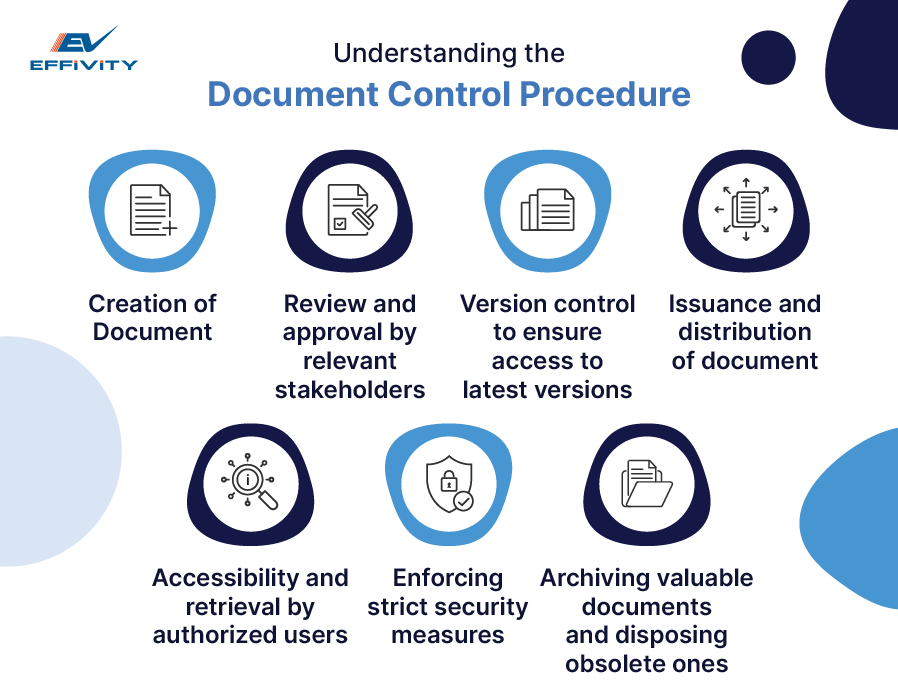
Start with lifecycle rules. Age files by last access or change date. Then route them to the right tier. Use tags to track owners, sensitivity, and retention.
Helpful options to consider:
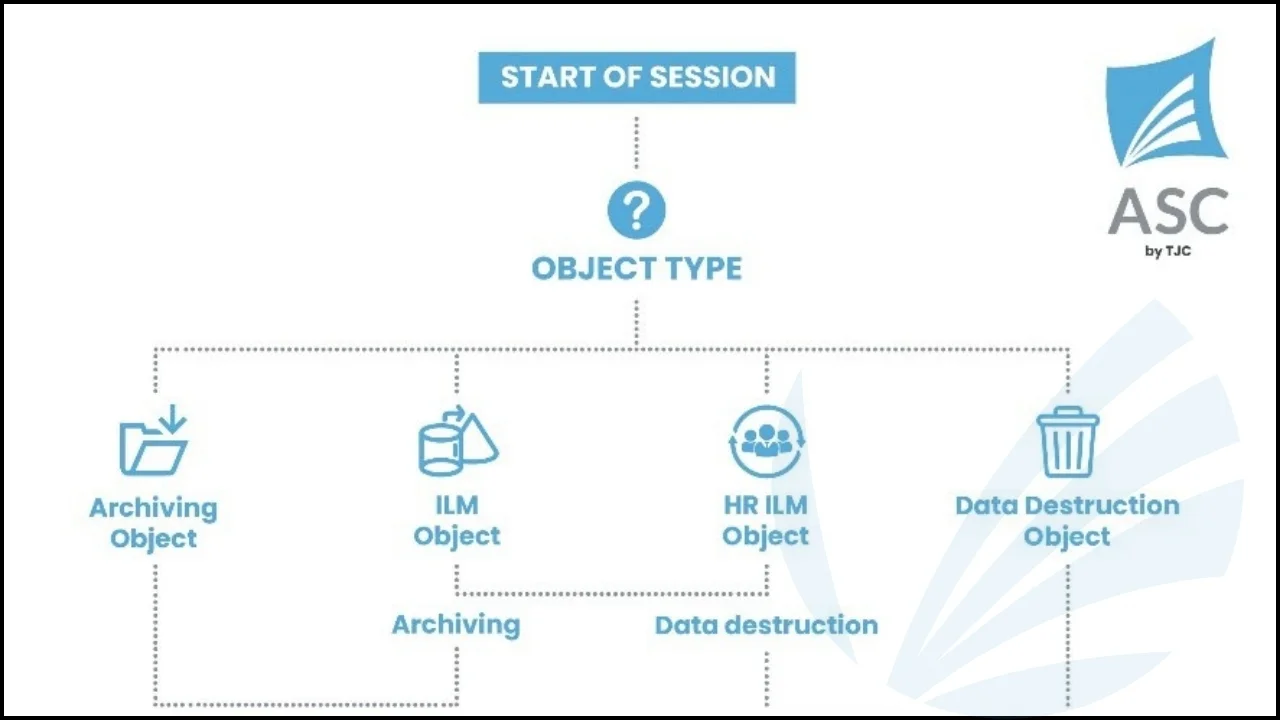
- Cloud object storage: Use hot, cool, and archive tiers with lifecycle rules.
- File and NAS tiering: Move cold files to cheaper tiers without breaking paths.
- Compression and dedupe: Cut size with Zstandard or built-in tools.
- WORM and object lock: Prevent deletes for set periods when needed.
- Index and search: Keep a simple catalog to find archived items fast.
Test restores often. The benefits of archiving old unused files fade if restores fail. Practice like it is real.

Step-by-Step Archiving Workflow
Follow this simple loop:
- Discover. Scan shares, mail, and cloud drives. Find old and large files.
- Classify. Tag by age, owner, type, and risk.
- Decide. Keep, archive, or delete based on policy.
- Move. Apply lifecycle rules and verify transfers.
- Record. Log actions for audits and rollbacks.
- Monitor. Track cost, restore times, and policy drift.
- Review. Re-run scans each quarter and adjust rules.
Pro tip: Share results with teams. Show saved cost and faster backups. The benefits of archiving old unused files are easy to sell when people see proof.
Real-World Lessons and Mistakes to Avoid
From my field work, three lessons stand out. First, talk to data owners early. If you skip that step, you will move live files by mistake. That hurts trust.
Second, you need a plain index. A simple table with file path, owner, and tag works. Without it, people fear the archive is a black hole. The benefits of archiving old unused files depend on trust.
Third, test restores monthly. Do a timed dry run. Fix gaps fast. Also, bake legal and security into the process from day one.
Common mistakes:
- Archiving without policy; results drift and cause rework.
- No delete schedule; archives bloat and costs creep back.
- Skipping metadata; search suffers and eDiscovery drags on.
- One-time project; no review cycle, no metrics, no wins to show.

Measuring ROI and Proving Value
Set simple, clear metrics before you start. Then track them every month.
- Storage cost: Dollars per TB before and after.
- Backup time: Hours saved per week.
- Restore speed: Median time to recover one file.
- eDiscovery speed: Time to respond to a request.
- Risk signals: Fewer stale sensitive files in hot storage.
The benefits of archiving old unused files show in these numbers. You can model ROI as savings minus effort. Include storage, backup, and admin hours. Add risk reduction as a bonus. Even a small move to cold tiers often pays back in one quarter.
Frequently Asked Questions of benefits of archiving old unused files
Is archiving the same as backing up?
No. Backups are for fast recovery from loss. Archives are for long-term, low-cost storage of inactive data.
How often should I archive old files?
Run a light process every month. Do a deeper review each quarter to catch drift and fix tags.
What files are best for archiving?
Files not touched in 90 to 180 days are good. Logs, old projects, and closed cases often fit the profile.
Will archiving slow my team down?
No, if done right. Active files stay hot, while old ones move. Search gets faster with less clutter.
How do I retrieve an archived file?
Use your index or portal to request it. Some cold tiers take minutes or hours to restore; plan for that delay.
Is deleting better than archiving?
Delete when you can and should. Archive when you must keep the data for rules, audits, or future use.
How do I explain the benefits to leadership?
Show numbers. Share cost cuts, faster backups, and lower risk. Tie the benefits of archiving old unused files to audit wins and less downtime.
Conclusion
Clean data wins. When you archive with intent, you cut cost, speed up work, and lower risk. The benefits of archiving old unused files compound over time and make every system easier to run.
Pick one area today. Set a rule. Move a small batch. Measure the lift and share the win. Want more practical guides like this? Subscribe, explore our resources, or leave a question and I will help you plan your next step.



