

Proper memory tools boost speed, cut costs, prevent crashes, and harden security.
If your apps feel slow, crash under load, or drain budgets, you are not alone. I have led teams through painful incidents, and the fix often started with better memory habits. This guide unpacks the benefits of proper memory management utilities, with clear steps, real stories, and data-backed advice. If you want smoother releases, lower bills, and happier users, keep reading.

What Are Memory Management Utilities?
Memory management utilities help you find, measure, and control how your software uses RAM. They track allocations, spot leaks, and show where waste lives. They help tune garbage collectors, reduce fragmentation, and improve cache use.
Common tools include profilers, leak detectors, allocators, and debuggers. Examples are Valgrind, AddressSanitizer, LeakCanary, jemalloc, tcmalloc, JVM and .NET profilers, iOS Instruments, and Android Studio profilers. The benefits of proper memory management utilities show up across languages and stacks.
These tools fit into local dev, CI, staging, and production. They power metrics, alerts, and safety checks. You see how code changes affect memory in real time.

How They Improve Performance and Stability
Faster memory means faster apps. Lower allocation churn cuts CPU time. Fewer GC pauses mean smoother frames and stable latency. Less fragmentation leads to more predictable use of RAM.
I once moved a high-traffic API to jemalloc. We cut RSS by 22% and shaved p99 latency by double digits. The benefits of proper memory management utilities are clear: fewer timeouts, fewer OOM kills, more headroom.
You also get better error signals. When a leak starts in a new release, alerts fire before users feel pain. That keeps on-call calm and focused.

Cost and Energy Savings
RAM is not free. Wasteful memory use raises cloud bills and limits container density. Tight memory control lets you pack more services on the same nodes.
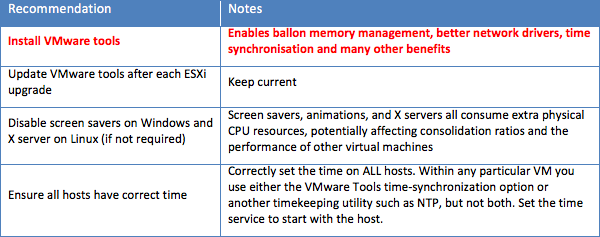
On mobile, less memory means less swap and longer battery life. On edge hardware, it means you can keep cheaper devices in service. The benefits of proper memory management utilities show up on the bill and on the shelf life of devices.
Security and Compliance Gains
Many attacks start with memory bugs. Think buffer overflows or use-after-free. Tools like ASan, UBSan, and fuzzers catch these fast. They shrink the attack surface and help meet compliance needs.
Security teams love clear traces and stable heaps. Good logs, symbols, and heap snapshots speed triage. The benefits of proper memory management utilities reduce risk and prove due care in audits.
Developer Productivity and Maintainability
Debugging blind wastes hours. With good memory tools, you see hot spots and leaks in minutes. CI can block risky commits with simple checks.
New hires learn faster when tools speak in simple graphs and traces. Teams share the same dashboards and language. The benefits of proper memory management utilities cut toil and improve code reviews.

Use Cases Across Platforms
Mobile apps avoid force closes and keep animations smooth. Games hold steady FPS under load. Back-end APIs keep low latency at peak traffic. Data jobs fit more tasks in the same cluster.
Embedded and IoT apps must watch every byte. Proper tools keep them stable for years. The benefits of proper memory management utilities span phones, servers, and tiny boards.
Key Features To Look For
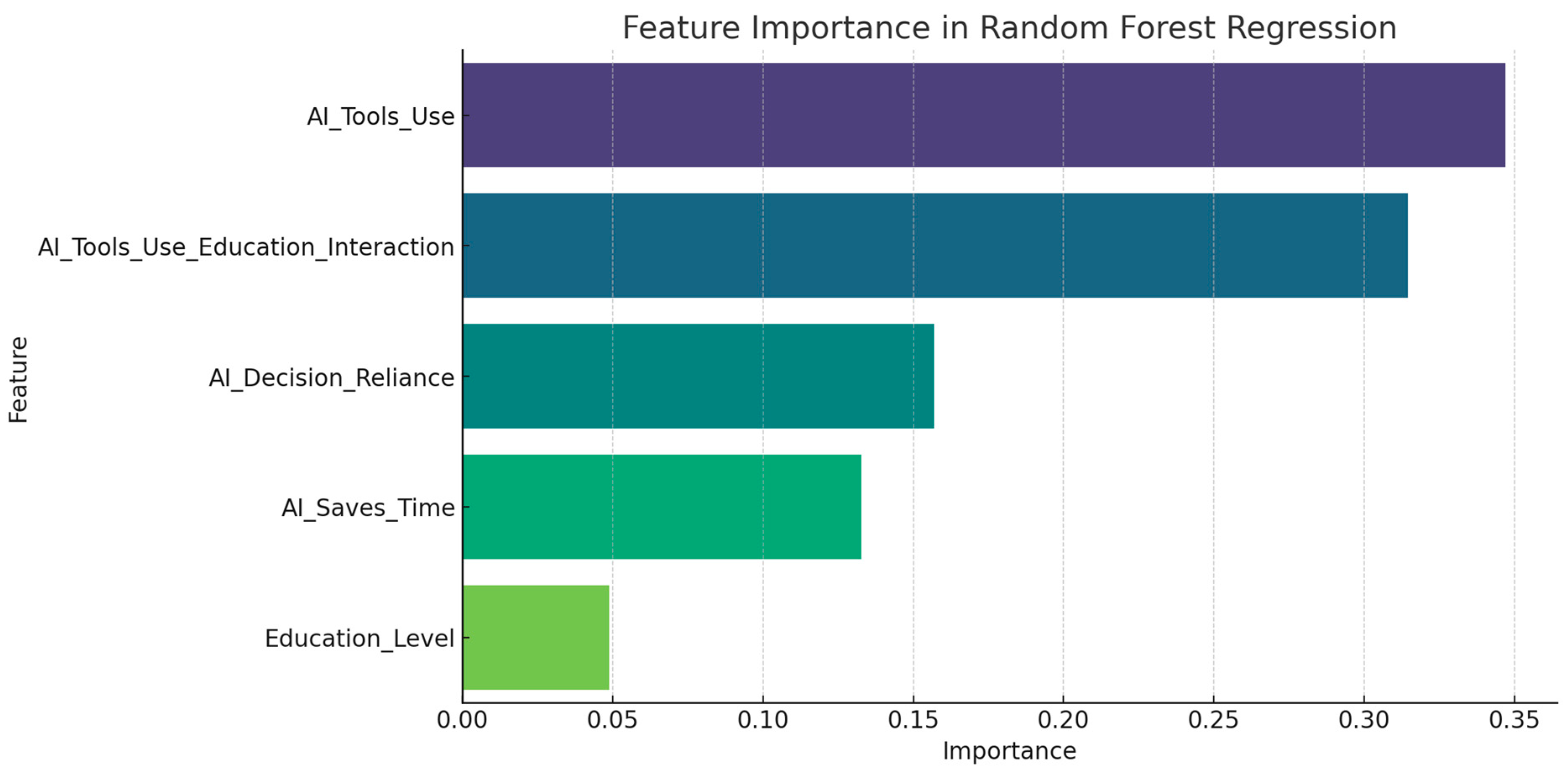
Look for low overhead, clear flame graphs, and precise leak reports. Sampling profilers should show alloc sites by function and file. Heap snapshots should compare runs with diff views.
Support for GC tuning helps managed stacks. Native symbolization helps C and C++. Alerting on alloc rate, RSS growth, and GC pauses prevents surprises. The benefits of proper memory management utilities grow when features match your stack.

Best Practices and Workflow
Start with a baseline. Measure RSS, heap size, alloc rate, and GC pause times. Set SLOs for p95 and p99 latency under steady load.
Pick tools per layer. Use a heap profiler in dev. Add light sampling in prod. Enable sanitizers in CI. Track trends with dashboards.
Run load tests before release. Compare runs to catch regressions. Document fixes and add tests. The benefits of proper memory management utilities grow when your workflow is simple and repeatable.
Common Pitfalls and How To Avoid Them
Do not run heavy profilers in prod during peak hours. Use sampling or canaries. Avoid chasing false positives by tuning thresholds.
Watch container limits. A healthy heap can still hit cgroup caps and die. Consider native memory in managed runtimes. JNI, P/Invoke, and images can hide large chunks. The benefits of proper memory management utilities appear when you see the full picture.
Metrics That Matter
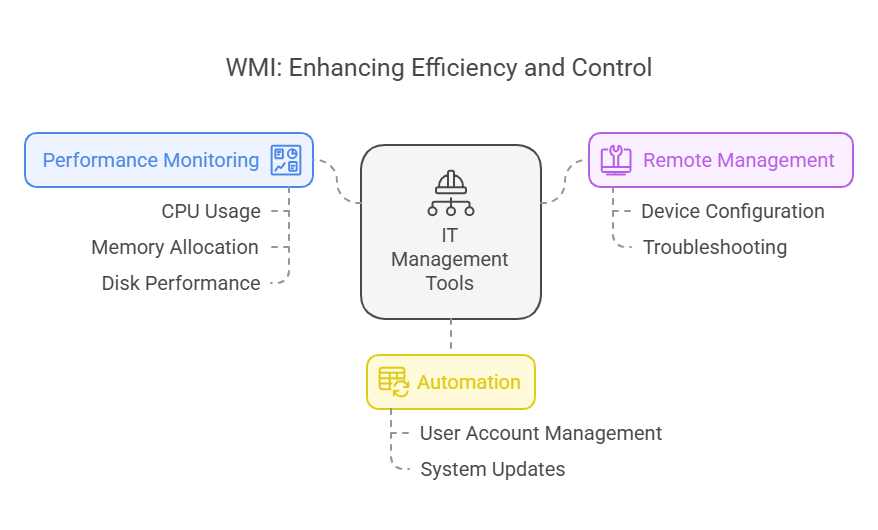
Track RSS, heap usage, and virtual size. Watch alloc and free rates. Monitor GC frequency and pause times. Follow fragmentation and page faults.
Watch user-facing metrics. Track p95 and p99 latency and error rates. Count OOM kills and restarts. The benefits of proper memory management utilities link these signals to code paths.
ROI and Business Case
Memory fixes often pay for themselves fast. A small drop in RAM can raise pod density and cut spend. Fewer crashes mean fewer refunds and less churn.
Model time saved in on-call and debugging. Add gains in deployment speed and user trust. The benefits of proper memory management utilities build a strong case for budget and time.
Frequently Asked Questions of benefits of proper memory management utilities
What are the core benefits of proper memory management utilities?
They improve speed, stability, and security. They also reduce cloud costs and help teams ship with confidence.
How do these utilities reduce cloud spend?
They lower memory waste, which boosts container density. That means fewer nodes and smaller bills.
Do I need them if I use a managed language?
Yes. Managed runtimes still leak through caches and references. Native add-ons and large objects also need care.
Will profiling slow my app?
Heavy profiling can, but sampling is light. Use deep tools in dev and lighter tools in prod.
Which metrics should I watch first?
Start with RSS, alloc rate, and p95 latency. Add GC pauses and OOM events for a fuller view.
How often should I run leak detection?
Run it in CI on each change. Also run it on nightly builds with load tests.
Can these tools help during incidents?
Yes. Heap snapshots and traces show where memory spikes. That speeds rollback or a quick patch.
Conclusion
Strong memory habits make software fast, safe, and cheap to run. You can start small: pick one tool, set a baseline, and add alerts. The benefits of proper memory management utilities appear fast once you measure and act.
Adopt one best practice this week. Profile a hot service, fix one leak, and share the win. Want more guides like this? Subscribe, leave a comment with your stack, or ask for a tailored checklist.



