
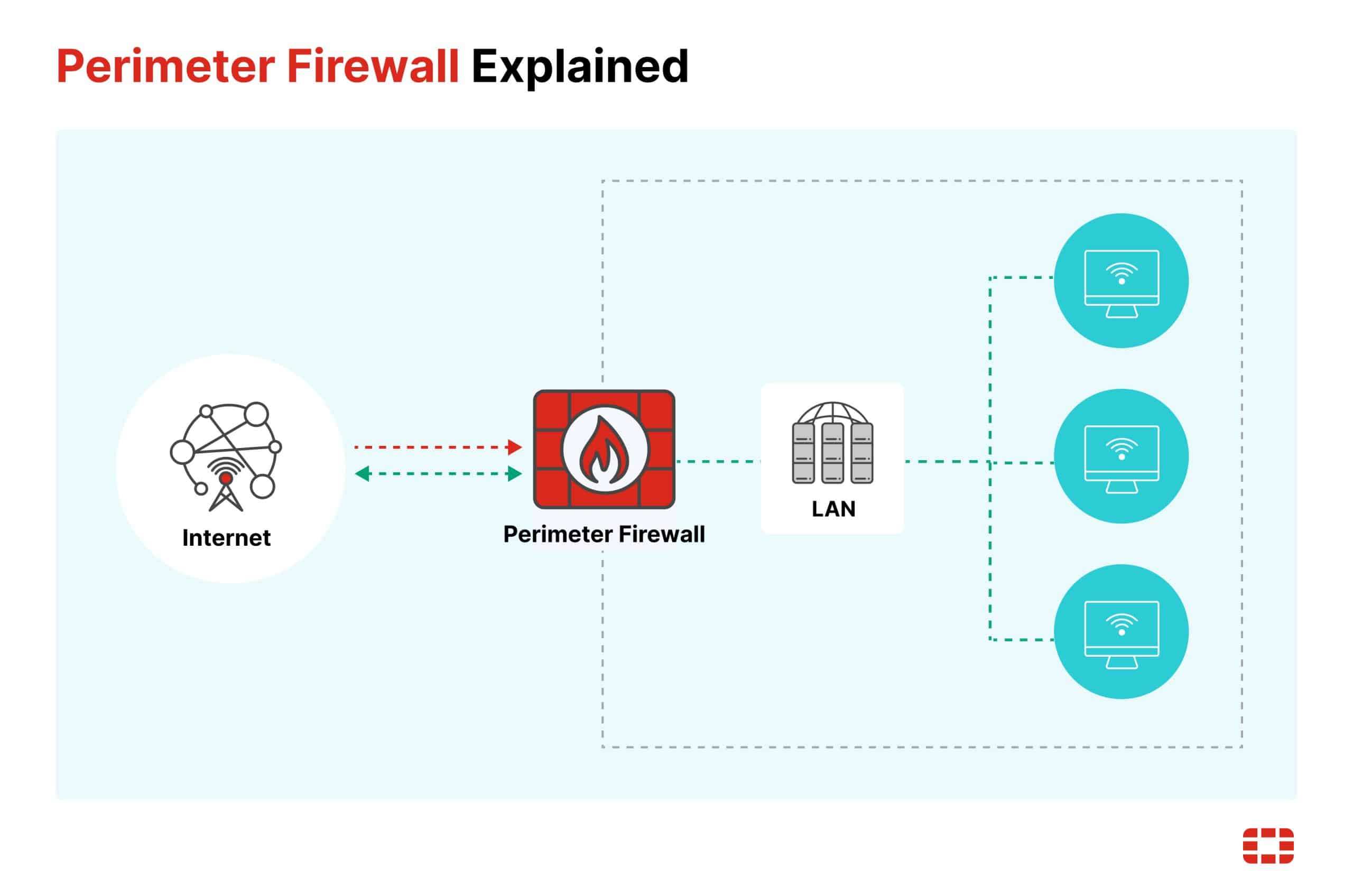
A border firewall is your network's gatekeeper, filtering outside traffic and threats.
If you want the clearest border firewall meaning, you’re in the right place. I’ve designed, deployed, and fixed firewalls at the network edge for years. In this guide, I’ll break down how border firewalls work, where they fit, and how to use them well. By the end, the border firewall meaning will feel simple, useful, and practical to apply.
What a border firewall really is
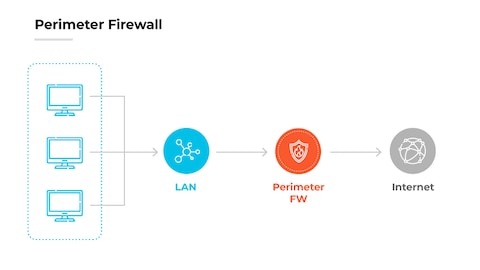
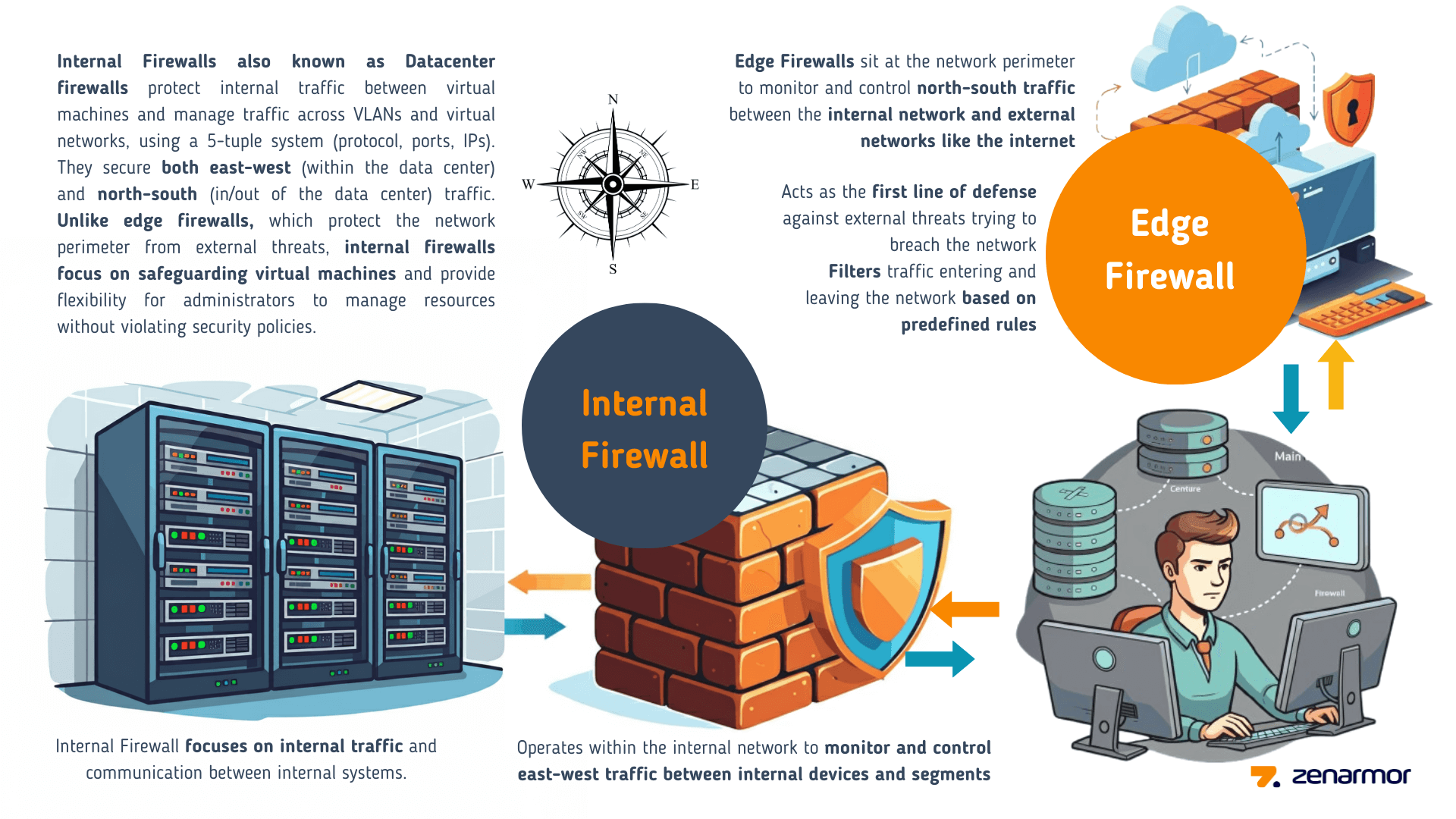
A border firewall sits at the edge of your network. It is the checkpoint between your internal systems and the public internet. It blocks bad traffic and lets safe traffic pass.
The border firewall meaning is about control at the boundary. It is not only a device. It is a policy layer, a set of rules, and a living control you tune over time. Think of it like a smart bouncer who knows your guest list and spots fake IDs.
In most setups, the border firewall is the first and last guard for inbound and outbound flows. It filters packets, tracks sessions, and can log what passes through. If you need one clear border firewall meaning: it is the traffic filter that protects your network edge.
How a border firewall works
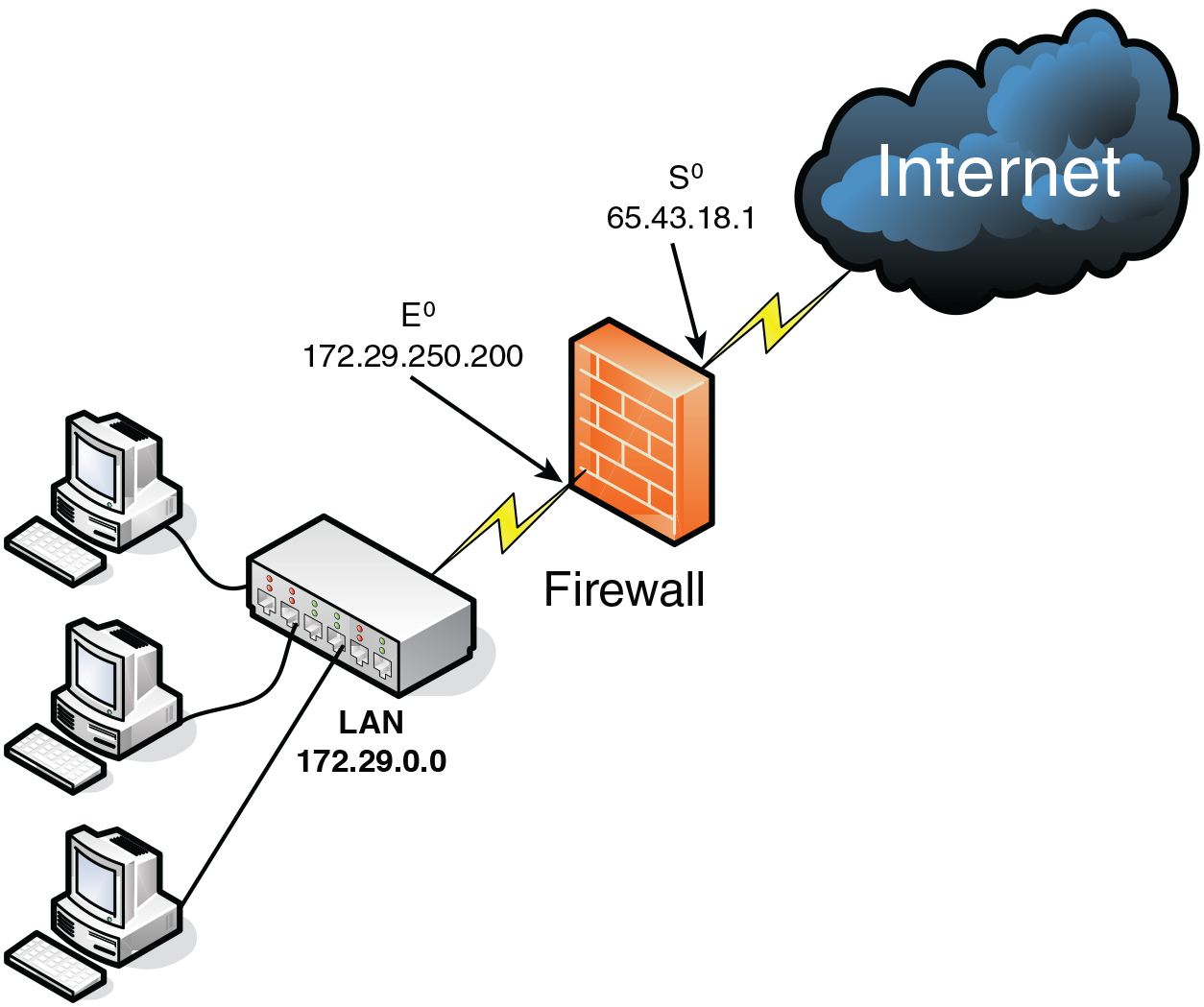
A border firewall checks each packet against rules. It looks at source, destination, ports, and protocol. Modern gear inspects sessions and app behavior, not just ports.
Core functions include:
- Stateful inspection tracks active sessions to spot odd behavior.
- NAT hides internal IPs and maps public services to private hosts.
- Zones split trust levels, like WAN, LAN, and DMZ.
- Policy rules decide allow or deny, with logging to prove it.
This is the practical border firewall meaning in action: a rule engine at the edge that lets what you want in and keeps the rest out.
Where to place a border firewall
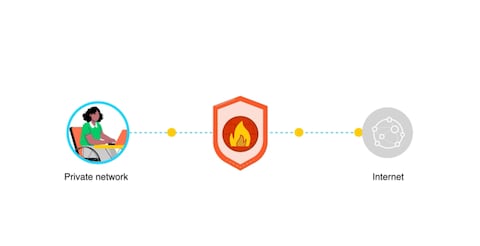
Put your border firewall between your internet connection and your internal network. Many teams add a DMZ for public-facing services like web or mail servers.
Common placements:
- On-prem edge: Between ISP router and core switch.
- Cloud edge: As a virtual firewall in a VPC or VNet.
- Hybrid: One at the data center and one in the cloud, both tied to central policy.
If you run SD-WAN or SASE, the edge may be virtual. The border firewall meaning still holds: it is the policy gate at the network boundary.

Key features and capabilities
Look for features that support your goals, not just buzzwords.
Must-haves:
- Layer 3/4 rules with stateful inspection
- NAT and PAT support
- VPN for site-to-site and remote access
- Logging, reporting, and SIEM export
- High availability with failover
- Rate limiting and basic DoS protection
Nice-to-haves:
- Application control and user ID mapping
- IPS for known threat patterns
- DNS filtering and URL filtering
- Geo-blocking and country rules
These features shape the border firewall meaning in daily work: visibility, control, and resilience at the edge.
Border firewall vs other security tools
It helps to know what a border firewall is not.
- NGFW: An advanced border firewall with deep app control and threat feeds. Many modern border firewalls are NGFWs.
- WAF: Protects web apps at layer 7. It guards HTTP requests, not general network traffic.
- IDS/IPS: Detects or blocks known threats. Often runs inside the firewall or as a separate sensor.
- Zero Trust: A design that verifies every request. You can pair it with a border firewall for layered defense.
A clean border firewall meaning: the edge gate for all traffic. Other tools add depth for specific risks.

Real-world lessons from the field
I once reviewed a small firm after a scare. Their border firewall allowed any outbound traffic. A phishing payload called home with ease. We fixed it with tight egress rules and DNS filtering. The change cut malware alerts by half within a week.
Another case: a SaaS startup exposed a test server through a quick NAT rule. No IPS, no WAF, weak password. A scan found it in minutes. We added a DMZ, a strict inbound policy, and short-lived access. Their uptime rose and their audit passed.
These stories echo the border firewall meaning: it is only as strong as the rules and habits you enforce.
Best practices for configuring a border firewall
Follow a simple path and keep it clean.
- Deny by default, then allow only what you need.
- Separate zones for WAN, LAN, and DMZ.
- Use least privilege for inbound and outbound rules.
- Restrict admin access and enforce MFA.
- Log everything that matters and send it to a SIEM.
- Patch firmware and threat feeds on a set schedule.
- Back up configs and test restores.
With these steps, the border firewall meaning turns into daily practice, not just a theory.

Common mistakes and how to avoid them
- Any-any rules: They open big holes. Replace with narrow, named rules.
- Flat networks: No zones means poor control. Segment by function and risk.
- No egress control: Malware loves open outbound ports. Allow only needed destinations.
- Stale rules: Old exceptions pile up. Review and prune often.
- Missing HA: Single edge device means downtime. Use pairs or virtual HA.
- Weak logging: If you cannot see it, you cannot fix it. Improve logs now.
These fixes keep the border firewall meaning sharp and useful.
Use cases by size and industry
- Home lab and SOHO: Simple stateful firewall, NAT, and basic DNS filtering.
- Small business: Cloud-managed firewall with VPN and content filtering.
- Mid-market: HA pair, IPS, app control, SIEM export, and role-based admin.
- Enterprise: Global policy, SD-WAN, SASE tie-in, and robust change control.
- Regulated sectors: Strong logging, change records, and policy-based egress.
Across all sizes, the border firewall meaning is consistent: guard the edge, watch the exits, log the story.
Deployment checklist and sample policy ideas
Use this checklist before go-live:
- Document zones, IP ranges, and routes.
- Define inbound services and owners.
- Map outbound needs by app and team.
- Build deny-by-default and least-privilege rules.
- Enable logging on allows and denies.
- Test failover, VPN, and remote admin.
- Back up and store configs securely.
Sample policy ideas:
- Allow inbound only to DMZ web on ports 80/443 from the CDN IPs.
- Allow outbound 443 to approved SaaS domains for staff.
- Block outbound to known bad countries and anonymous proxies.
- Limit admin access to the firewall to a jump host with MFA.
This is the border firewall meaning in policy form: precise, owned, and tested.
Monitoring, logging, and incident response
Good monitoring turns noise into insight.
- Track key metrics: accepts, denies, top talkers, and new rules added.
- Alert on odd spikes, new outbound ports, or sudden geo changes.
- Review logs daily; trend them weekly; report them monthly.
- Run tabletop drills: test your process when a rule goes wrong.
When an incident hits, your logs define what happened. That proof is part of the border firewall meaning in security operations.
Compliance and audits
A border firewall supports many controls for network security, access, and logging. Auditors look for proof of policy, change records, reviews, and alerts. Map your rules to business services and owners.
Tips for smoother audits:
- Keep a rule register with purpose, owner, and review date.
- Store logs for the required retention window.
- Show evidence of quarterly rule reviews and tests.
- Validate that admin access is limited and uses MFA.
Strong governance turns the border firewall meaning into measurable control.
Trends shaping border firewalls
Edge security is moving to the cloud, but the purpose stays the same.
Key trends:
- SASE blends firewall, web gateway, and zero trust at the edge.
- SD-WAN integrates app-aware routing with security policies.
- Cloud-native firewalls protect VPCs and service meshes.
- Identity-aware rules tie users and devices to policy.
No matter the form, the border firewall meaning endures: a trusted gate at the boundary.
Frequently Asked Questions of border firewall meaning
What is the border firewall meaning in simple terms?
It is the firewall at the network edge that filters internet traffic. It blocks threats and allows approved connections.
Is a border firewall the same as a router?
No. A router moves traffic, while a border firewall enforces security rules. Many devices do both, but their roles differ.
Do I still need a border firewall if I use cloud services?
Yes. You still need control at the edge of your sites and cloud networks. Use it with cloud security for layered defense.
How often should I review border firewall rules?
Review high-risk rules monthly and all rules at least quarterly. Remove or tighten anything that no longer has a clear owner or purpose.
Can a border firewall stop ransomware?
It can block common paths like command-and-control and risky ports. Pair it with endpoint and email controls for stronger defense.
Conclusion
A border firewall is your first and last gate on the internet edge. Define clear rules, segment networks, and watch your logs. When you keep it simple and owned, the border firewall meaning turns into real, everyday protection.
Take one step today: review outbound rules and remove anything you cannot explain. Want more practical guides like this? Subscribe, share your questions, or leave a comment with your setup.



