

Use a wide aperture, longer focal length, and increase subject-to-background distance.
You want that creamy, cinematic look. You want your subject to pop while the rest melts away. In this guide, I show how to achieve background blur with any camera or phone. I will share proven methods, real shoot notes, and simple steps that work in the field.

How background blur works
To master how to achieve background blur, start with depth of field. Depth of field is the zone in focus. A wide aperture like f/1.8 makes that zone thin. A small f-number means more blur behind your subject.
Focal length also matters. Longer lenses make the background look closer and softer. Stand closer to your subject to increase blur. Keep the background far behind them for the best effect.
Sensor size plays a role. Larger sensors give a shallower depth of field at the same framing. This is why full frame cameras blur more than phones. These are basic optics rules tested over time.
Gear that makes blur easy
The fastest way to learn how to achieve background blur is to use the right lens. A prime lens with a wide aperture is ideal. Look for 35mm, 50mm, or 85mm with f/1.8 or faster. These lenses are sharp, bright, and not too expensive.
Telephoto lenses help too. A 70–200mm at f/2.8 or even f/4 can melt the background. Full frame cameras have an edge, but APS-C and Micro Four Thirds can still look great. Phones can fake blur with software and do well in good light.
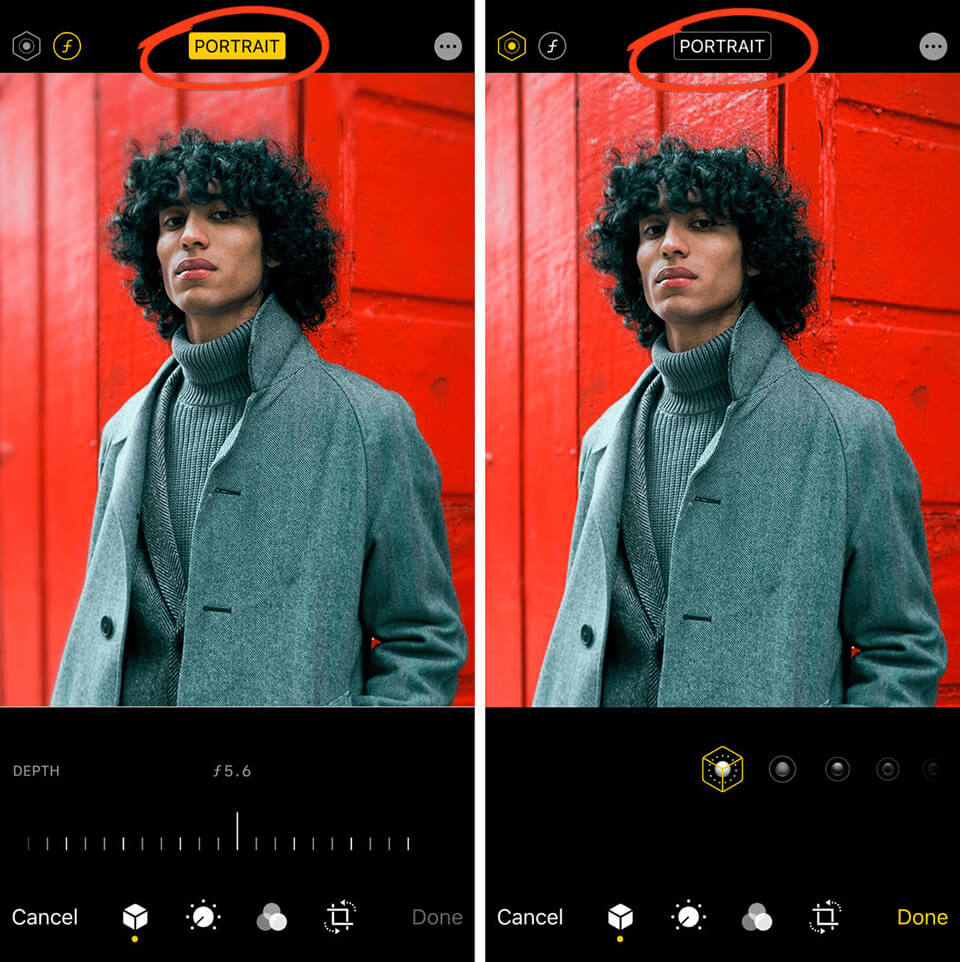
If you use a phone, try Portrait mode. You can also add clip-on lenses for a tighter view. That extra reach makes blur easier and more natural.
Manual settings that deliver blur
Here is how to achieve background blur with a camera. Set Aperture Priority and choose the lowest f-number. Start at f/1.8 to f/2.8 for people. Use single point autofocus and place the point on the eye.
Stand closer to your subject. Step back from the background. Zoom in if you can. Keep ISO as low as light allows. If the scene is too bright, use a neutral density filter to stay wide open.
Mind your shutter speed. Use 1/250s or faster for people. Use 1/1000s for action. Turn on face and eye detection for more keepers.
Smartphone methods that work
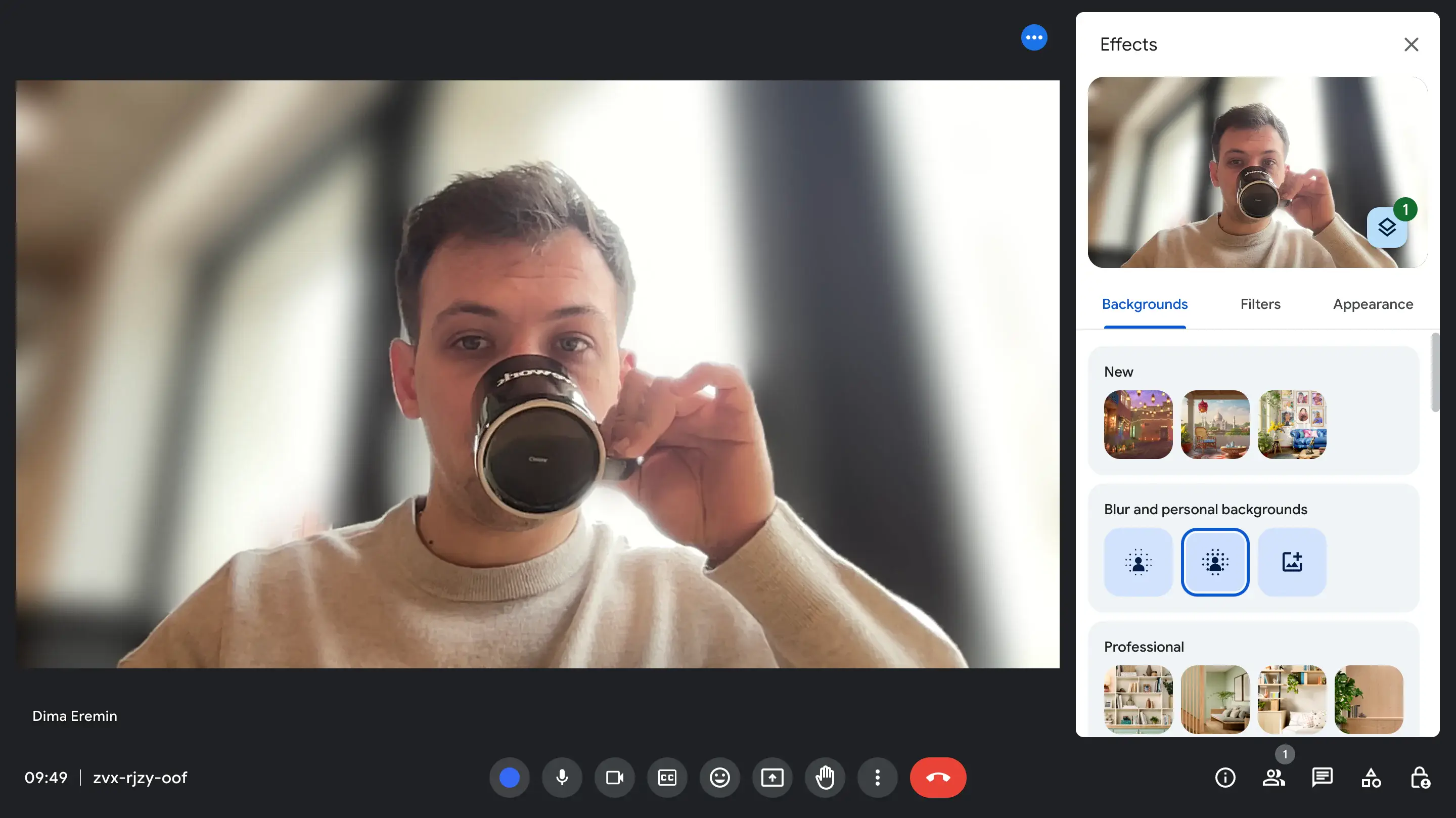
Wondering how to achieve background blur on a phone? Use Portrait mode and good light. Tap to focus on the eye. Move closer until the phone locks focus. Keep the background far away.
Shoot with the phone’s telephoto lens if it has one. This adds compression and cleaner edges. Avoid busy hair against a messy background. For more control, try a manual camera app with a depth blur tool. Check edges and fine tune the blur strength before you share.
From my shoots, a small step to the side can fix bad edges. Give the phone a clean line between subject and background. It helps the software mask the subject.

Composition and distance control
Your feet are the best zoom. If you want how to achieve background blur, manage distance. There are three distances that matter. Camera to subject, subject to background, and lens focal length.
Make the subject close. Push the background far. Use longer focal lengths to compress space. Choose backgrounds with texture, lights, or color contrast. Simple backgrounds blur into smooth tones that make faces pop.
Change your angle. Kneel, step left, or frame through a plant. A small move can clean up the frame. The blur will look deeper, even at the same settings.
Lighting tricks for creamy bokeh
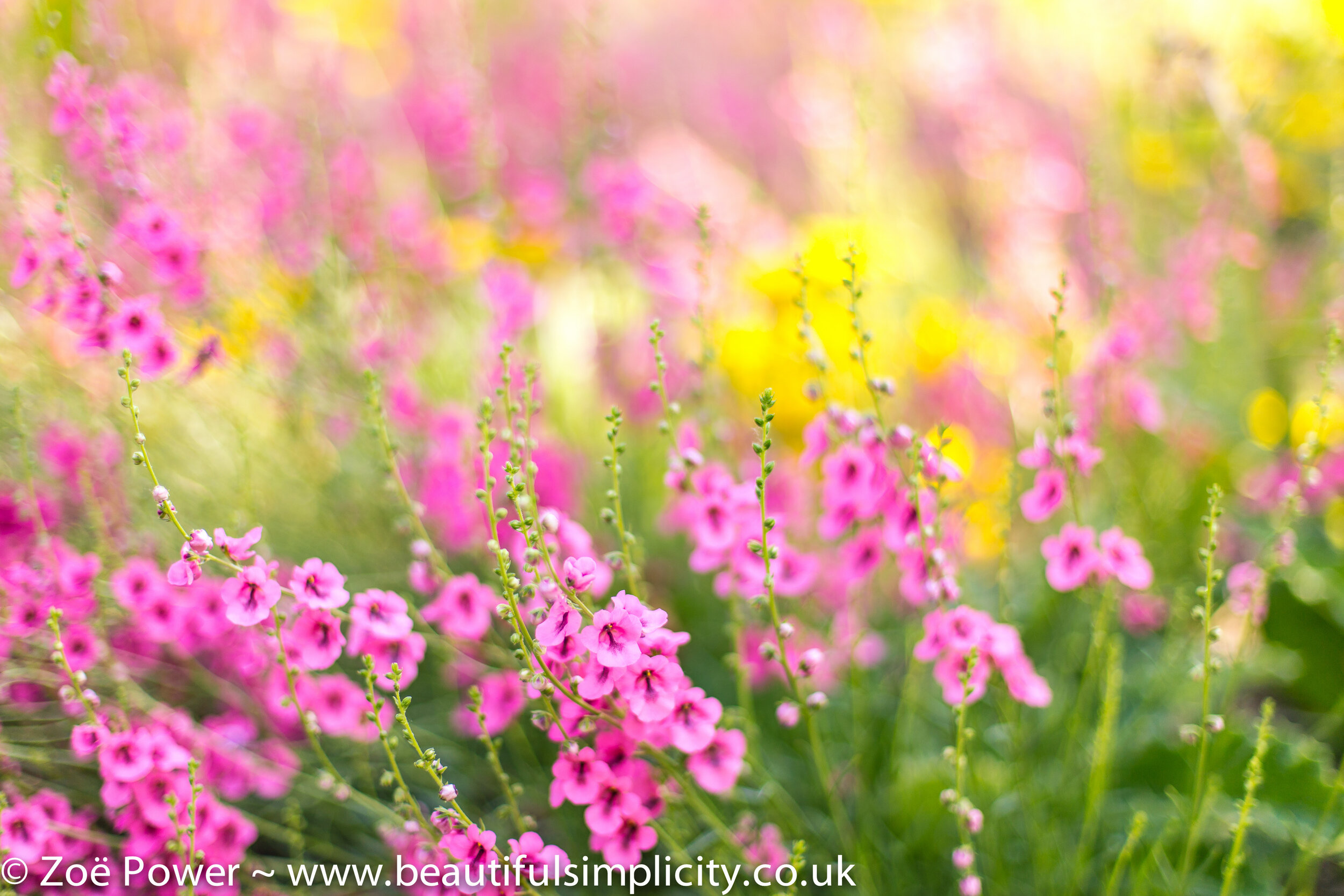
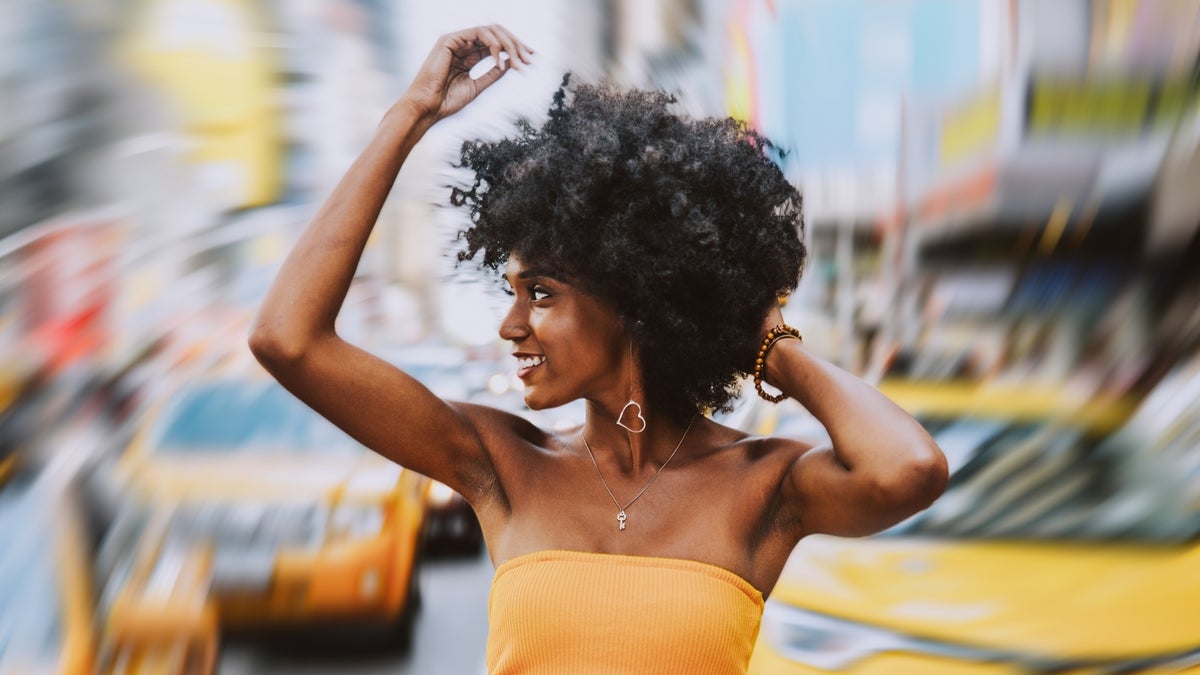
Light shapes blur. Backlight creates glow and halos. Side light adds depth to faces. Place small point lights in the background. The blur will turn them into soft circles.
Wet streets, city lights, and tree leaves make great bokeh. Aperture blades shape those highlights. More blades often mean rounder bokeh balls. Avoid harsh midday sun. Open shade keeps skin soft and the background smooth.
When I shoot at dusk, I add a small LED near the subject. It makes eyes bright and allows a low f-number. This is a reliable way how to achieve background blur and still keep detail on the face.
Post-processing to enhance blur
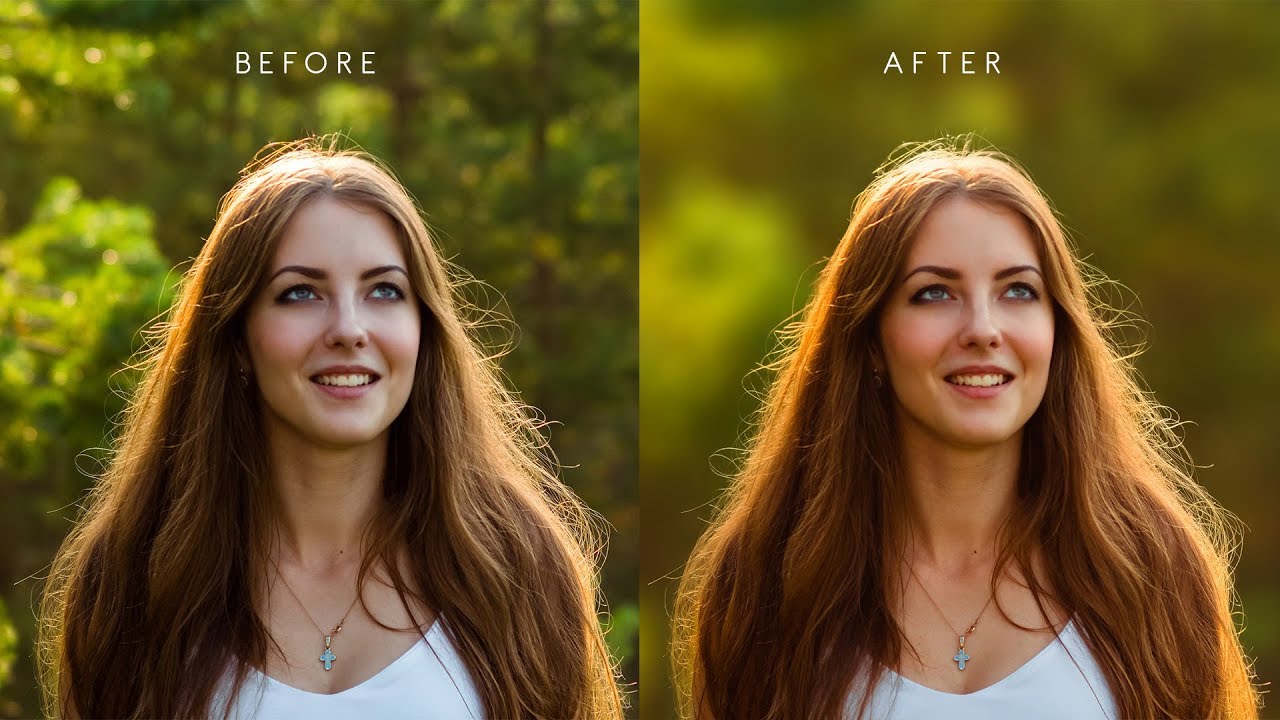
Sometimes you need extra blur in post. Here is how to achieve background blur with editing. In Lightroom, mask the subject, then reduce texture and clarity on the background. Add a radial blur on bright spots to enhance glow.
In Photoshop, use Lens Blur or Field Blur. Create a subject mask first for clean edges. For a pro look, build a depth map so near areas blur less than far ones. On a phone, use a depth editor to adjust blur strength after the shot.
Subtle wins. Keep edges natural. Watch for halos around hair. If it looks fake, reduce the effect and add a little grain.
Common mistakes and quick fixes
If your background still looks sharp, it is likely too close. Move your subject forward. Or pick a longer lens. That is the fastest fix for how to achieve background blur.
Avoid stopping down too far. At f/5.6 or f/8, the background will sharpen. Missed focus ruins blur. Use single point AF and burst mode. High ISO noise adds grit. Add light or raise shutter speed with care.
If your subject melts into the background, add rim light. Or pick a darker wall. Check wind and hair. Blurred hair can look messy even with nice bokeh.

Step-by-step recipes that work
Portrait outdoors, late afternoon
- Switch to Aperture Priority.
- Set f/1.8 to f/2.8, ISO Auto, min shutter 1/250s.
- Stand 4 to 6 feet from your subject.
- Keep the background at least 20 feet away.
- Use 85mm if you have it and focus on the near eye.
Product on a table by a window
- Use a 50mm at f/2.
- Place the product 3 feet from the background.
- Angle the camera slightly to avoid merger lines.
- Add a white card to fill shadows.
- Increase blur in post with a light lens blur if needed.
Event indoors with stage lights
- Use 70–200mm at f/2.8.
- Shutter 1/320s, Auto ISO with a max you trust.
- Wait for lights in the background for bokeh.
- Shoot from farther back and zoom in for compression.
Smartphone street portrait at night
- Use Portrait mode with the tele lens if available.
- Stand close, tap the eye, keep the background lights far.
- Reduce simulated blur strength if edges look odd.
- Take three frames and pick the cleanest mask.
Wildlife at the park
- Use 300mm or longer at the widest f-stop.
- Get low to the ground to smooth the background.
- Keep the subject far from trees and bushes behind it.
These recipes show how to achieve background blur in real scenes. Save them and tweak for your style.
Frequently Asked Questions of how to achieve background blur
What settings should I start with for portraits?
Use Aperture Priority at f/1.8 to f/2.8, ISO Auto, and minimum shutter at 1/250s. Focus on the near eye and keep the background far away.
Can I get real blur with a smartphone?
Yes, but it is mostly software based. Use Portrait mode, good light, and clean edges between subject and background for better masks.
Does sensor size change blur?
Larger sensors give a shallower depth of field at the same framing and f-stop. Full frame will blur more than smaller sensors.
Which lens is best for background blur?
A fast prime like a 50mm or 85mm at f/1.8 is great. A 70–200mm at f/2.8 also delivers strong blur and compression.
How far should the background be from the subject?
More distance gives more blur. As a simple rule, keep the background at least 3 to 4 times farther than the camera-to-subject distance.
Why is my Portrait mode cutout messy?
The phone struggles with fine edges like hair or glass. Reduce blur strength and improve lighting and separation to help the mask.
Can I fix a busy background without moving?
Yes, zoom in and open the aperture. You can also raise the subject and shoot against the sky or use a large reflector as a backdrop.
Conclusion
You now know how to achieve background blur with gear, settings, light, and distance. Use a wide aperture, longer focal length, and smart framing. Add clean light and choose backgrounds that turn into smooth shapes.
Pick one recipe and try it today. Save a before and after to see your gains. If this helped, subscribe for more guides, share your results, or ask a question in the comments.



