
Duplicate a clip or layer, place a light leak overlay on top, and blend it with Screen or Add, then color and mask for a natural glow.
If you have ever wanted that soft, dreamy wash across your frame, you are in the right place. I have spent years testing how to add light leak effects across Photoshop, Premiere Pro, After Effects, and mobile apps. This guide shows you how to add light leak effects with clear steps, pro tips, and real examples you can use today.

What Are Light Leaks?
Light leaks are soft streaks or glows that bleed into your image. They mimic film light that slipped past the camera body. The look adds warmth, nostalgia, and motion.
You will see warm tones like red, orange, and gold. You can also use cool tones for a modern feel. The key is soft edges, low detail, and organic fade.
Digital light leaks come from overlays, gradients, or in-camera tricks. The trick is subtle use. We will cover how to add light leak effects so they look real, not fake.

Tools You Need
You can add light leaks with most editors. Pick what fits your workflow.
- Photoshop or Affinity Photo for still images.
- Premiere Pro, After Effects, Final Cut Pro, or DaVinci Resolve for video.
- Mobile apps like VN, CapCut, LumaFusion, InShot, or Lightroom Mobile.
- Stock light leak overlays in MP4, MOV, or PNG.
- A fast drive and a color-calibrated screen.
If you want to shoot your own leaks, a cheap prism, plastic wrap, or a flashlight works.
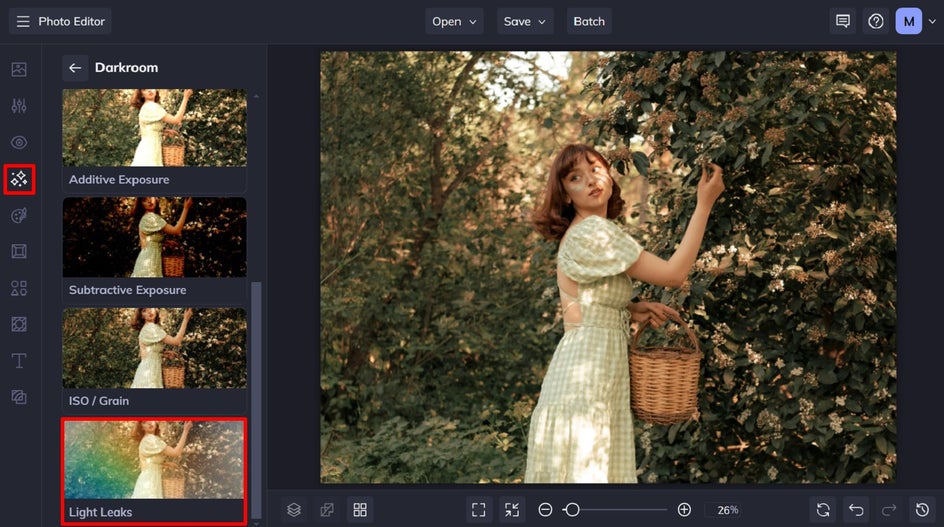
How to Add Light Leak Effects in Photoshop
Here is a quick and solid method I trust on client work.
-
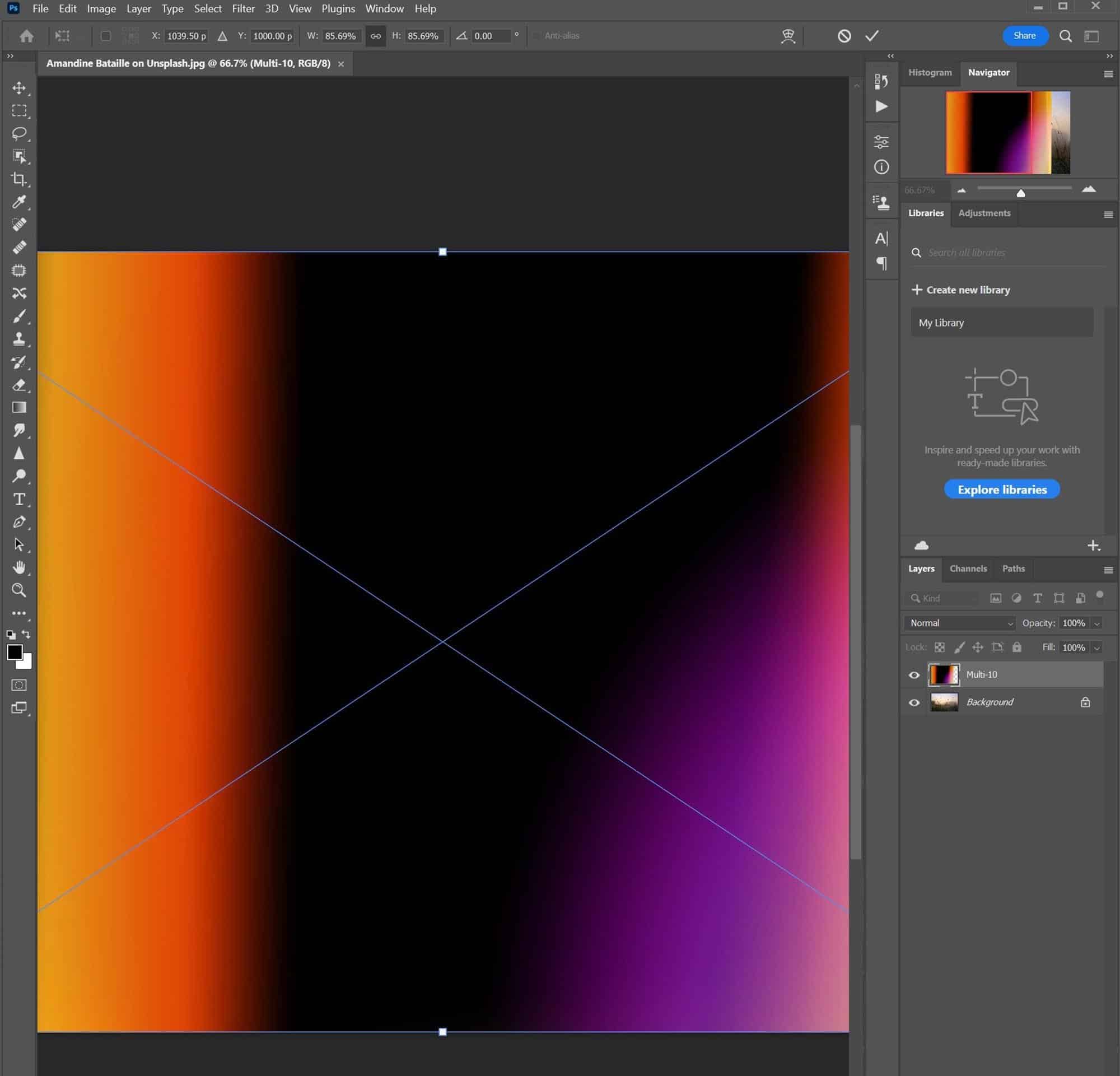
Open your photo. Convert to Smart Object. This keeps edits non-destructive.
-
Bring in a light leak image. Use a PNG with black background or a soft gradient you made.
-
Set the leak layer blend mode. Start with Screen or Linear Dodge (Add). Try Soft Light for a subtle mood.
-
Resize and rotate. Place the leak near bright edges, not in the middle of faces.
-
Mask the leak. Add a layer mask. Use a large soft brush at 10–30% opacity. Hide hard edges and keep eyes clear.
-
Color match. Use Hue/Saturation, Curves, or Color Balance clipped to the leak. Warm the highlights and lower saturation a bit.
-
Add blur and film grain. A small Gaussian Blur helps. Add grain to blend the texture.
-
Fine-tune opacity. Most shots look best at 10–35% opacity. Less is more.
Pro tips from experience:
- If the scene key light is camera left, bias your leak to the same side.
- Use a radial gradient map on the leak for a richer roll-off.
- To avoid banding, work in 16-bit and add a touch of noise.
This is one of the easiest ways for how to add light leak effects on photos with control and depth.

How to Add Light Leak Effects in Premiere Pro and After Effects
For video, the flow is the same but time-based.
-
Place your footage on V1. Put the light leak clip on V2.
-
Change blend mode of V2. In Premiere, use Screen, Add, or Overlay. In After Effects, use the same.
-
Trim and time the leak to action. Align the peak of the leak with a cut, a head turn, or a beat.
-
Color match the leak. Use Lumetri or Curves on the leak layer. Warm the highlights. Reduce saturation. Balance to the scene.
-
Mask and track. Draw a soft mask to keep the leak off faces. Track if your subject moves.
-
Ease and fade. Add opacity keyframes. Use a short fade in and out for a film feel.
-
Add grain and a slight vignette on an adjustment layer. It blends the leak into the scene.
-
Export a high-quality mezzanine file. Use ProRes or DNxHR for master, H.264 or HEVC for web.
On a car ad, we timed leaks to the gear change and rim highlights. The mood lifted right away. That is how to add light leak effects that support story beats.

How to Add Light Leak Effects on Mobile
You can get great results on your phone with free tools.
- In CapCut or VN: Add your video. Import a light leak clip above it. Set blend mode to Screen or Overlay. Trim and fade.
- In Lightroom Mobile for photos: Add a radial gradient. Increase exposure and warmth. Add a bit of dehaze negative for glow.
- In PicsArt or Prequel: Use built-in leak filters. Lower intensity. Mask faces if possible.
For a clean workflow, export at the source frame rate. That keeps the leak movement smooth. This simple setup covers how to add light leak effects when you are on the go.

Create DIY Light Leaks In-Camera
You can capture leaks while filming or shooting.
- Use a prism or glass near the lens. Twist to catch light and create streaks.
- Hold colored gels near the edge of the lens. Move them gently for motion.
- Try a flashlight or phone light at the side of the lens hood. Pulse it during takes.
- Shoot into backlight at golden hour. Pan slightly for flare streaks.
Keep a lens cloth handy. Fingerprints will ruin the look. Record some blank plates of leaks too. You can use them later as overlays. This is how to add light leak effects that feel organic and unique.

Color, Grain, and Texture: Making Leaks Look Real
Real film leaks have soft roll-off and texture. Mimic that with a few steps.
- Match color to ambient light. Warm leaks for sunset, cool leaks for neon scenes.
- Use Curves to lift highlights and protect mids. Keep skin safe.
- Add fine grain or film emulation. It blends the leak with the image texture.
- Blur sharp overlays. A small Gaussian Blur makes the leak soft and analog.
- Vignette the frame. A small vignette focuses the eye and balances the glow.
These choices define how to add light leak effects that hold up on big screens and social.

Common Mistakes and How to Fix Them
I see the same issues again and again. Here is how to fix them fast.
- Blown highlights: Lower leak opacity. Use a luminance key to protect the brightest areas.
- Wrong color cast: Use Hue/Saturation to shift the leak hue toward scene light.
- Hard edges: Mask with a huge soft brush. Add 1–2 px blur on the mask.
- Banding: Work in 10-bit or 16-bit. Add a hint of noise to the leak.
- Overuse: Keep it event-based. Tie leaks to transitions, beats, or story moments.
This checklist is my safety net for how to add light leak effects in client edits.
Workflow, File Formats, and Export Settings
A clean pipeline saves time and keeps quality.
- Use overlays with black backgrounds for Screen/Add. ProRes 4444 with alpha is ideal if available.
- Keep leak clips at the same frame rate as your timeline.
- For color, match your working space. In log workflows, grade first, then blend leaks.
- Export masters to ProRes or DNxHR. Export web to H.264 or HEVC at high bitrate.
- Keep a folder of leaks labeled by color, direction, and speed for quick reuse.
These habits make how to add light leak effects fast, repeatable, and reliable.
Frequently Asked Questions of how to add light leak effects
What is the best blend mode for light leaks?
Screen and Add are the most useful. Screen keeps detail, while Add gives a stronger punch.
Can I make light leaks without overlays?
Yes. Use gradients, brushes, or radial filters. Blur and lower opacity for a soft glow.
How do I stop light leaks from washing out faces?
Mask the leak off faces with a soft brush. Lower opacity near skin and eyes.
Do light leaks work in bright scenes?
Yes, but keep them subtle. Place leaks near highlight edges and avoid pure white areas.
Are light leaks the same as lens flares?
No. Light leaks are soft areas of glow. Lens flares are sharper shapes from lens elements.
What colors work best for light leaks?
Warm hues like orange, red, and gold feel natural. Use blue or teal for cool, modern vibes.
Can I use light leaks in corporate videos?
Yes, in a subtle way. Tie the leak to brand colors and key transitions only.
Conclusion
Light leaks can lift mood, guide the eye, and add story. Start with simple overlays, blend with Screen or Add, then color and mask with care. Keep it subtle and tie the movement to action or music.
Now it is your turn. Pick one project and test one leak today. Save your best settings as presets and build your own leak library. Want more guides like this? Subscribe, share your results, or leave a question for a custom tip.



