
Use CI/CD, tests, monitoring, and scripts to patch, update, and heal systems.
If you want a reliable app, you need repeatable care. In this guide, I show how to automate software maintenance with clear steps, proven tools, and simple patterns. I have led teams through this shift. You will learn how to automate software maintenance without chaos or guesswork. Read on to build a system that fixes itself while you sleep.
What Is Automated Software Maintenance?
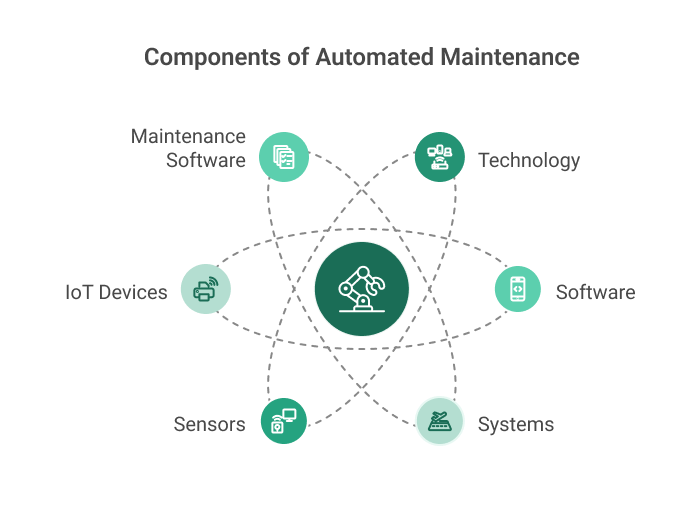
Automated software maintenance is the use of tools and code to keep apps healthy. It handles updates, checks, fixes, and reports with little human work. The goal is speed, safety, and less toil.
There are three modes of care:
- Preventive care stops issues before they start.
- Detective care finds issues fast and alerts the right people.
- Corrective care fixes known issues with scripts or runbooks.
If you ask how to automate software maintenance, think in small loops. Sense, decide, and act. Then log and learn. That loop is the heart of a stable system.
Benefits You Can Measure
Automation is not a buzzword. It gives clear gains you can track.
- Faster updates and patches reduce risk windows.
- Fewer outages and rollbacks cut user pain.
- Lower toil frees your team for product work.
- Better audit trails improve trust and compliance.
- Stable costs beat late night fire drills.
When teams ask how to automate software maintenance, they often want safety first. Good pipelines and guardrails deliver that safety.
Core Pillars Of Automation
Automated testing and CI/CD
You ship changes through a pipeline. The pipeline runs unit, integration, and security tests. Only safe code can land. Use branch rules and required checks. Add blue‑green or canary deploys for low risk releases.
Observability and monitoring
You cannot fix what you cannot see. Use metrics, logs, and traces. Set alerts with clear thresholds. Track service level objectives. Tie alerts to runbooks and auto actions.
Dependency and vulnerability management
Use bot tools to open pull requests for updates. Scan for known CVEs. Add gates to block risky builds. Keep a fast path for urgent patches.
Infrastructure as code and drift control
Manage cloud and clusters as code. Detect drift and auto fix it. Keep state in version control. Review changes like app code.
Here is the simple truth on how to automate software maintenance. Make every change go through code, tests, and checks. Then watch and heal at runtime.
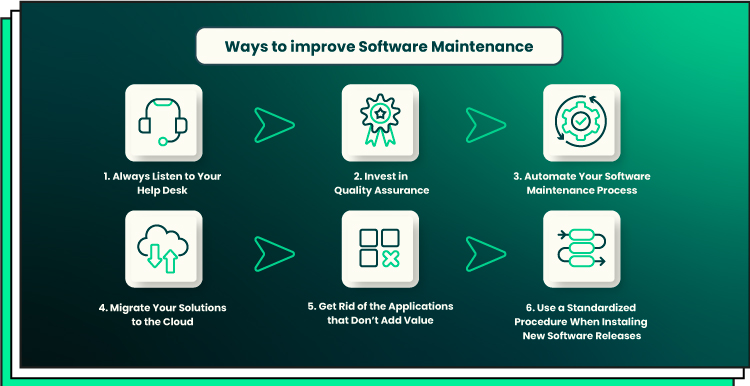
Step-By-Step: How To Automate Software Maintenance
-
Map your maintenance work
- List tasks you do each week and month.
- Note owners, tools, and pain points.
- Pick high toil, low risk tasks to automate first.
-
Set standards and service levels
- Define code, branch, and test rules.
- Pick SLOs and error budgets.
- Document runbooks for common issues.
-
Build your CI/CD backbone
- Add unit, integration, and end‑to‑end tests.
- Add static analysis and security scans.
- Use canary or blue‑green deploys and auto rollback.
-
Automate updates and patching
- Enable dependency bots for app and base images.
- Automate OS and container patching on a schedule.
- Gate merges with tests and scans.
-
Add runtime healing
- Use auto scaling, restarts, and circuit breakers.
- Trigger self‑remediation from alerts.
- Keep manual approval for high risk fixes.
-
Close the loop with observability
- Ship logs, metrics, and traces.
- Create clear alerts to teams or on‑call.
- Review incidents and tune rules.
-
Prove value with metrics
- Track lead time, change fail rate, and MTTR.
- Track open vulnerabilities and patch age.
- Share wins with the team and leaders.
I get asked how to automate software maintenance on a tight budget. Start small. Automate one noisy update path, like dependencies. Win trust, then expand.
Tooling Stack That Works In Practice
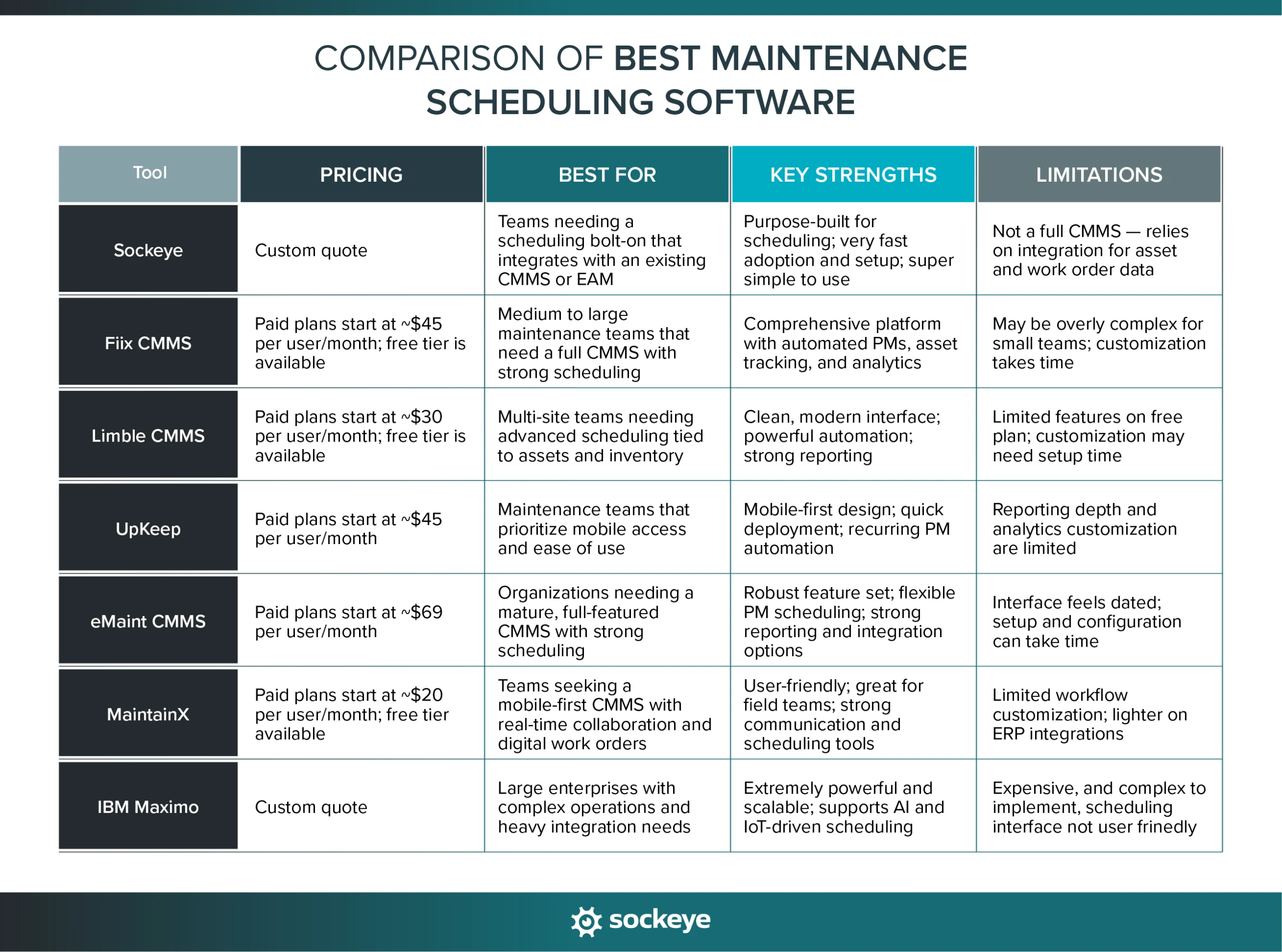
You can mix many tools. Pick what fits your stack and skills.
- CI/CD: GitHub Actions, GitLab CI, Jenkins
- IaC: Terraform, Pulumi
- Config and patching: Ansible, AWS SSM, Fleet, WSUS for Windows
- Containers and deploys: Docker, Kubernetes, Argo CD, Flux
- Testing: Jest, JUnit, Cypress, Playwright, k6
- Security: Snyk, Trivy, OWASP Dependency‑Check
- Update bots: Dependabot, Renovate
- Observability: Prometheus, Grafana, Loki, ELK, Datadog, New Relic
Use one source of truth. Keep pipeline as code. Tie alerts to the same repo. That is how to automate software maintenance without tool sprawl.

Governance, Security, And Compliance
Automation should raise your trust level.
- Enforce least privilege with short‑lived tokens.
- Sign builds and images. Verify at deploy.
- Keep audit logs for code, infra, and access.
- Use policy as code for rules and checks.
- Run regular chaos and recovery drills.
If your auditor asks how to automate software maintenance safely, show your gates. Show your logs. Show your policy code. That builds instant trust.
Cost, ROI, And Metrics That Matter
Automation saves money, but you must prove it.
- Compare incident hours before and after.
- Count manual steps removed from releases.
- Track patch lag across apps and services.
- Measure uptime and error budgets.
Good teams ask how to automate software maintenance with ROI. Tie each bot or job to a metric. If it moves the number, keep it. If not, fix it or drop it.

Real‑World Examples And Lessons Learned
From my teams, a few hard won tips:
- Dependency chaos. We enabled Renovate with weekly update windows. Noise dropped. Merge rate rose. Risk fell.
- Flaky tests. We tagged flaky tests and ran them in quarantine. We fixed the top five. Pipeline trust went up fast.
- On‑call pain. We wrote three small runbooks as scripts. Restarts, cache flush, and feature flag rollback. MTTR fell by half.
- Hidden drift. We added drift alerts on IaC. One cloud rule kept changing. The alert found a manual hotfix habit. We trained the team and fixed it.
These moves are simple examples of how to automate software maintenance with steady wins. Aim for clear, small changes that add up.

Common Pitfalls And How To Avoid Them
- Automating a bad process. Clean it before you script it.
- No owners. Assign clear owners for each job and alert.
- Silent failures. Add health checks and alerts for the automations.
- Ignoring people. Train the team. Share the why and the how.
- One giant release. Break work into small, safe steps.
Teams that ask how to automate software maintenance often skip docs. Do not. Good docs and runbooks are part of the automation.
Frequently Asked Questions of how to automate software maintenance
What is the first step to automate maintenance?
Start by listing recurring tasks and the time they take. Pick one task that is common, low risk, and easy to test.
Which tools are best for small teams?
Use a hosted CI/CD like GitHub Actions and an update bot like Dependabot. Add a simple monitor like Grafana Cloud or Datadog.
How do I avoid breaking changes during updates?
Use a staging environment and canary releases. Run tests and scans on every pull request and require approvals.
How often should I run dependency updates?
Weekly works for most teams. For critical libraries or frameworks, consider daily checks with strict tests.
Can I automate security patching safely?
Yes, with policy gates and rollbacks. Patch in small chunks, test well, and use feature flags when you can.
What metrics prove that automation helps?
Track lead time, change failure rate, and MTTR. Also track patch age and open vulnerabilities over time.
How do I get stakeholder buy‑in?
Show a simple win with numbers, like fewer incidents. Then forecast time saved per month when scaled.
Conclusion
Automation turns upkeep into a smooth, daily flow. Start small, add tests and gates, then layer in updates, healing, and metrics. Focus on value, not flash. That is how to automate software maintenance without fear.
Pick one task this week. Automate it end to end. Share the result and expand from there.
Want more guides like this? Subscribe, leave a comment with your top challenge, or ask for a tailored checklist.



