

Plan a clear message, storyboard simple motion, and build lightweight HTML5 animations.
If you want to know how to animate promotional banner ad assets that load fast and win clicks, you’re in the right place. I’ve built hundreds of banners for brands and startups. In this guide, I’ll show you how to animate promotional banner ad ideas from concept to launch, with practical steps, mistakes to avoid, and tips you can use today.

Understand the goal before you animate
Animation is a tool, not the goal. Start by naming one key action you want: click, sign‑up, or view product. Then define your message in one sentence. If you cannot say it fast, your viewer will not get it.
Ask three questions:
- Who is the audience and what hurts or helps them right now?
- Where will the banner show? Mobile app, desktop site, or a specific publisher?
- What is the single offer and deadline?
When people search how to animate promotional banner ad steps, they often miss this planning. A tight goal makes each frame do real work. If you skip it, even great motion will not save the ad.
Pre‑production: concept, copy, and storyboard
A strong idea beats a heavy effect. Keep the story simple: pain, promise, proof, and push.
Use this quick plan:
- Hook: a bold line that matches the audience pain.
- Benefit: one key gain the product gives.
- Proof: a star rating, logo wall, or a short stat.
- CTA: clear verb plus incentive.
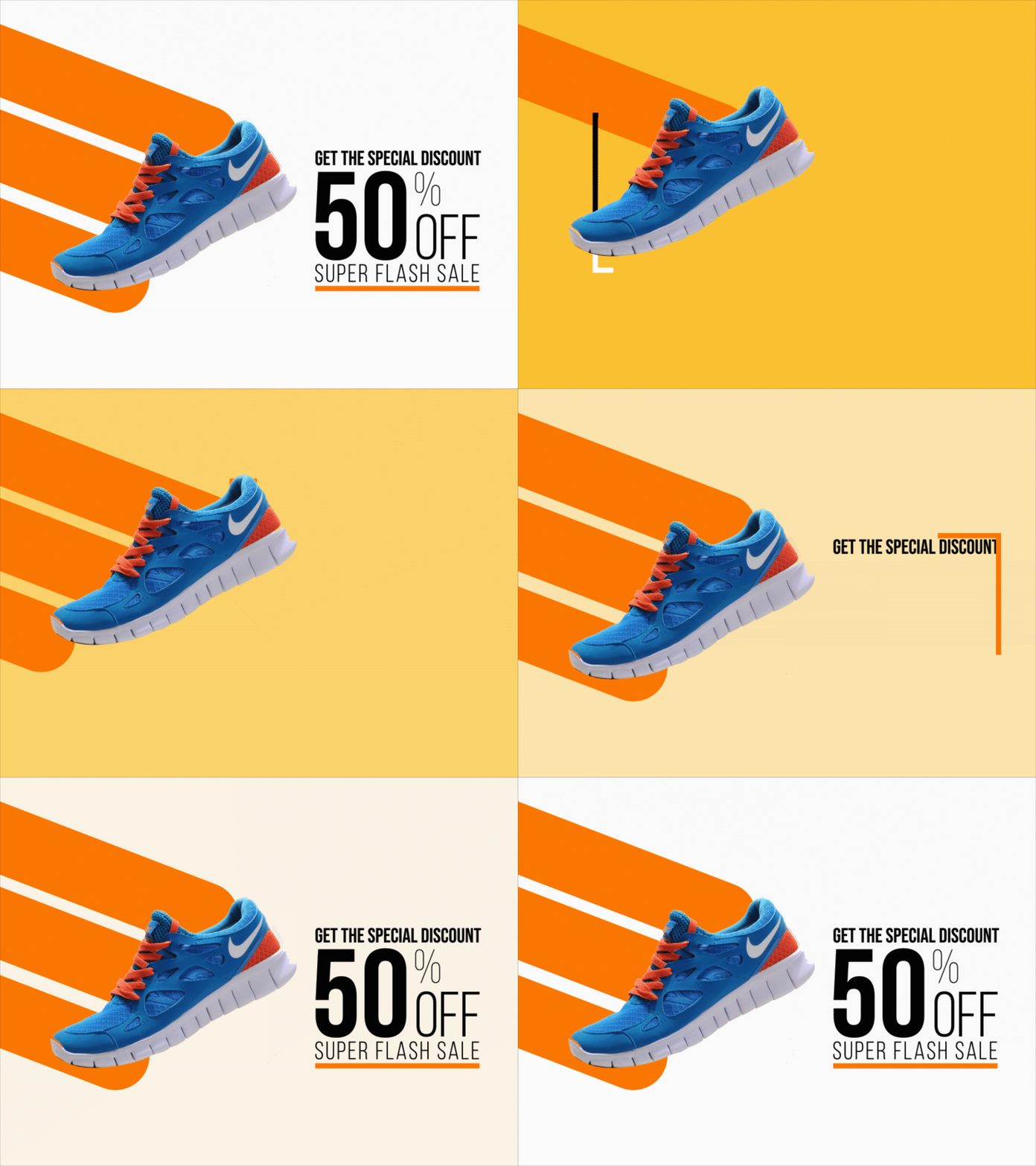
Storyboard 3 to 5 frames. Each frame should change one thing at a time. Write the exact words and timing under each frame. This is where how to animate promotional banner ad choices become clear. If the story reads well in stills, the motion will feel smooth when you build it.

Pick the right tools and formats
You have many ways to build banners. Choose the one that fits your team and media plan.
Good options:
- HTML5 with CSS and JavaScript. Best for small size and control.
- GSAP or the Web Animations API. Great for smooth motion and sequencing.
- Lottie with JSON from After Effects. Useful for vector motion at tiny sizes.
- Adobe Animate. Exports HTML5 Canvas for ad networks.
- Video (MP4) for rich placements, but watch file size.
- GIF only for simple loops; it is heavy and limited to 256 colors.
Most ad networks cap initial load around 150 KB for HTML5 zips. Many also restrict CPU‑heavy scripts. Test your build against the exact specs from the ad server. People who ask how to animate promotional banner ad files often hit rejection because of format or size, not design.

Design motion that guides the eye
Motion should lead the viewer from logo to value to CTA. Make it feel natural and easy.
Use these rules:
- Move only one focal element per beat.
- Use transforms and opacity for smooth, cheap transitions.
- Keep entrances between 300–600 ms, with 100–200 ms delays.
- Use ease‑out for entrances, ease‑in for exits, and a soft ease for loops.
- Respect reading order. Do not fly text from random angles.
- Loop with restraint. A gentle 10–15 second loop is enough.
A good test is to mute the banner and watch from six feet away. If you can still read the sequence, you nailed how to animate promotional banner ad flow.
Simple ways to build the animation
You can get far with just CSS. Keep it light and hardware‑accelerated.
Example CSS approach:
<div class="banner">
  <div class="logo"></div>
  <div class="headline">Save 30% Today</div>
  <a class="cta" href="#">Shop Now</a>
</div>
.banner { width:300px; height:250px; overflow:hidden; position:relative; }
.logo, .headline, .cta { position:absolute; opacity:0; transform:translateY(10px); }
.logo { top:12px; left:12px; animation:fadeUp .5s .2s forwards; }
.headline { top:80px; left:20px; animation:fadeUp .5s .6s forwards; }
.cta { bottom:16px; left:20px; animation:fadeUp .5s 1s forwards, pulse 2s 2.2s infinite; }

@keyframes fadeUp {
  to { opacity:1; transform:translateY(0); }
}
@keyframes pulse {
  0%,100% { transform:scale(1); }
  50% { transform:scale(1.04); }
}
If you need complex sequences, use GSAP:
gsap.timeline()
  .from(".logo", {y:10, opacity:0, duration:0.5, ease:"power2.out"})
  .from(".headline", {y:10, opacity:0, duration:0.5}, "+=0.2")
  .from(".cta", {y:10, opacity:0, duration:0.5}, "+=0.2");
This keeps CPU low and motion crisp. For vector icons, export Lottie and play with the lottie-web player. When people search how to animate promotional banner ad elements, these small, proven patterns save hours.

Performance, file size, and accessibility
Fast banners win more clicks. Size and frame rate matter.
Key tips:
- Use SVG for logos and icons. Raster only when needed.
- Compress PNG and JPG with modern tools. Prefer WebP if allowed.
- Sprite small images to cut requests, or inline tiny SVGs.
- Avoid heavy fonts. Use one weight, subset to needed glyphs.
- Animate transform and opacity. Avoid layout‑thrashing properties.
- Respect reduced motion. Honor prefers-reduced-motion for users who opt out.
Add alt text to image tags, label the CTA, and ensure tab focus order makes sense. Many guides on how to animate promotional banner ad builds skip accessibility, but it is part of a good user experience and some clients require it.

Step‑by‑step production workflow
Follow this repeatable flow to keep projects on time.
- Brief: write the goal, audience, offer, and CTA.
- Concept: draft three message angles; pick one.
- Copy: write short, clear lines with one keyword each.
- Design: layout static frames at all sizes needed.
- Storyboard: set timing for each frame.
- Build: code HTML/CSS/JS or export Lottie/Animate.
- Optimize: compress assets and test file size.
- QA: check browsers, devices, and click tracking.
- Deliver: provide ZIP or tags per ad server specs.
- Learn: review performance and iterate.
If you ever feel lost on how to animate promotional banner ad variations for many sizes, lock the sequence in the main size first. Then adapt it to the rest.

Test, measure, and improve
Great banners are tested, not guessed. Do cross‑browser tests on Chrome, Safari, Firefox, and Edge. Check mobile GPUs and low‑end devices.
Track key metrics:
- CTR for message and CTA strength.
- Viewability for placement quality.
- Engagement time or hover rate for interest.
Run A/B tests on first frame, headline, and CTA color. Give each test enough impressions to be fair. This is the best proof of how to animate promotional banner ad units that truly convert.

Common mistakes and easy fixes
Avoid these traps that waste budget.
- Too much motion. Fix: change one element at a time.
- Tiny type. Fix: minimum 12–14 px for 300×250, larger for mobile.
- Heavy GIFs. Fix: use HTML5 or MP4 with strict limits.
- Slow reveal. Fix: show the offer within the first second.
- Weak CTA. Fix: use a strong verb and add a benefit or deadline.
Remember, how to animate promotional banner ad success is more about timing and clarity than fancy effects.
A quick real‑world example
A retail client needed a holiday push across five sizes. We set a three‑frame story: save today, limited stock, shop now. Built in HTML5 with SVG logos and one web font. Total zip was 118 KB. CTR rose 27% over their static set. The big change was the first frame: we showed the discount in 0.4 seconds, not two seconds. Small timing tweaks can be the whole answer to how to animate promotional banner ad campaigns that perform.
Frequently Asked Questions of how to animate promotional banner ad
What file size should I target?
Aim for a 150 KB initial load for HTML5 banners unless your ad server allows more. Always confirm the latest specs before delivery.
How long should the animation last?
Keep the first loop under 15 seconds with a clear reveal in the first second. Gentle looping after that is fine.
Should I use GIF, video, or HTML5?
Use HTML5 for most cases. GIF is large and limited; video works for rich placements but may be heavy.
How many frames are ideal?
Three to five frames are enough for most offers. Each frame should change one idea at a time.
Which properties are safest to animate?
Transform and opacity. They are GPU‑friendly and help you keep the banner smooth and small.
Conclusion
You now have a clear path to plan, design, build, and ship banners that move people to act. Keep the story simple, time each beat with care, and optimize for speed and clarity. That is the real key to how to animate promotional banner ad work that earns clicks and trust.
Pick one concept today, storyboard five frames, and build a 300×250 in HTML5 using the steps above. Want more guides and templates? Subscribe for updates or drop a question in the comments so I can help you fine‑tune your next set.



